

Is Ethernet Actually More Reliable Than Wi-Fi?
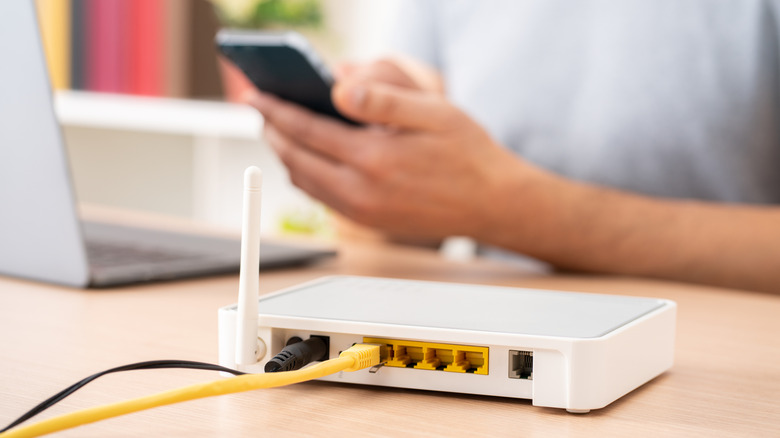
Wireless connections can be spotty at times, depending on factors like signal strength, distance from the router, obstacles in the way, and interference. Your experience can also be influenced by the quality and capabilities of the Wi-Fi radio in devices like your laptop. If it has a poor Wi-Fi card or uses an older standard, your connection won't be optimal.
Wired connections through Ethernet don't have these problems — unless, of course, there's something wrong with the cable. They're always more stable than Wi-Fi with less latency and few to no dropouts. That's why it's recommended to use a wired connection for devices where reliable access matters, like game consoles or PCs. There are several devices you should always have plugged into Ethernet ports.
When it comes to speed, is Ethernet still more reliable than Wi-Fi? Yes, however, there are two facets to consider. The first relates to actual speeds, or the max speeds that wired connections offer versus wireless. The second relates to the overall reliability and consistency of coverage.
The fastest common Ethernet cables are Cat6a, which support speeds up to 10 gigabits per second (Gbps). Since Wi-Fi 7 isn't very common yet, the fastest wireless speed you're likely to hit is about 9.6 Gbps with Wi-Fi 6e, but even then you'll almost never get those speeds, if at all. Even if you use an older Cat5e Ethernet cable with a maximum of 1 Gbps, speeds may still be faster than Wi-Fi and you'll almost always have a more stable experience. Wired Ethernet connections are less susceptible to interference and have lower latency with fewer dropouts, so they'll always be more reliable. That's not to say wireless doesn't have benefits — it simply means if reliability and maximum speeds are the goal, wired Ethernet should be the top choice.
When is Wi-Fi the better choice over Ethernet?

Wi-Fi offers the massive benefit of connecting to your router without being tethered to it by wires — you can go anywhere within range without worrying about physical constraints. This is a stark contrast to Ethernet setups, which can still have range limitations tied to the types of cables you are using. A wired connection will also require running a cable through your house from the router to your bedroom, office, or wherever the target device is located, which can be rather unsightly.
Like Wi-Fi standards, the type of Ethernet cable you're using matters and can dictate the maximum speeds available — use an older Cat5e cable anywhere in the chain and you'll never see the 10 Gbps speeds of Cat6a. Then there's the Ethernet port on your computer or device, which is usually controlled by a network interface card (NIC). These also have limitations, with supported speeds ranging from 1 Gbps up to 10 Gbps, which means, depending on what NIC the device is equipped with, you may also be limited in terms of speed there. Ultimately, you'll want to pay attention to your desktop or laptop's wired capabilities, which type of cable you have, and your router's capabilities, before expecting much higher speeds.
So in some cases, it might be better to use Wi-Fi for the sheer benefit of movement and distance flexibility, especially when limitations with the device's Ethernet port mean the wireless connection speeds would otherwise be just as good as wired. Some would even argue there's simply no need for wired internet anymore thanks to modern Wi-Fi standards.