

5 Essential MacBook Apps You Should Be Using In 2026
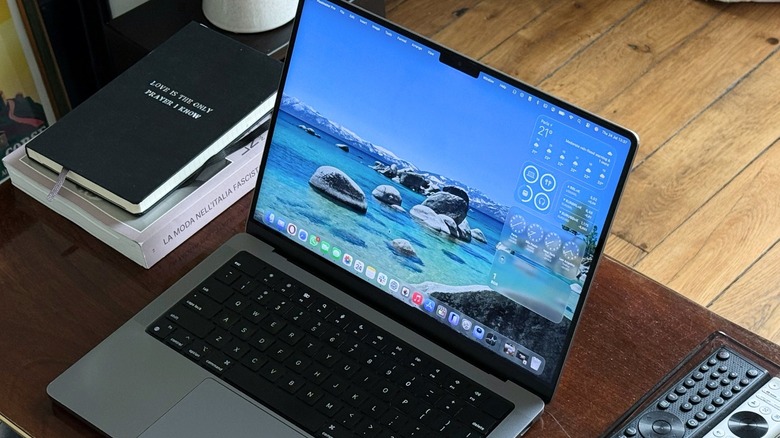
A MacBook is a powerful tool for anyone in school, working, coding, creating, or just browsing the web. I have owned a Mac for more than half of my life, and over that time, I've tested many apps that served me well for finishing school papers, editing a podcast for my journalism degree, and even doing my job. From a focus tool called Portal, which can transport me to breathtaking regions of the world, to Opera One, which brings a mix of powerful multitasking features in a lightweight browser, there are many MacBook apps you should be using in 2026.
Some of them are available on the Mac App Store, while others can be downloaded on the developer's website. There are free and also premium apps, and they all make my life easier, whether I just need a break, want to find something quickly, or have to authenticate a login.
While I could talk about popular options Apple's Pixelmator Pro editing tool, Ulysses, ExpressVPN, or even Slack, which are also apps I use daily, the apps below are universal and can be great additions to anyone's Dock. Best of all, many of them are free (or at least have a free trial).
Portal - Escape Into Nature
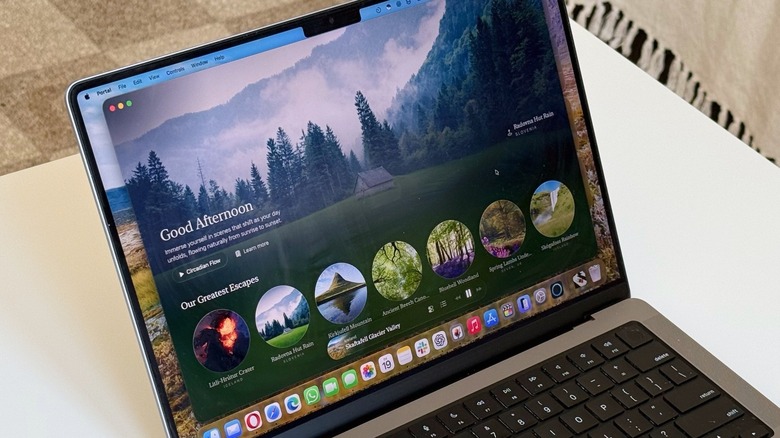
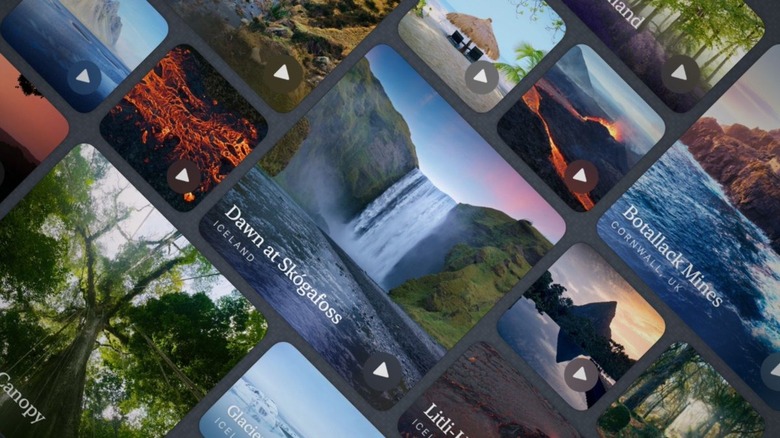
One of my favorite Mac apps, Portal, is one of those you never knew you needed until you try it for the first time. This productivity tool is also a virtual getaway, which can be useful when you need to focus on a paper or you work, get to sleep, or even when you need some meditation time. Once you open the app, you can choose between several cinematic and vivid landscapes to jump into. They take over your Mac wallpaper, and with a recent update, they even connect to your Nanoleaf Matter Smart Floor Lamps and Lightstrips, which makes the portals even more immersive.
According to the developers, the idea behind Portal is to connect users with nature, which helps boost focus, spark creativity, ease anxiety, and more. While spring is just around the corner, even those rainy days or hot summer nights can be a bit more manageable with Portal. In 2025, the developers added Circadian Flow, which is a feature that synchronizes portals with your time zone, so you can experience different nature scenes and sounds based on what time it is.
Portal is available through the Mac App Store. It has a free 7-day trial, and it offers a subscription as well as a lifetime pass. The subscription is $12.99 monthly or $69.99 annually, and the lifetime pass costs $299.99.
ChatGPT
Generative AI is evolving each and every day, but it's starting to look like 2026 might not be the continued explosion of the technology that many companies expected. With brands avoiding using the term "artificial intelligence," there's one that will continue to advocate for it, and it's none other than ChatGPT owner OpenAI.
ChatGPT went from an interesting app to an important part of my day, especially to help me with learning new languages, fighting French bureaucracy, and even understanding what my huge amount of workout data actually means. For other users, it can also be a great part of how they summarize a meeting, get key takeaways from a document, and even create business strategies, code, and more.
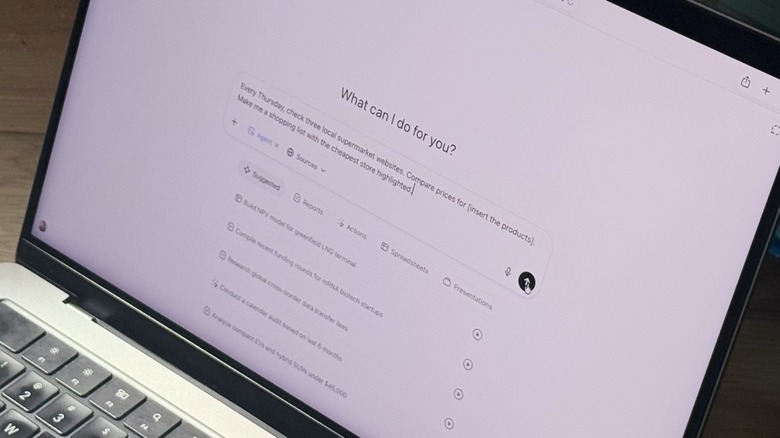
ChatGPT for Mac is a convenient tool users should consider putting on their Dock or on their Menu Bar. The app compiles all recent conversations, lets users connect with third-party apps — like Apple Music — and even offers custom GPTs that can be used for specific situations. Much of ChatGPT is available in the Free version, but users can also opt for different paid subscription tiers, like Go, Plus, Pro, Business, or Teams, for improved models, fewer limits, and other perks.
Opera One
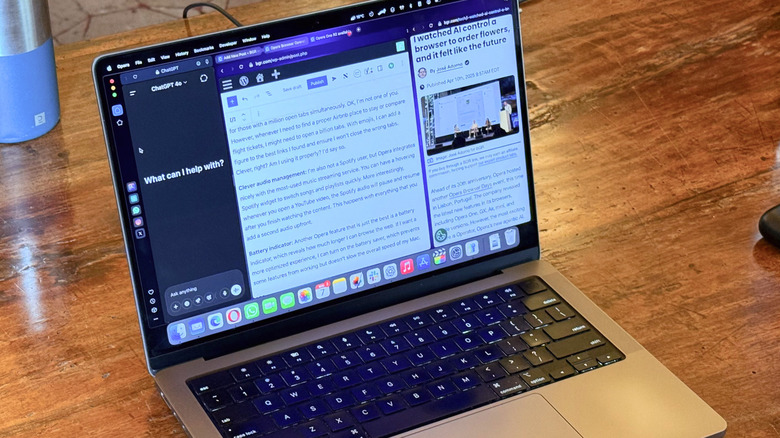
Forget Safari, Microsoft Edge, and Google Chrome. Opera One is one of my favorites discoveries of the past few years. Early this year, the Norwegian company rolled out the R3 update for its browser, which improved Tab Islands by adding an AI that can understand context and get things done, like get the timestamp of a YouTube video or answer a question based on a tab you have opened.
Its modular design expanded with a new sidebar lets you add webpages and web apps. However, my favorite feature continues to be the ability to use Split View in Opera One, which means I can have two tabs opened side by side. It's a lot more convenient than having two different windows open at the same time; and if you have a bigger display, like Apple's Studio Display, you could easily take advantage of up to four tabs open all at once.
Opera also has other browsers, like its AI subscription-based app Opera Neon, or the stress-battling Opera Air, but the most interesting one continues to be Opera One. The app is free to download and use, and the company constantly updates its flagship browser with new features. By toggling on the early bird setting, you can also be the first to test upcoming features and changes.
Paste - Limitless Clipboard
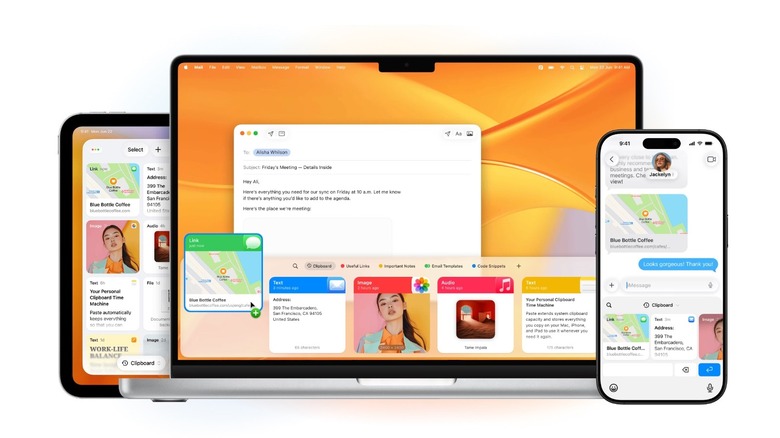
The clipboard manager Paste costs $3.99 monthly or $29.99 yearly, which might sounds crazy, but it's reliable and solves a problem Apple has been struggling with for years. Even with the recent release of macOS 26, it seems Apple still struggles to make this powerful tool work properly. This is why Paste might be your favorite macOS Tahoe app, as it gives you complete control over what you copy, from texts to links, images, and files. More interestingly, you can choose to turn off the options to track the passwords you copy to improve privacy.
Users can take advantage of Paste by using a hotkey or clicking its Menu Bar icon, and it will show everything you copied throughout the day. The app offers the ability to pin the things you copy and paste the most, and thanks to iCloud support, you can find what you want while jumping between Apple devices. Although it's a paid app, there's a free trial so you can decide whether or not this app will become a fundamental part of your routine.
Authenticator App by 2Stable
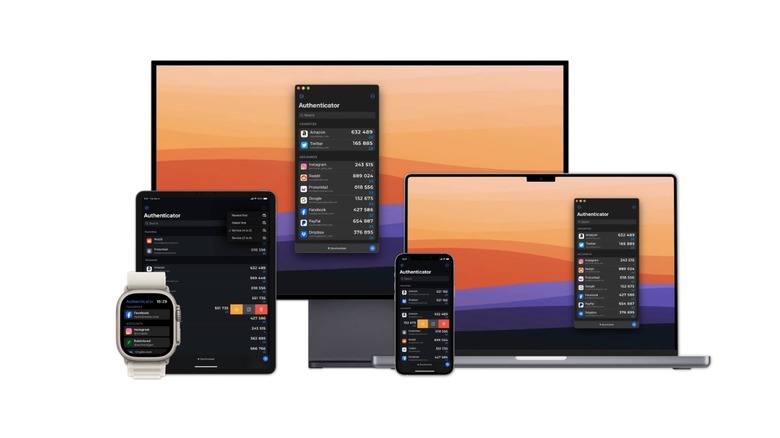
Even though the App Store features many two-factor authentication apps, including from big players like Microsoft and Google, my favorite is the Authenticator App by 2Stable. The indie developers behind the app get everything right, as the app doesn't require an account, it stores all data locally, and you can synchronize your information with E2E encryption via iCloud. All you need is a master password, but Face ID or Touch ID authentication are also available.
Users can add any kind of authentication and choose custom emojis to represent them. This little addition makes my password entries a bit more personalized and easier to recognize when scrolling through them. Another thing that makes this app so useful is that it's available across Apple devices, including the Apple Watch, so if I'm on a different computer or I don't have my iPhone nearby, I can just open the Apple Watch app, and I'll find the code there.
This is one of those simple, yet very well made apps that can make life easier. Authenticator App is free to download, but requires a subscription to unlock all features.
How we chose these apps
Our goal was to find Mac apps that can fundamentally alter your daily routine without breaking the bank. While many of these apps do have subscriptions, you don't necessarily need to spend money to get value out of most of them. For the apps available on the Mac App Store, we made sure they had over 1,000 ratings with at least a 4.0 average rating out of 5.