

Why iPad's Magic Keyboard Has A USB-C Port – And When To Use It
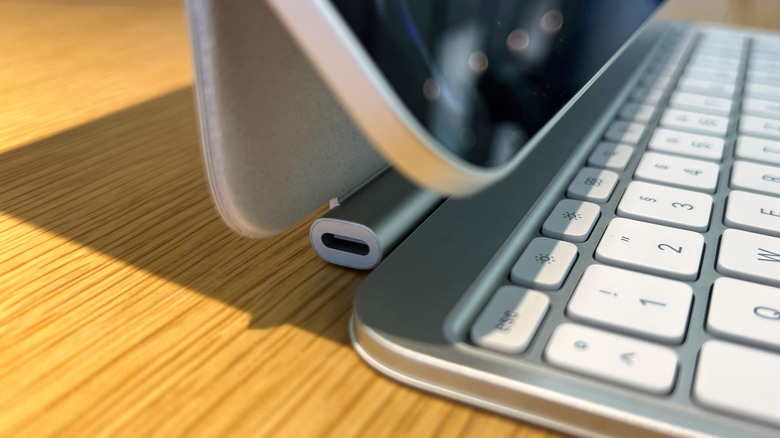
Apple's Magic Keyboard is a great accessory for stepping up how you multitask, work, and study with your iPad. Originally made for the iPad Pro, Apple has expanded the lineup to work with the iPad Air as well. The Magic Keyboard has an aluminum finish, backlit keys, and is designed for easy pairing with your tablet: Just attach the accessory and it's ready to go. These Magic Keyboards also feature a built-in USB-C port that can be used to charge your tablet, freeing up the USB-C port on the iPad for uses other than charging.
Starting at $269 for the iPad Air Magic Keyboard and $299 for the iPad Pro version, both options come with an integrated USB-C port versus the Folio version, which does not. It's important to note that the Magic Keyboard for iPad Pro models is only compatible with M4 and M5 tablets, while the iPad Air keyboard will work with 4th and 5th generation models as well as the M2, M3, and M4 iPad Air.
How to charge your iPad with the Magic Keyboard
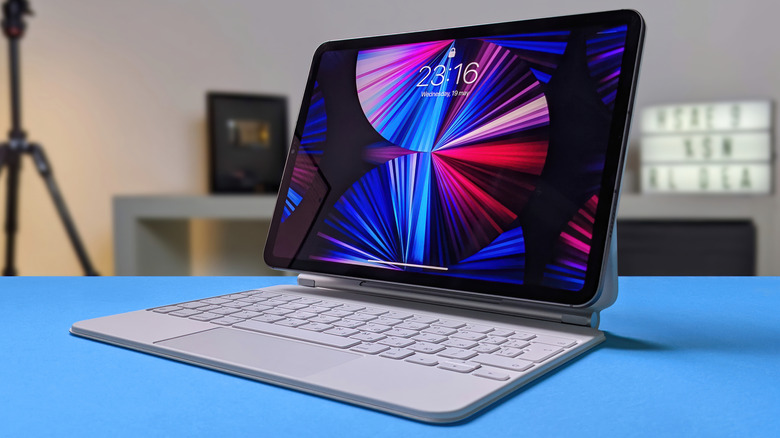
Apple doesn't go too deep into the charging capabilities of the Magic Keyboard, only sharing that it features a USB-C connector for pass-through charging. This means it is capable of charging your iPad, but is not designed to transfer data. When you connect a charger to the USB-C port on the Magic Keyboard, it sends power to your tablet through the magnetic Smart Connector, which explains what those three dots on the back of an iPad are for.
In fact, the Magic Keyboard is one of only two types of accessories that use your iPad's Smart Connector. When Apple updated the Magic Keyboard in 2024 alongside the introduction of the M4 iPad Pro, some reviewers claimed the new Smart Connector could support up to 60W of charging, while others said it was closer to 40W. However, Apple does not publish specs around this, so there is no way to determine what kind of charging speeds you can expect when using the Magic Keyboard.
That said, the company notes that the iPad Pro is fast-charge capable and can add a 50% charge in 30 minutes when connected to a 60W adapter or higher. For the iPad Air, it only notes that charging is done via USB-C, meaning you shouldn't expect fast-charge capability using the Magic Keyboard's built-in USB-C port, nor the iPad itself.