

5 Essential Google TV Apps You Should Be Using In 2026
Google TV is the brand's smart TV operating system that has essentially replaced Android TV (the biggest difference between the two is the former's focus on content). The software is built around an interface that puts all of your favorite content at the forefront by pulling recommendations from multiple streaming services into a single, unified home screen. The platform also comes with access to more than 800 free channels that are all presented within a single guide. Google TV is available on a wide range of devices, from smart TVs made by manufacturers like Sony, TCL, and Hisense to smartphones and Google's own Google TV Streamer.
Google TV offers far more than the convenient curation and organization of content, though — it also supports a broad ecosystem of third-party apps that can expand what you do with the platform. Ensuring you have the right apps installed can go a long way toward making the most of your entertainment setup. Whether you want to stream a personal media library, access content that isn't available through more traditional streaming services, or add utilities that make a TV a more functional part of a smart home setup, the Google Play Store is full of apps that are compatible with Google TV. We've handpicked what we feel are the most essential of them for anyone with access to the platform.
Plex Media Server
Plex has a number of apps available in the Google Play Store. Its Movies & TV Shows app, for example, is a great way to get access to free movies, TV shows, and live TV channels. But the Google TV platform is already loaded with access to mainstream streaming services, many of which come with access to at least some free content (some offer entire streaming libraries available to watch at no cost).
But then there's the Plex Media Server app, which separates the brand from other entertainment ecosystems by allowing you to create your own personal media library. Users with movies, TV shows, music, or photos stored on a home computer or network drive can connect the files to the Plex Media Server. The app will scan through and sort all of the media files and make them available to watch on various devices. The software is even smart enough to recognize which files are movies and which are TV shows and organize them accordingly.
Google TV users with their own content libraries can access them on their TV with Plex Media Server installed. It's an essential app for those who want a viewing experience that's more personalized than any streaming provider's algorithm could ever provide. With it, you can access any content you own as well as your home movies and documented memories.
Spotify
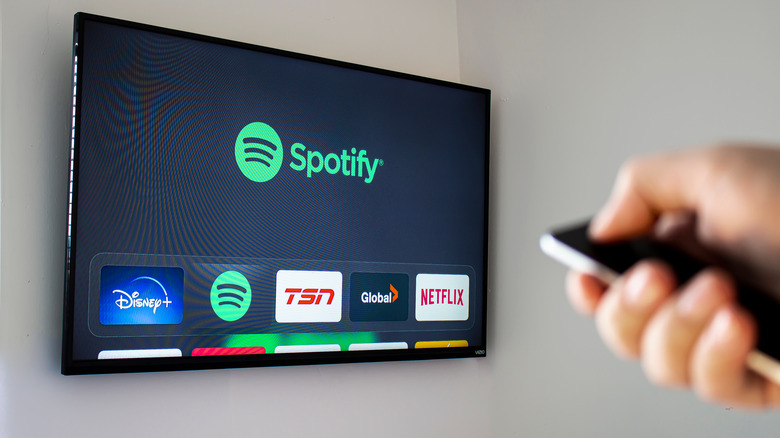
Spotify is one of the most widely used audio streaming services in the world, which is why you might be a little surprised to hear that not all devices come pre-installed with Google TV. With Google TV so focused on curating visual content from streaming services like Netflix, Disney+, HBO Max, and Prime Video, it's worth manually downloading Spotify to ensure access to the service's music and podcast libraries. A Spotify Premium subscription eliminates ads and provides access to lossless music and offline listening, though the app is free to listen to for those who don't mind being interrupted by advertisements.
What makes Spotify an essential addition to a Google TV setup is what it does for the listening experience at home. Most people are familiar with the app as a mobile listening option, but installing it on a Google TV-powered smart TV allows you to play music, podcasts, and all that the service has to offer through a home theater setup. You can even control things from the Spotify mobile app while the content plays through your TV. We think Spotify is one of the essential TV apps every audiophile needs, but it's also an essential for anyone who utilizes the Google TV platform within their home theater setup.
LocalSend
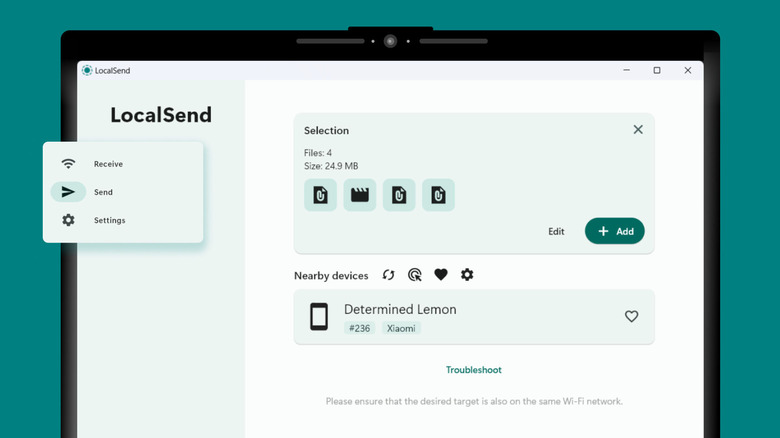
LocalSend is one of the most essential Android apps, and it's also available to use with Google TV. It's a free, open-source file transfer app that allows you to send files between devices. No account is necessary to use the software, and there's no cloud service acting as a go-between for the devices used: LocalSend works exactly like its name suggests, sharing files directly between devices.
This app is a Google TV essential because it allows you to move all of your personal files to your smart TV. Once LocalSend is installed on a device like a phone, tablet, or computer, you can transfer files to Google TV devices as long as they're connected to the same Wi-Fi network. Afterward, you can access them on your smart TV, making this app a third-party way to watch movie files or listen to music through your home entertainment setup. Because all devices need to be connected to the same Wi-Fi network, LocalSend isn't the kind of app you'll likely be able to use outside of your home or office. But it enables you to view files on a large-screen TV without any wiring or cables, and every file transfer is encrypted, there are no ads, and no data is collected while using the software.
VLC
Another free, open-source essential app for Google TV users is VLC media player. The audio-video player supports nearly all media file formats, meaning it can open and play media files that the Google TV platform itself doesn't support. Because VLC supports network streams, network shares, and DVD ISOs, it can pull content from a home server or NAS drive.
VLC's interface is designed to be more functional than aesthetically pleasing. It isn't necessarily going to blend into the Google TV interface like a lot of other apps will, but it's a free app that's better than premium alternatives. It provides subtitle support for files that include them, as well as support for multi-track audio, HDR video playback, aspect ratio adjustments, and playback speed controls. Similar to LocalSend, the developer is dedicated to transparency and privacy, with no data collection or ads in the app.
Google Gemini
Google Gemini made its way to the Google TV platform in late 2025, initially becoming available on certain smart TVs and the Google TV Streamer. The AI assistant will expand to more devices throughout 2026, but it's worth a manual download from the Google Play Store for Google TV users who don't yet have it installed. Gemini is replacing Google Assistant across the tech giant's ecosystem, and it provides a lot of conveniences when it comes to the TV experience.
Where Gemini distinguishes itself from its predecessor is in the way you can interact with it. Notably, it's capable of engaging in a more conversational manner, which allows users to access content in an incredibly convenient way. In order to find a movie to watch, you can simply describe what you're in the mood for, and you can even ask Gemini questions about certain movies or shows once it's provided you with results. And the software isn't restricted to just helping you find new content: It can also be used to track down information and can have conversations with you just about any topic.
Gemini for TV is more limited than Gemini apps for other platforms, as Google has optimized it specifically for the TV-watching experience. But within a home theater or other viewing setup, the software makes content searches and finding new things to watch about as simple as it gets. For users with a full smart home setup, Gemini for TV can also interact with doorbell cameras and other devices set up with Google Home.
How we selected these essential Google TV apps
In selecting essential Google TV apps, we focused on options that add something meaningful to the Google TV experience rather than just duplicating what the platform already does well. After all, the device comes with the integration of mainstream streaming services right out of the box. We sought apps that deliver real value beyond that, whether it be through organizing personal media, transferring media files, adding AI capabilities to the TV experience, or simply providing access to more content or free content, as was the case with Spotify and Plex.