

4 Signs It's Time To Replace Your External Hard Drive
Your external hard disk drive (HDD) isn't meant to last forever. If you take care of it, you might get at least three to five years of good use out of it. But if you bought a cheap or off-brand model, it may give out even earlier than that. That said, no matter what hard drive you're using, the common signs of failure, whether it's at the end of its life cycle or dying prematurely, are strange noises, inaccessible or corrupt files, or sluggishness.
Unfortunately, once the external HDD gets to this point, there isn't much you can do to repair the drive yourself, apart from some temporary software fixes. As for now, you need to ensure that the data in the external hard drive is safe. Continuing to use it as normal will only worsen the problems, leading to permanent data loss at an inconvenient time. Solid-state drives (SSDs) are usually more reliable and aren't susceptible to the same physical degradation as HDDs. So consider switching to those instead if you're looking for an option that is more reliable, especially when you notice your external HDD is on the way out.
Strange noises
A hard drive has several internal moving parts, which is why it's more vulnerable to mechanical failure. You've got the disk-shaped platter where the data is stored, the read/write head that reads and writes data to and from the platter magnetically, and a motor that spins the platter. HDDs are often audible while operating, but when you start hearing strange noises, such as clicking, scratching, and knocking, it usually means that there is a physical problem with the drive. It could be broken, stuck, or scraping against the platters. A beeping sound could mean that the motor is damaged and failing to spin. No matter the case, any noise other than the low humming whirl of spinning platters is bad news.
One of the major causes of strange noises is some kind of shock to the external hard drive, such as being dropped hard on the ground. It's quite easy to drop an external HDD, especially if you place it close to the edge of a table or desk. This can break or displace the intricate internal components. Even excessive moisture or humidity from spills can cause the motor to fail or result in clicking or buzzing noises when the drive operates. The bottom line is that you should always handle your external HDD with care, especially if it has sensitive data.
Corrupted or missing files
If you find that an increasing number of files on the external drive are becoming corrupted or keep disappearing, it could be a sign of imminent failure. This is especially true if you keep getting file access errors as well. Before you jump to that conclusion, it's best to rule out any malware. Usually, your computer will show signs, such as sluggishness, strange pop-ups, browser redirects, and unusually high network activity. The best way to find out is to scan your system with reliable antivirus software.
If there is no malware infection, it could be that your hard drive's sectors (tiny sections of storage on the disk drive) have become unreadable. The bad sectors can be logical, meaning they're caused by software and can be fixed with the Windows Check Disk (chkdsk) utility. They can also be physical, which means the disk drive has suffered some type of degradation and cannot be fixed.
Physical bad sectors can occur naturally as the hard drive ages due to wear and tear. They can also be the result of damage from shock. The drive usually handles bad sectors by moving the data to spare sectors. If it happens naturally, it's gradual, and you won't notice until years later. You can check the number of bad sectors the HDD has using software like CrystalDiskInfo. If the number is very high or steadily increasing, it means the hard drive is failing and needs to be replaced.
Sluggish performance
A slow external hard drive is also one of the things that can be caused by several fixable issues other than mechanical failure. It's worth ruling out things like low disk space, malware, heavy fragmentation, file system corruption, outdated drivers, and cable issues. If it's still slow, and you notice strange noises or that the number of corrupted or missing files is increasing, then it might be a sign that the hard drive is about to fail due to bad sectors or aging components.
When the read/write head encounters sectors that are failing, it just doesn't give up and move on. It will keep attempting to read them over again, leading to sluggishness. You can format the drive or use a utility (e.g., CHKDSK on Windows) to mark them as logically unusable, but this is a temporary fix if the sectors continue to fail at a faster rate.
As for aging components, one example is when the magnetic surface of the spinning platters degrades. This can make it hard for the head to read and write data to the disk, so a process that usually takes a few seconds now takes minutes. There's nothing to do here other than replace the drive before you lose your data.
File transfers stall randomly
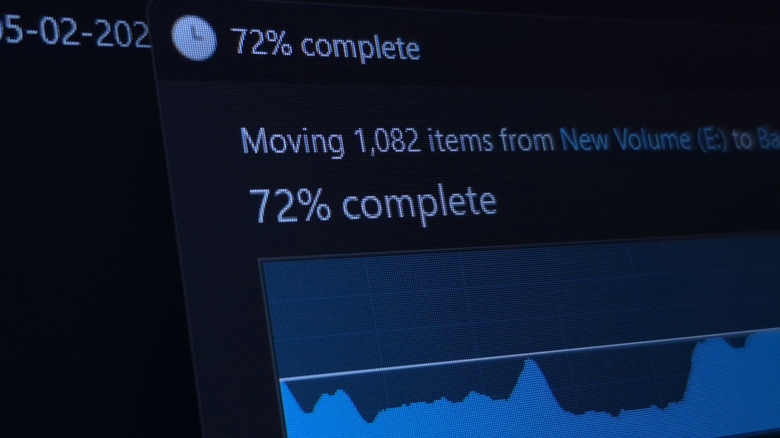
If you use your external HDD to store personal data, it's obvious that you might transfer files to and from your drive. Transfer speeds can vary for a variety of reasons, including the drive's model and the interface connecting it to your computer. However, if your transfers stop out of the blue or stall indefinitely, a failing hard disk could be the root cause. Your computer might not be able to fetch data stored in bad sectors, leading to sluggish transfer speeds. As mentioned above, there are some temporary fixes to this, but the issue will only grow as the disk ages.
After confirming that your external HDD is failing but is still readable, it's best to move your files to a healthier drive. If you don't have one available immediately, you can move them to a cloud service like Google Drive, OneDrive, or Dropbox.
If you're having trouble retrieving your files, you might need the services of data recovery professionals. For instance, when the external drive is making noise due to a broken read/write head, they can replace it with parts from another compatible drive, giving them enough time to safely extract your data. Moreover, do not attempt to open the external HDD yourself to inspect it, as you can cause further damage or contaminate it. Leave it to the pros, because even dust or any other contaminants can cause irreparable damage. Finally, when you replace your ailing HDD, don't just toss it away, as there are many ways to repurpose old hard drives.