

5 Common Mistakes People Make When Buying A Soundbar
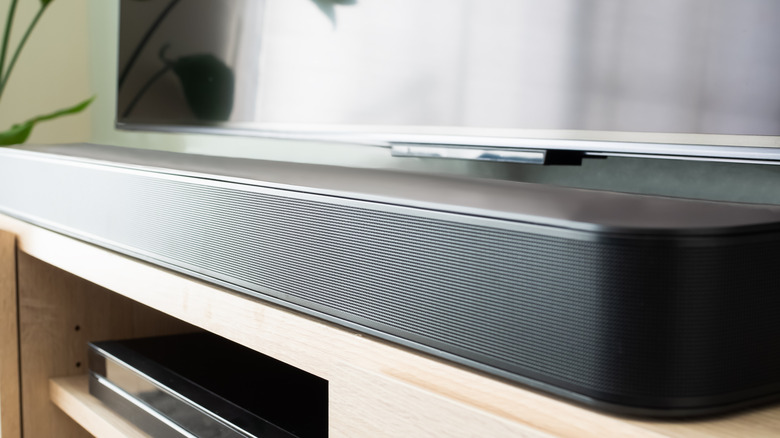
We may receive a commission on purchases made from links.
Upgrading from an older HD TV to a 4K HDR model can be a bit challenging. There are hundreds of models and screen sizes on the market, which can make shopping for a new TV feel like finding a needle in a haystack — and that's before you even consider purchasing a soundbar to go with your new QLED or OLED set.
TV speakers aren't as impressive as they used to be, either, which is why major smart TV brands like Samsung and LG also make their own soundbars. You'll also be able to find bars from dedicated audio companies like Sonos, Bose, Polk Audio, and countless others. But a soundbar shouldn't be a last-minute add-on to a larger TV purchase; it's an important audio accessory that's worth just as much forethought and research as a new TV.
Buying a soundbar on a whim — or being urged to get one at the POS terminal by the sales associate — may result in you getting home and realizing it doesn't work with your TV space for one reason or another. Moreover, you need to check the soundbar for compatibility with your TV and ensure that it's powerful enough to fill the room. Those are not the only soundbar-buying mishaps to avoid, though. Here are five others.
Overlooking compatibility and connections
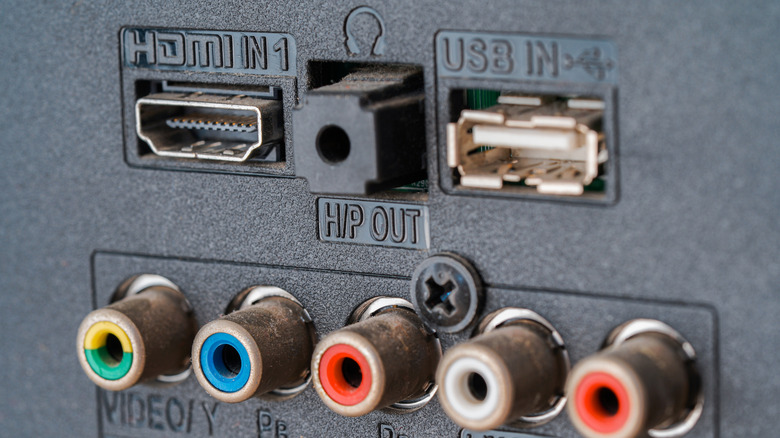
Most soundbars are plug-and-play systems you can have up and running in just a few minutes. That said, the smart soundbar shopper will ensure that the bar they're thinking about buying is compatible with all or most existing AV components at home. Many soundbars can plug into the HDMI ARC/eARC port on your smart TV to transfer audio between the two, but if your TV predates ARC technology, you can still use connections like digital optical to wire up your bar.
Of course, you'll need to confirm your older TV has an optical port, or any type of audio output for that matter. Similar to an AV receiver, you'll also be able to find soundbars with built-in HDMI switching. These types of systems make it easy to add new AV components to your home theater, but hardware like game consoles calls for specific HDMI specs to deliver peak performance. If you're shopping for this type of bar, we recommend looking for models with HDMI 2.1 (or higher) ports.
Conveniently, the latest HDMI standard is always backward-compatible with the standards that came before it, so you shouldn't have any issues hooking up non-2.1 tech. And if you're not sure what inputs and outputs your AV components use, you can usually plug the model number into a search engine to dig up a user manual or specs breakdown.
Expecting a small soundbar to fill a big room
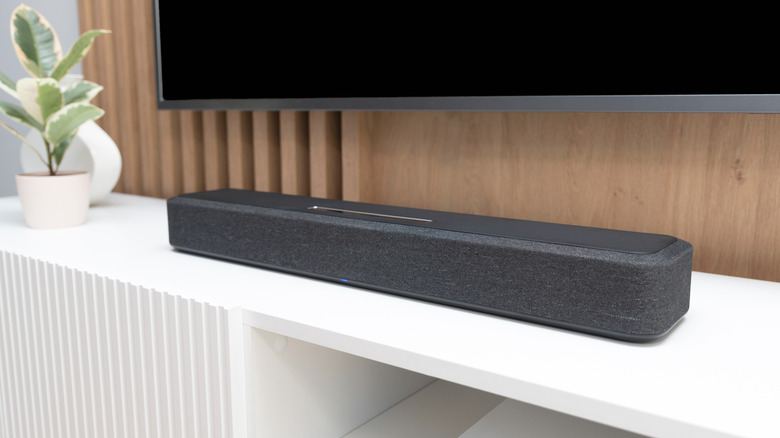
If you're the type of individual who likes keeping consumer tech as minimalist as possible — whether it's to not intrude on home decor, or some other reason — buying a compact soundbar just for the aesthetics might lead to disappointing results. Most bars will always sound better than TV speakers, but a small system for a medium to large-sized room may not be able to fill the space completely.
Most compact bars are engineered to give you a decent volume boost and improved dynamics, so you'll be able to hear more highs, mids, and lows than your TV speakers could manage. They're also great for dialogue clarity, but all of these pros can quickly fall away if the footprint you want the soundbar to cover is simply too big. This may result in a narrow soundstage, where audio details fade the farther you sit from the center of the bar. Audio immersion can also wane if you're sitting too far away from the bar.
We'd also like to call attention to compact soundbars with Dolby Atmos and DTS:X capabilities — while they seem like a good value proposition, they often aren't. Even if a small bar is able to decode a height-surround codec, if it doesn't at least have up-firing speakers, it'll lean completely on "virtualized" surround to fill your space with audio. And oftentimes, the deliverables aren't very convincing.
Buying into a deal that's too good to be true
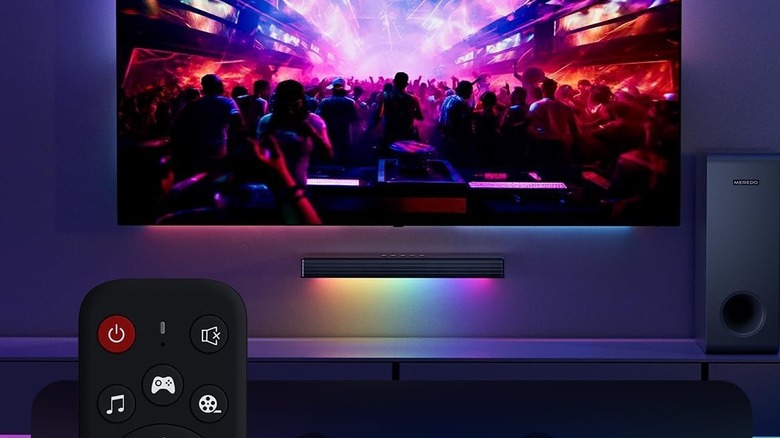
Who doesn't like to save a buck now and then? Soundbar discounts and promos are always available somewhere, and you'll probably find even more deals if you're shopping around Black Friday, the Super Bowl, or Father's Day. Heed this warning, though: the "save a buck" ideology shouldn't extend to $30 soundbars sold on Amazon from brands you've never heard of.
Generally speaking, tried-and-true TV and audio companies don't offer good-sounding bars that cost less than $100. There are definitely exceptions, but $50-or-less territory is where cheap tech and knock-offs thrive. If the product name is super-generic (e.g., Soundbar 5.1 System, Dolby Digital Soundbar, etc.), or the company name looks like someone just dragged their elbow across a keyboard, these are red flags. You should also be wary of product listings that promote ancillary features — things like RGB lighting or a remote with backlit buttons — over actual audio capabilities.
Unfortunately, "you get what you pay for" rings pretty true for soundbars. Sticking to brands like Samsung, LG, and Bose will likely cost you more upfront, but that investment should also translate to better sound quality, reliable codec support, and longer-lasting hardware. Oh, and if you really want to add RGB lighting to your home theater, you can always purchase a TV backlight kit to enhance your viewing space.
Forgetting to accommodate power adapters
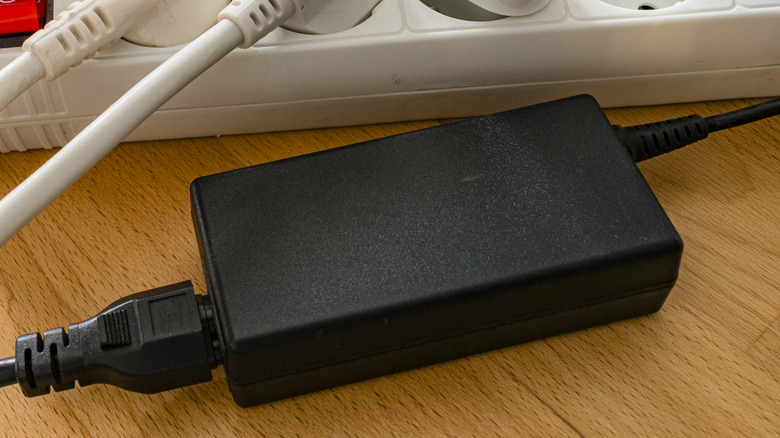
This next soundbar-buying mistake is a bit more unique, but just as much of a headache-inducer, if not dealt with properly: whether or not the soundbar comes with a power adapter, and what to do with it during setup. All bars require AC power from a wall outlet, but many systems use a brick-shaped power pack that connects to a regular power cable.
Tucking the brick and wire behind a TV stand isn't such a big deal. But if you're planning on mounting your soundbar below a wall-mounted TV, and you don't want to see any wires, hiding that power adapter is going to be a bit more involved. While you can easily find soundbar mounting kits online and in stores, the issue is that most of these kits will leave you with a recessed outlet behind your wall-mounted soundbar, but zero space for a power pack to live.
Fortunately, it's not too difficult to skirt around this issue. Certain soundbar specs won't mention the power adapter, so we suggest assuming that all soundbars will come with one and prepare accordingly. If you're wall-mounting a TV and soundbar at the same time, you can use zip ties to fasten the power brick to the mounting hardware on the back of your TV; just make sure to fasten it close enough to the soundbar for the power cable to reach.
Ignoring built-in features and expandability

There's more than meets the eye with most soundbars, at least as far as audio features are concerned. It's not easy to ignore the flashy-sounding tech that often graces in-store displays and online product pages, but you might be turning a blind eye to soundbar features you'd actually want to use. For example, many Samsung bars have a feature called Q-Symphony that lets you use TV speakers (must be a compatible Samsung set) and your soundbar simultaneously.
Sonos soundbars require a Wi-Fi connection and access to the Sonos app, but there are plenty of other soundbars with optional Wi-Fi connectivity and companion apps. This often means the bar will feature native support for various music streaming platforms (e.g., Spotify, Apple Music, Tidal) and some additional controls and customizations for specific models. The latter might include a multi-band EQ and audio presets, or a room calibration tool like Samsung's SpaceFit Sound Pro technology.
Furthermore, you'll find a lot of soundbars bundled with a wireless subwoofer, and sometimes even a pair of rear speakers. But even if you bought a system that didn't include a woofer in the box, some premium bars may have an LFE output you can use to connect a separate sub down the line. The more you know about what your soundbar can do, the better it can be at livening up your home theater.