

Do Kindles Need Screen Protectors?
We may receive a commission on purchases made from links.
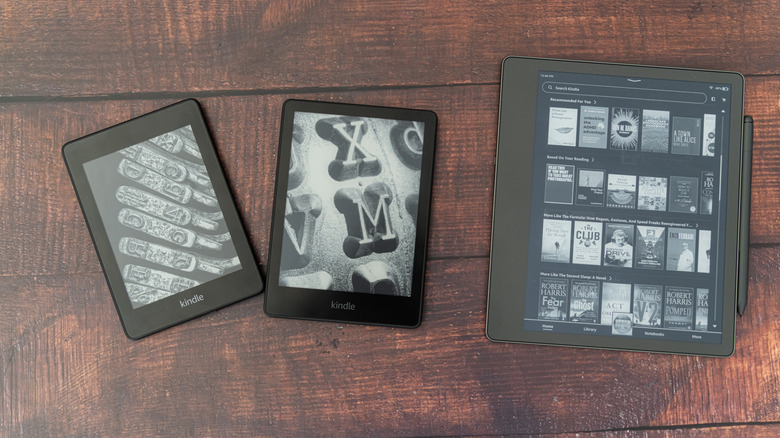
Kindles are e-readers, a specific type of mobile device or tablet designed for, well, reading. They have unique displays, most employing e-ink or e-paper technology that mimics real paper and ink. In the current Kindle lineup, that includes the Kindle Paperwhite, Kindle, Kindle Scribe, and the Kindle Colorsoft. But it does seem like there's a difference between the outer casing on some models. Amazon doesn't explicitly say whether the screens are glass or plastic either. That leaves the question, do modern Kindles need screen protectors?
Even if they have a glass underlayer, they're not the same displays you'd find on smartphones — pure glass LCD or AMOLED panels. In addition, e-ink technology results in durable displays that are more rugged than alternatives, if they're the Mobius plastic-based TFT panels. Moreover, they're flexible and shatterproof. So, the short answer is no, Kindles don't really need screen protectors. You can get by without one. That applies to most e-readers on Amazon users swear by, even non-Kindles.
But screen protectors also help keep a screen scuff or scratch-free, especially if you read on the beach or near sand. Plastic e-ink displays are more durable, but that doesn't mean they're indestructible. A tough screen protector may take the force of a drop or hard blow potentially saving the device's display underneath. Or, it may stop keys and other objects loose inside a bag from scratching the surface. Although Amazon is discontinuing support for older Kindle models, you can keep them like-new for many years by adding an extra layer of protection, if you haven't already.
Screen protectors are an inexpensive, extra layer of protection
While some screen protectors add extra properties, like anti-glare support, or fingerprint resistant coatings, most of the Kindle devices do an alright job of staying mess-free, so that's not the only reason why you'd buy a protector. But they do provide an extra layer of security for the screen, just in case. Kindle devices aren't expensive compared to flagship smartphones, but it's still a decent chunk of money to lose if the screen breaks, cracks, or becomes unusable. It doesn't hurt to add extra protection, especially to keep the top surface of your Kindle pristine and clear of blemishes.
Besides, most screen protectors are around $20, even less in some cases. And if we look at the reviews for a screen protector that's compatible with the 2024 Kindle Paperwhite and Kindle Colorsoft, we can see there are mostly positive reviews. Commenters say they're easy enough to install, work well, and ultimately keep the display and top-surface safe.
When you're talking about a device you might stow in a purse or backpack, or lug around in the open, and could be subjected to all kinds of unintended abuse, it makes sense to use something like this for a little added peace of mind. While you're at it, you may want to consider an inexpensive $16 gadget to read your Kindle in bed more comfortably. It's a game-changer.