

Is It Safe To Use A 100W Charger On A 65W Laptop?
Laptops come with a charger made to the specifications of the device. For example, a 65W laptop with Power Delivery (PD) support will come with a 65W power adapter with PD support. But you likely have chargers for other devices or a universal charger at home. Is it safe to use these other chargers with your laptop? What happens when you use a charger with higher wattage, such as a 100-watt charger in a 65-watt laptop?
Most modern chargers (and modern electronics) are designed to optimize power input and output. If you plug a 65W charger into a 45W device, or a 100W charger into a 65W device, the power components ensure the right amount is being delivered. Because modern electronics are designed to only draw as much power as they need to run, a charger with higher wattage won't harm your devices as the excess energy won't be used. The voltage or amperage is where things really make a difference. Mismatched numbers here can create problems or damage devices. If the amperage is too low, it may cause a bevy of problems from overheating to damaged batteries. This is primarily an issue with older devices and older device chargers but it's still important to keep in mind. Essentially, you want to double check and make sure the output voltage is the same for all devices, while the charger amperage is equal to or greater than what's listed for the device.
As long as the output voltage matches, and the amperage is equal to or greater than the laptop's requirements, a 100W charger is safe to use with a 65W laptop. You may even be able to use your phone's USB-C charger to charge your laptop if the specs match.
Proprietary chargers may signal incompatibility
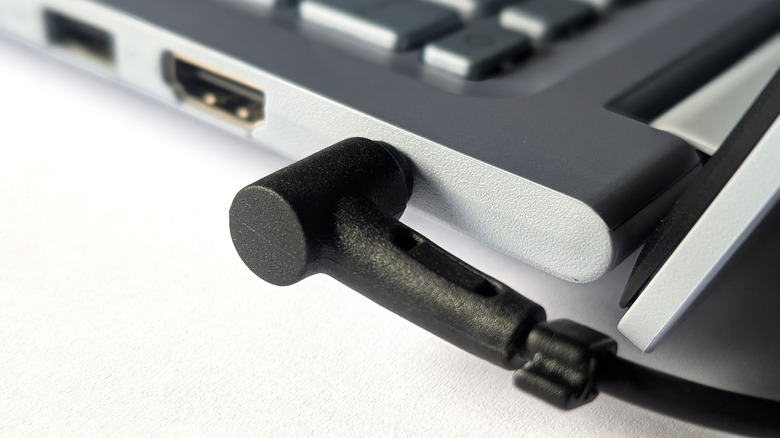
Some laptops come with a proprietary charger that's only compatible with said device, in which case those won't be usable in anything else. For example, a laptop with a charger that has a round power pin or connector rather than a standard USB Type-C or USB Type-A port likely won't work with anything else.
Unfortunately, that usually means that particular laptop can only be charged with that proprietary adapter. In which case, you'd have to purchase a spare or replacement from the manufacturer or find something comparable — Amazon sometimes has chargers for various laptop brands. Granted, that doesn't mean the chargers are safe. Always make sure to check the power delivery specifications and ensure they match up with your laptop or other devices you want to charge. On the other hand, if your laptop charger does employ USB-C, you may be able to use it to charge your phone and other devices, too.
In addition, if your laptop supports the PD (power delivery) standard, you also have to make sure the charger you're using, universal or otherwise, supports the same standard. PD is a type of USB-C interface that allows for an increased power output of up to 100W. It's also the standard used for fast-charging and designed to automatically optimize power in varying voltages and increments. It's better to go with a reputable brand for the charger versus no-name or generic options. If you need a portable charger for your laptop that you can use while you travel or when you're away from home, the same guidelines apply. Look for PD support and consider the voltage and amperage output.