

5 Myths About Incognito Mode You Need To Stop Believing

Incognito Mode is an internet browsing mode that most web browsers support to allow the user to visit websites without leaving traces on the computer, like browsing history. It's a useful tool for visiting specific websites on a shared computer, or for testing websites and services in a different browser. However, Incognito Mode is far from providing the anonymous browsing experience some people might envision.
Incognito Mode doesn't guard your privacy as well as you think when used without other tools. Internet service providers, employers, schools, advertisers, and other entities that might have access to Wi-Fi router data can still see the traffic in Incognito Mode. It can also leave some traces on the computer, depending on how you use it. More importantly, it doesn't protect against malware and other online threats, and it's not a replacement for a VPN service. These are some of the myths about Incognito Mode that you may find online, and it's important to understand how Incognito Mode actually works.
That's not to say that Incognito Mode is useless, which is itself a myth, as is its association with nefarious online activity. Not everything you do online has to happen in your main internet browser, though. There are cases that warrant using it instead of the regular browsing mode, and it's a tool to keep in mind when using the web, especially if paired with other tools that can actually keep your browsing activity hidden from others.
Incognito Mode makes me invisible to everyone

Perhaps the most prominent myth you should be aware of concerns the privacy of your browsing habits. Enabling Incognito Mode doesn't guarantee that others won't see the websites you've visited. What it does is do is prevent browsing data from being saved in the browser. That way, other people using the same device won't be able to see your internet history. However, plenty of entities can "see" your activities. Some companies and the websites you visit receive information about your computer, including your IP address and browser details.
For example, Google settled a lawsuit in 2024 alleging that Chrome users were tracked while using the browser's Incognito Mode and agreed to destroy billions of private browsing data points. Google's not the only company that tracks users for advertising purposes. Other firms may also track you while browsing the web in Incognito Mode. While the websites you visit will generate temporary cookies for you, the aggregated traffic data, combined with any fingerprinting techniques they may be using, can be used to track you. Some websites may also tell the difference between incognito traffic and normal internet browsing.
Finally, the entity running your Wi-Fi, whether it's your home network, mobile carrier, or your employer, can still see the traffic associated with your devices. They might not be able to tell who used the computer, but the data is there. Also, browser extensions that are enabled during Incognito Mode may see your browsing data.
Incognito Mode leaves no trace on the computer

Typically, when you're browsing in Incognito Mode, you do so because you want to avoid your activity being saved in the browser's history. In Incognito Mode, your session won't show up in the history, so other users won't be able to see what websites you've visited. However, there may be traces that remain, which may not be immediately obvious. For example, if you download a file from a browsing session in Incognito Mode, that file will remain on the computer, where it can be found.
You may also save websites as bookmarks either intentionally or accidentally. In either case, the bookmark will remain in place, and others may see it in a future session. Similarly, taking screenshots of content seen while browsing the web in Incognito Mode may expose the fact that you've visited a specific website at a specific time, and that you used this privacy feature. The screenshots will be saved on your computer or phone, unless you delete them.
Incognito Mode protects against malware

Regardless of how you browse the internet, one of the things you may end up downloading on your computer is malicious software. Incognito Mode doesn't protect against such attacks, and it's up to the internet user to avoid visiting untrusted sites and downloading questionable content from shady sources. Also, if malware is already installed on the device, like a program that logs every keystroke, Incognito Mode will not protect the user's privacy, as the entity spying on them will see exactly what websites they visited and what they typed.
Some extensions may be used to track users online, including during Incognito Mode sessions. In 2025, hackers turned 150 browser extensions into viruses, reaching millions of installs between them. Some of these extensions would be able to access online traffic and even redirect traffic to other websites. While that security report did not target Incognito Mode browser use, the behavior of malicious extensions may also apply to Incognito Mode sessions, as long as the extensions are active.
Incognito Mode is the same as a VPN

Another myth you need to be aware of is that Incognito Mode is the same as a VPN service. That's a dangerous confusion to make, as the former is hardly capable of anonymizing internet traffic. As previously established, Incognito Mode traffic can still be seen by ISPs, websites, and advertisers even if other people in your household can't see the sites you visit. A VPN service routes all internet traffic from your computer through a different server, which actually helps improve privacy, as entities tracking users may have a harder time tracking activity.
You can use Incognito Mode and a VPN service to improve your privacy, but the former isn't going to protect you data like a VPN. If you rely on a VPN service to protect your traffic, you should look for trusted options with a proven history. The VPN provider may still see your browsing data; that's why it's important to choose a reputable VPN company. For even better protection, you may want to use the Tor browser, which can further anonymize user data and improve protection. Tor may be the way to go for specific categories of users who want to leave no trace online of their activities.
Incognito Mode is useless
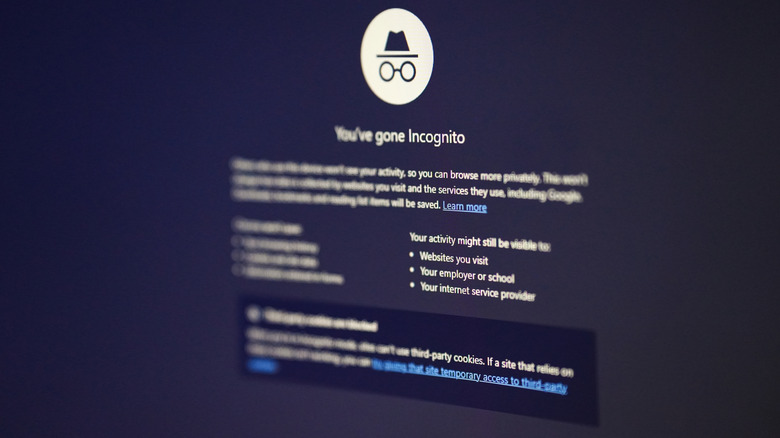
Most browsers offer Incognito Mode support, but they'll have different names: Private Window with optional Tor (Brave), Private Browsing (Safari and Firefox), InPrivate (Microsoft Edge), Incognito (Google Chrome), Private Window (Opera and Vivaldi). Incognito Mode might not be everything many users expected, but it's not useless. It's still a tool to take advantage of, especially if it's combined with a VPN service that can protect your browsing history and prevent tracking. Separately, you'll want an adblocker to avoid ads, regardless of browsing mode.
However, Incognito Mode can be useful even without a VPN or adblocker, as long as you're only trying to hide your activity from other people using the same devices. Maybe you're planning a surprise for someone in the family, and you don't want them accidentally stumbling on websites you've visited. Or maybe you're preparing for the Christmas shopping season, and you don't want your kids figuring out what you've been looking at on the desktop computer they also have access to. You may want to use Incognito Mode to experience specific websites without logging in, or for quick browsing sessions that happen in a separate browser.
For example, you could be interested in reloading a website without login data or other user-specific information. Or you may be developing websites, and you need to access them from a different browsing session. The point is that Incognito Mode has its use, albeit a limited one. It's not the all-in-one privacy-enforcing solution you may need, but it shouldn't be discarded either.