

The 5 Cheapest Upgrades To Turn Your PC Into A Gaming Setup
We may receive a commission on purchases made from links.
Even in the midst of a memory chip shortage thanks to the ready-to-burst AI bubble, it's still possible to turn a regular off-the-shelf PC into a gaming rig. For those on a budget, RGB lighting and high-end components aren't necessary to comb through a Steam game backlog. Just make a gaming PC with old and new parts instead. By targeting the specific parts that hold the system back, such as the processor or storage, you can get hands-on with customization and performance tweaks without falling into money pits and overspending on prebuilt gaming PCs.
These are targeted and affordable gaming PC upgrades that pump performance into that old family PC while keeping a budget under wraps. Taking a DIY approach to upgrading an out-of-date PC doesn't just give users the freedom to pick their own inexpensive parts, but it also saves money on paying someone else to have all the fun of putting a new gaming rig together while doing it their own way. The following cheap PC upgrades aren't throwaway components; they're solid upgrades that don't cost the earth or light up your gaming desk. They're worthwhile additions to turn a PC into an affordable Steam machine that breathes new life into older hardware.
AMD Ryzen 5 5500
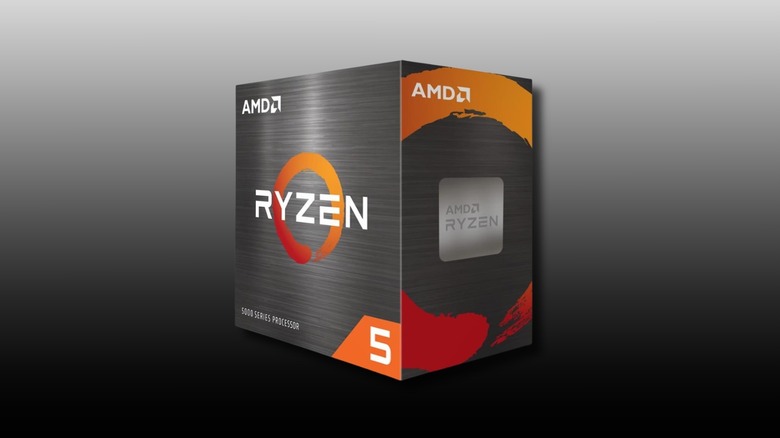
Serving as the brain of a gaming setup, one of the most important upgrades users can make to their current PC is a CPU upgrade. The chances are that an old office PC simply doesn't have the power to run modern games, even on low settings at a playable frame rate. The AMD Ryzen 5 5500 with its six cores and 12 threads is great for 1080p gaming and multitasking, and it's a very reasonable $84. It also comes with a Wraith Stealth cooler to set up and get going out of the box, although it would be a good idea to spend a little bit more on a comprehensive cooling solution.
AMD designed the Ryzen 5 5500 with "unlocked performance" in mind, meaning it's overclockable, provided the motherboard it plugs into supports it. This chip will handle background processes in a chosen operating system while still leaving plenty of resources available for games to run smoothly. Just make sure to debloat Windows 10 and 11 first.
Thermalright Phantom Spirit 120 SE
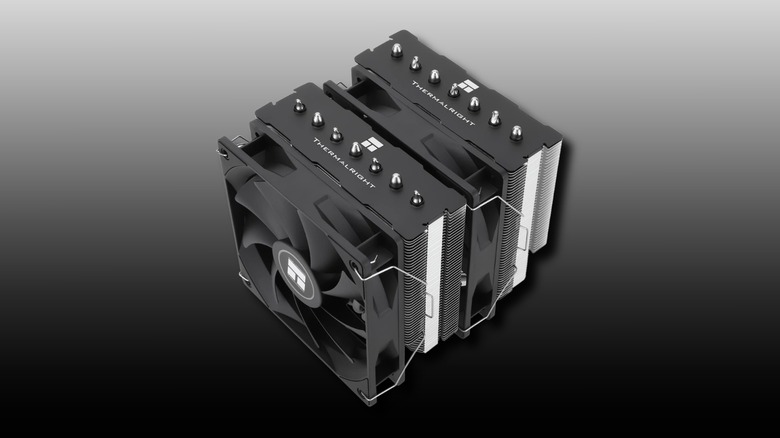
Standard office coolers and packed-in fans with CPUs are usually loud and not that efficient, leading to high running temperatures from the CPU, causing thermal throttling that can ruin your computer. For $36, the Thermalright Phantom Spirit 120 SE dual-tower air cooler is a no-brainer for the new processor being installed into a setup. The dual cooling towers are hooked up to seven copper heat pipes that pull heat away from a CPU considerably faster than a stock solution, ensuring your CPU stays cool and prevents thermal throttling during long gaming sessions.
Of course, there are complex liquid cooling systems for high-spec CPUs, but for the vast majority of use cases, this is the best solution for processor cooling at this price point. Plus, air coolers are easier to install and lack the pump failure risks associated with AIO coolers. This particular Thermalright model is designed to operate quietly while moving a massive amount of air through its dense fin stacks with its dual 120mm fans. Keeping temperatures low allows a PC's hardware to maintain its peak performance for hours at a time, so it's always wise to pay as much attention to cooling solutions as you do to other components going into a build.
Kingston NV3 1TB M.2 SSD
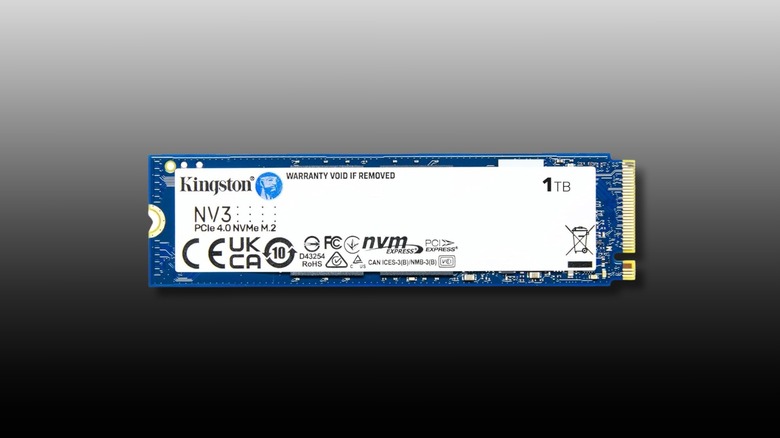
For computers still running on older spinning hard drives or slow solid-state drives, installing an M.2 drive cures infinite loading and, in some cases, stuttering during gameplay. The Kingston NV3 1TB M.2 NVMe SSD is one of the cheapest 1TB M.2 offerings at $160, offering fast read speeds of up to 6,000MB/s, which will be multiple times faster than an HDD or SATA SSD. Using an NVMe SSD completely changes the feel of a PC, too, making it snappy and responsive during both daily tasks and gaming. This drive uses PCIe 4.0 technology to transfer data at speeds that traditional HDDs and SSDs can't match, with vastly larger bandwidth to cut load screens down, booting into Windows, or jumping into a multiplayer game.
It's no secret that the AI datacenter memory chip shortage has significantly raised prices on M.2 storage, but when it comes to upgrading an old PC, this is a significant one. The performance boost is night and day, and it also helps with loading in assets during gameplay on modern titles, with some games struggling to run at all without faster read-write speeds that NVMe SSDs offer. It's well worth investing in the Kingston NV3 1TB specifically, as it's one of the cheapest M.2 drives without sacrificing performance.
Zalman i3 NEO ATX Mid Tower PC Case
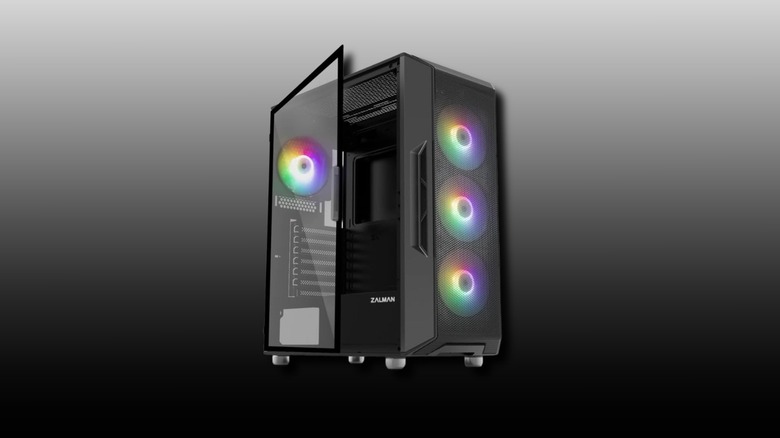
Most office PC cases are better at holding heat rather than dissipating it, which isn't typically a problem when users are just writing up documents. But for gaming PC components, it's a thermal throttling nightmare thanks to high-performance CPUs and GPUs generating significant heat. The Zalman i3 NEO ATX mid tower PC case will give a build significantly more ventilation and airflow, and for only $70. This case features a full mesh front panel and a tempered hinged side panel to see your PC upgrades in all their glory. It even includes four pre-installed RGB fans, so you don't have to go out and spend more on 120mm fans to cool your build.
Moving a PC into a budget case like this one does more than just make it look like a gaming rig; it provides better cable management and more space for components without compromising air flow. It also supports liquid CPU cooling with space for radiators up to 360mm for those who wish to take their cooling to the next level. By providing a positive pressure system with its multiple fans, it helps keep graphics cards and processors at their optimal temperatures for zero temperature throttling.
GIGABYTE B550M K AMD AM4 Micro-ATX Motherboard
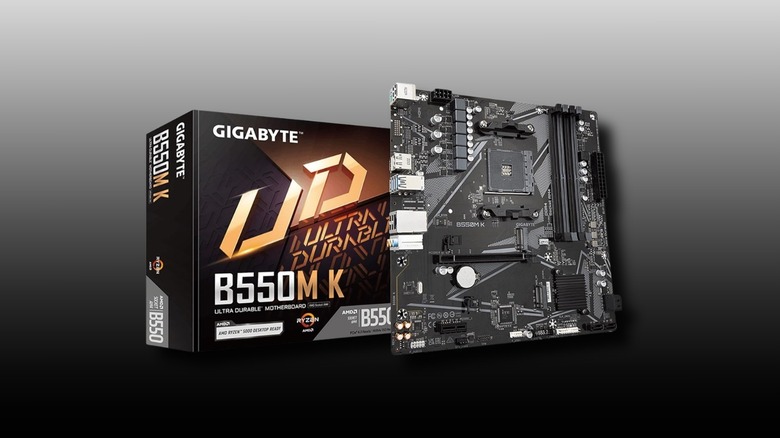
For those looking to upgrade their CPU and RAM, it's a good idea to get a motherboard that can handle it with the correct CPU socket. The Gigabyte B550M K costs $69.99 and features the AM4 socket needed for Ryzen 5000 series processors like the one previously mentioned. It supports DDR4 memory, which is much cheaper than newer DDR5 kits and remains more than capable of handling eSports, indie, and AAA titles. The features on this motherboard are great for its price point, including a PCIe 4 slot for a graphics card and dual M.2 slots.
While this isn't made for overclocking, this model focuses on reliability and modern standards like GbE LAN, which is key for stable wired Ethernet connections for online gaming. It's a smart purchase and a great foundation for fresh components when upgrading an old PC, and it supports components that won't break the bank should users want to upgrade down the line. It might be a good idea to also check if the old PC's power supply has enough output for new components before buying and installing, as the chances are it might need upgrading for a higher power draw on modern CPUs and GPUs.