

4 Common OLED TV Myths You Should Stop Believing
The truth is that there's no perfect screen technology out there. From LCD to OLED to QLED, each offers its advantages and downsides. Thanks to the long-standing availability and use of these technologies, you may be holding on to a few preconceived notions that are vastly out of date. In particular, OLED screens have seen significant advancements over the years to mitigate some of their more pertinent problem areas.
Issues like burn-in, slower refresh rates, high-energy use, and a limited lifespan are among the more popular myths still bandied about when discussing OLED. But, to put it frankly, none of them are actually issues worth worrying about in 2026. Thanks to improvements in the tech itself, along with the software used to manage pixels, most of OLED's primary issues have been handily addressed or, at the very least, significantly mitigated.
These days it's easier than ever to find a good OLED TV. There are even expert-recommended budget OLED TVs that support high refresh rates alongside variable refresh rates (VRR), including G-Sync and FreeSync functionality across brands like Samsung, Panasonic, and LG. When OLED TVs are finally good enough for demanding gamers, that's when you know the technology has graduated and is robust enough for general use for everyday consumers. Gone are the days when OLEDs were something of a gamble; they are currently the bees' knees if you demand an amazing image with your TV. So let us assuage your fears — these are the top four OLED TV myths you should stop believing in 2026.
OLED TVs have a short lifespan
Let's start off with one of the bigger myths out there: OLED TVs have a short lifespan. While this was true years ago, nowadays OLED TVs can promise lengthy lifespans free of burn-in. In recent years, OLED lifespans have tripled to 100,000 hours of use, which amounts to a minimum of ten years and a maximum of twenty. Given that LED TV screens are rated to last just as long, this means the lifespan of OLED is now on par with its primary competitor, handily squashing the myth that OLED has a shorter lifespan.
If you mainly watch bright content, this could potentially shorten the life of the organic material that makes up each pixel in an OLED screen, which would potentially shorten the overall life of the TV. That said, most people will view bright and dim content on their television somewhat equally, so any positives or negatives are a wash given equal overall use, especially when practicing proper OLED TV maintenance and care.
OLED is indeed on equal footing with LED when it comes to a screen's lifetime, allowing consumers to focus on more important features like response times and nits. While using an OLED as a monitor for viewing high-nit content daily can potentially impact some of the platform's recently gained longevity. Often there's a built-in pixel refresh feature in many OLED screens that mitigates uneven pixel aging. You'll also often find AI-driven pixel management that can smartly dim your screen, both helping your pixels live longer while also preventing burn-in.
OLED TVs aren't good for gaming
There was certainly a time when OLED screens were a poor choice for gaming. While they always offered deep blacks and vibrant colors, refresh rates were lackluster, and there was too much latency when refreshing pixels. In other words, OLED screens were outclassed by more performant tech, like LCD. No longer is this the case. In fact, many modern high-end gaming monitors use OLED panels, thanks to their lower latency than LCD, while also offering blazing-fast refresh rates that support VRR with AMD's FreeSync and Nvidia's G-Sync.
Now that OLED gaming monitors have gained lots of traction, you better believe there are plenty of OLED TVs out there tuned specifically for gaming, where most high-end OLED TVs default to 120 Hz at minimum. Add on top the killer response times inherent to OLED, and you've got yourself a television worth gaming on. Ultimately, if gaming is your goal, modern OLED TVs deliver some of the best experiences out there, though prices can still be a little lofty.
Long gone are the days when OLED was derided for its low nits and inferior refresh rates. Now, it's considered top-tier, and since the latest generation of home gaming consoles also supports high refresh rates, gamers have seen huge gains from OLED screens. Should you require a 144 Hz 83-inch behemoth for your living room that supports VRR and HDR+, Samsung makes one. Basically, the world is your oyster when choosing the best OLED TV for your needs.
Burn-in will ruin your OLED TV over time
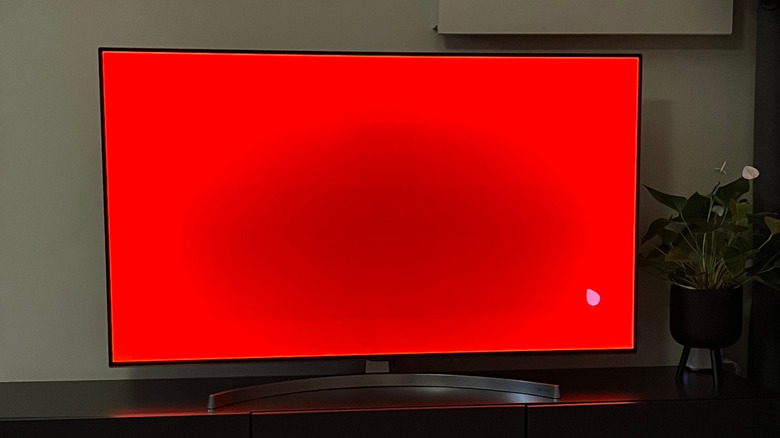
An oldie but a goodie, this is a rumor that refuses to die. Modern OLED TVs and monitors come with built-in software that helps mitigate potential burn-in. From pixel shifting and pixel refreshing to local dimming and screensavers, the tools to keep your OLED screen burn-in-free now come built in. For some time now, pixel shifting has been used to keep things like news banners and corner brand logos from burning into screens, from plasma and now to OLED. It's a fairly standard feature, though it doesn't completely protect a screen from burn-in on its own.
This is why pixel refresh exists, which hunts down uneven pixels to address any unbalanced wear. That's two layers of protection, and there is a third with auto-dimming and screensavers. These features allow the screen to rest even if you fail to turn it off, like when you fall asleep before a movie is finished. There's even a fourth layer of protection, which is a large heatsink to keep your pixels cool and free from burnout, which lessens burn-in risk.
While the potential to burn-in an OLED screen still exists, thanks to the organic compounds that make up each pixel, and the help of a few software tricks, you can rest easy knowing your OLED TV will likely remain burn-in free for many years to come. Should any image retention rear its ugly head, simply run your TV's built-in pixel refresh feature to give the entire screen a fresh recalibration to remove any potential burn-in.
OLED TVs are power-hungry

One of the oldest myths out there concerning OLED TVs is that they are power-hungry. Technically, this can be true under very specific circumstances when comparing OLED to LCD. For example, if you continually view very bright white content, an OLED does indeed use more power than an LCD screen showing the same bright imagery. But here's the thing: OLED is also incredibly power efficient when viewing dark and black content, thanks to its screen technology turning off black pixels for a true black. Of course, most OLED users will view both dark and bright content in regular use, evening out the experience, with power consumption on par with competing technologies like LCD.
So if you ever hear anyone claim OLED sucks up power, you can now brush that myth aside as debunked, knowing full well its efficiency on the other end of the spectrum cancels out any losses. If you plan to use your OLED TV as a PC monitor with a light theme, simply switching to a dark theme lets you start conserving energy anytime you wish. With the correct theme, you can actually save some money on your electricity bill when using an OLED TV. When watching movies and TV, your general power consumption shouldn't exceed that of a regular LCD/LED TV. It may even dip below if you tend to watch a lot of darker, dimly lit content like horror movies and 90's TV shows.