

3 Reasons Older Generations Should Choose Android Over iPhone
There's no doubt Apple excels with its dialed-in iPhone experience, but those pristine garden walls have a downside: iOS isn't as flexible as Android. The openness of Android helps provide a wide range of hardware options for every budget along with abundant software customizations like third-party launchers and icon packs. Add to that Google's obsession with accessibility, and you have a trifecta of features that can easily appeal to older generations and their specific needs — or even us younger users who've been tasked with setting up smartphones for their parents and grandparents.
As the go-to tech expert in my family, someone who's covered Android for well over a decade, I always recommend it as the mobile OS for older folks, whether they're new to tech or longtime users. Not only is it easier to find the right hardware and software for a senior's preferred use-case (like a large screen and custom big-button dialer), but when you combine Android's wide world of customization with its prominent accessibility features like the built-in TalkBack screen reader, you start to see it as one cohesive package that is ideal for older generations.
Android is the mobile OS often recommended by experts like me for use by older generations because it's an incredibly versatile platform that also happens to offer some of the most affordable options on the market. When you compare its many positives to the competition, it's easy to see why Android is the most-used mobile OS in the world, having captured over 70% of the global market. It's simply that flexible, and consumers of all ages can benefit from it.
Custom launchers and icons open a wide world of customization
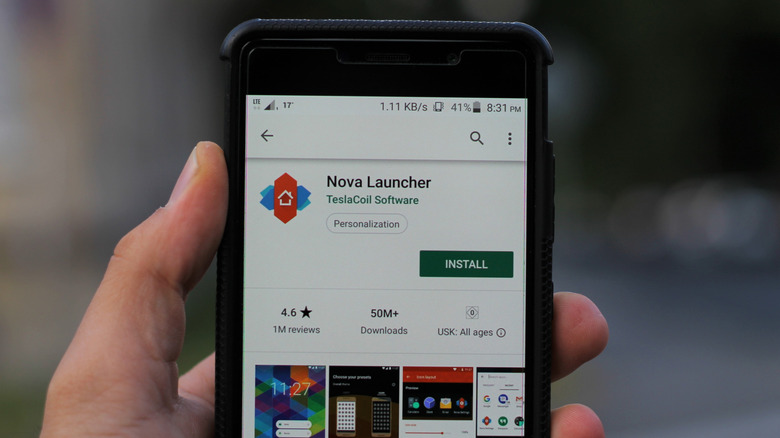
Android is an open-source OS, allowing for virtually endless customization. Specifically, thanks to multiple third-party launchers that cater to seniors with large-button designs, like BIG Launcher and Elder Launcher, both of which offer easily navigated UIs, you can ensure your elderly loved ones don't run into too much trouble during everyday use. And unlike most iterations of iOS, third-party browsers aren't forced to use the same rendering engine on Android, allowing for notable features like native ad blocking, like with Brave, which I found simple to set up.
Android is designed so that users can customize how the OS behaves, well beyond the built-in security features like parental controls. If you wish to limit the app drawer to specific apps, you can do that with a plethora of launchers. Want to ensure the web browser is ad-free? That's a cinch with multiple options available. Once you know your way around the OS, you can customize it into a securely locked-down big-button feature phone that anyone can handle, or even broaden those horizons by creating a safe and dedicated gaming or web browsing space that's intuitive to navigate. With a little help from some essential Android apps, the world is your oyster.
Personally, I've taken advantage of BIG Launcher for a family friend's phone, so I can vouch that it's a great choice. I paired it with the developer's BIG Phone for Seniors app in order to create a general experience that's much more friendly for anyone with vision issues, ensuring phone calls and navigation are dead simple. I also set Brave Browser as the default to ensure web browsing remained ad-free while helping to keep the phone malware-free.
Wide selection of affordable and varied hardware designs
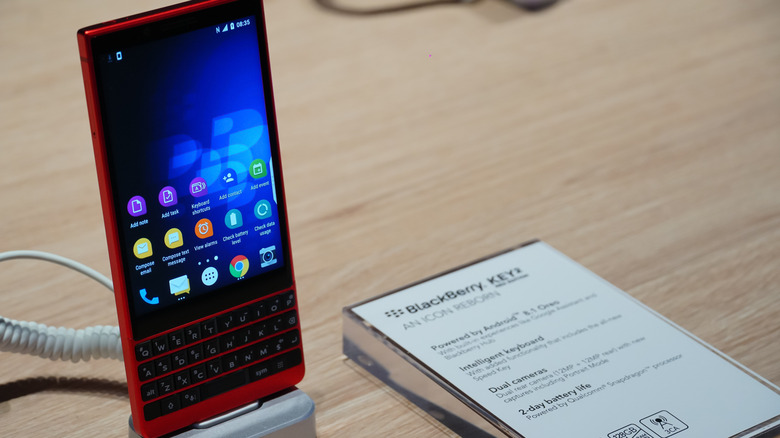
Android devices come in many shapes and sizes, including phones with physical keyboards designed for easy tactile typing, such as the Unihertz Titan 2. That phone retails for under $500, undercutting even the $600 iPhone 17e, which is the cheapest model Apple sells. Android's combination of affordability and hardware flexibility is hard to beat when you require features beyond what a typical iPhone offers, like headphone jacks, removable batteries, SD slots, IR blasters, or notification LEDs. Android brings all of this disparate hardware to the table, greatly widening what's possible with your mobile OS.
Still, all of this hardware would be pointless without custom software. When setting my grandmother up with a tablet, I considered all the major Android phone brands, but ultimately chose a Samsung device because of its Easy Mode, which greatly simplifies Android's UI by providing a larger, easy-to-read layout. Because Android offers a plethora of hardware from different manufacturers, some of these manufacturers take things further with custom software, like Samsung's One UI and its proprietary Easy Mode, which is available across its Android devices.
If you or your loved ones are privacy-conscious, Android also excels in this arena. There are out-of-the-box security-focused devices from companies like Murena, and you can install privacy-minded ROMs like GrapheneOS, CalyxOS, and e/OS on other Android phones. Even beyond that, many burner phones run Android nowadays, which means you can pick up a cheap phone for short-term use from just about any grocery store.
More accessibility tools than you can shake a stick at
Android offers a boatload of accessibility features — so much so that Google has spent the last several I/O events covering all of its latest advancements, from simple features like outlining text for better contrast to a handful of options for screen reading. Then you've got the longtime stalwarts like TalkBack and Select to Speak mixed in with newer advancements like Live Caption. So no matter if you wish to have the entire web read aloud, just selected portions, or have your videos and music captioned, it's all possible and built directly into Android.
Total hands-free control is also available, thanks to apps like Google's Voice Access. It works with simple commands, such as "Open Gmail" or "Scroll Down," providing full navigation of the device with just your voice. So not only can an Android phone dictate its content to the user through multiple screen-reading features, but the user can dictate right back, which means you don't have to touch an Android device to use it. Now that's accessibility, opening up many possibilities for anyone with mobility, sight, or hearing issues.
Of course, most of this wouldn't be possible without Google leaning hard on AI, so even though the trend of companies shoving artificial intelligence into everything has worn thin, the use of AI here is worth celebrating, as it actually provides a tangible benefit to humans. It's a benefit my family has capitalized on, with my elder family members finding it so useful that they've insisted I teach the entire clan how to use it on their phones.