

The Reason Why Kindle Books Have Fewer Pages Than Physical Books
Kindle users often wonder why the page count for Kindle books differs from their corresponding physical counterparts. It's usually lower on Kindle books, even when the text is identical. That's because there's no fixed standard governing page size for eBooks. It's not set in stone, unlike physical copies of the same edition, which always have the same number of pages. The version of the eBook you are reading plays a major role in the total number of pages. For instance, one version of the same book may feature 200 pages while another may have, say, 400 pages. On the former, you will have to swipe a couple more times for the page number to change, while on the latter, it will take fewer swipes.
Additionally, an eBook may miss out on the same degree of formatting as physical books and not take into account several pages, for instance, the introduction, acknowledgements, or the copyright page, basically things that are not a core part of the book. Even this results in fewer pages. To check that, open any eBook on your Kindle, swipe up from the bottom, then select "Grid View." You will see how the pages are numbered and the ones that are not accounted for (marked with a hyphen near the top-left). The software used also influences the page count, which is why you will sometimes see a different page count on Amazon's e-reader and Kindle alternatives.
Font size, margins, and spacing don't change the page count
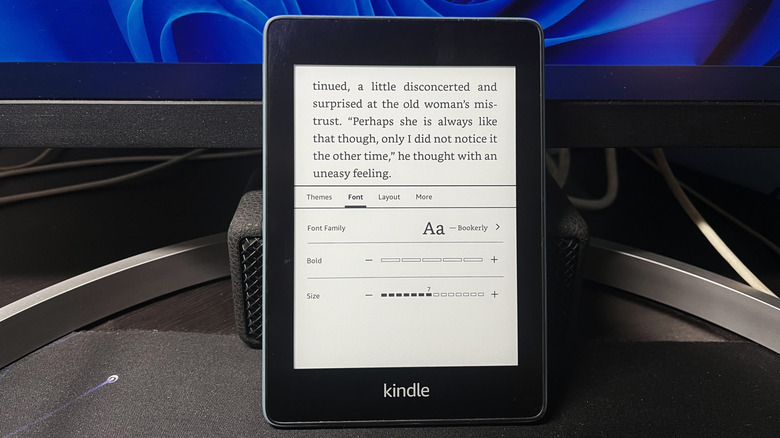
Font size, margins, and spacing are all critical aspects governing how text is displayed on the screen, but contrary to popular belief, changing one or more doesn't directly increase the page count. Upon making the changes, your Kindle will redistribute the text and the same phrase or paragraph may now appear on another page, say from page 2 to page 3, but the total page count remains the same. You now have to swipe more or less number of times to finish a page, and that's where the change really is, not to the total page count.
To verify that, switch to "Grid View" for the book you are reading, and look at how the text is distributed and how many swipes constitute each page. Then, increase the font size, go into "Grid View" again, and the distribution will now be different. But if you move all the way to the end, the total count remains the same. Although if you are content with just the feeling of more pages, increasing the font size will help. It's also one of the settings you should change on a Kindle.
This difference in page count between Kindle books and physical books, or even between different e-readers, often leads to a lot of confusion, especially amongst readers who need to share citations. With there being no standardization, citations often turn out to be inconsistent if others have a different version of the eBook. Perhaps, word count will turn out to be more effective for citations, say referencing using the initial and final word count of phrases.