

4 Features Only Samsung Galaxy Devices Have
Your Samsung Galaxy phone and tablet contain unique features that set them apart from other ecosystems. Apple and Google have also kept up with their own lineups by offering software features that entice users, such as Apple Intelligence and Pixel Drop. Samsung has its own offerings baked into One UI software that you can't use on other devices, such as Samsung DeX, the Galaxy AI suite embedded on its smartphones and tablets, and Good Lock.
Keeping up with Samsung's cool new features and buying Samsung devices that interconnect together has its perks. A Galaxy Watch pairs best with your Samsung smartphone, and all your Samsung account information remains intact when you upgrade to a newer Galaxy phone. The experience you gain as a Samsung customer is consistent, and these are the exclusive features that keep One UI a popular choice for Android users.
Edge Panels in One UI
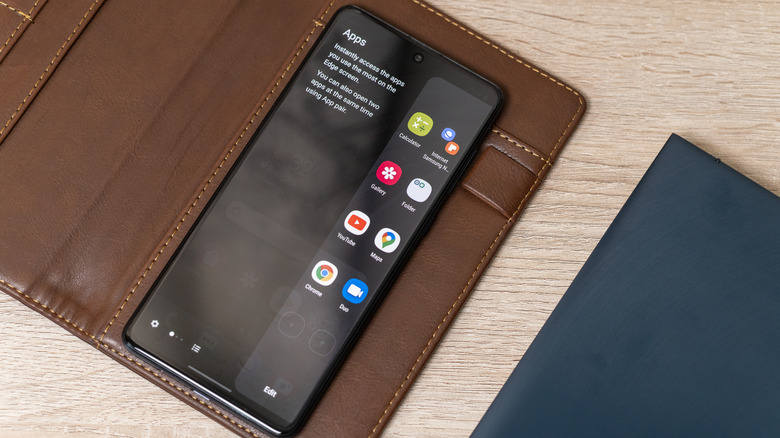
Edge Panels were introduced in 2014 for the Samsung Galaxy Note Edge. They have since been integral to many devices and even redesigned. Edge Panels are a hidden sidebar that stays tucked away when you're exploring apps or navigating on your home screen. You can use Edge Panels to add shortcuts to certain apps, open utility options like Smart AI Select, and provide an easy way to start split-screen mode. Edge Panels are made to be accessible, so you don't need to browse your home screen or app drawer to find your favorite apps.
You can customize Edge Panels to add any app you want or enable the tools you like. It's also not distracting since the tab stays tucked away by default. You can also swipe through the panels to access multiple panels. For example, you can add an Edge Panel for your to-do list right after your app shortcuts. There was previously a way to download new Edge Panels from third-party sources in the Samsung Galaxy Store, but unfortunately Samsung removed that ability in One UI 7. You can still purchase and download Edge Panels authorized by Samsung.
Galaxy AI suite
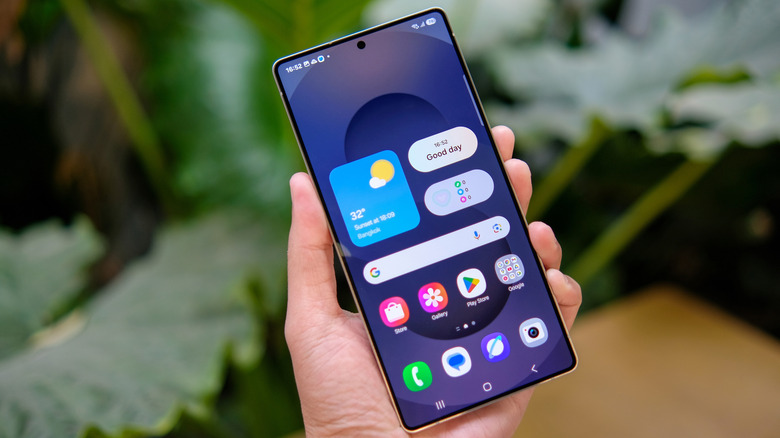
The Galaxy AI suite is deeply integrated into Samsung's newest smartphones and some premium tablets. These tools debuted alongside the Galaxy S24 series in 2024. When Galaxy AI first launched, you could ignore it by not opting in. But it later became more naturally embedded throughout Samsung's recent flagships. You'll find features like the Now Brief, which debuted on the Samsung Galaxy S25 lineup to show you information at a glance, and Now Nudge on the Galaxy S26 phones to suggest actions according to what's on your screen.
Technically, you can still turn off Galaxy AI through your device's settings, but you have to do so for each individual feature. In the Galaxy AI section of your device, you can toggle off tools like Call Assist, Writing Assist, Photo Assist, and more. You may find some benefits to leaving a few features switched on. For example, you can keep the option to use tools like Live Translate during phone calls or to have a few extra features in Samsung Gallery for quick image enhancements and removing unwanted objects.
Rest assured, the Galaxy AI suite does use a mix of on-device and cloud processing. You can choose your preference by opting to have data processed locally or in the cloud, which can be done in your device settings. Any data processed locally remains encrypted and stored in the Knox Vault, Samsung's top-tier security solution.
Samsung DeX
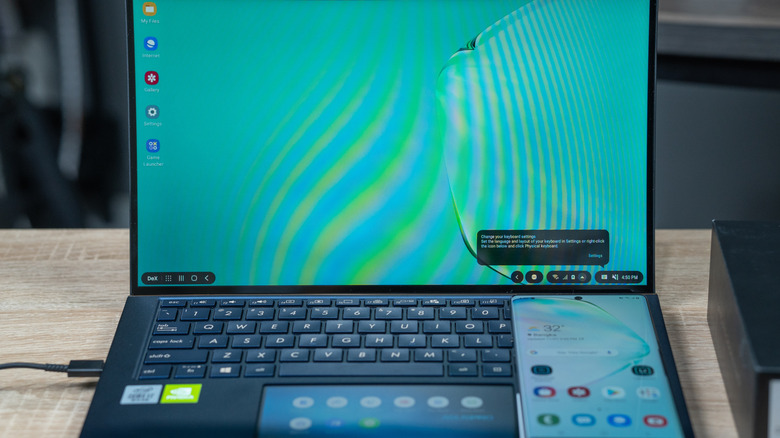
Samsung DeX was released in 2017 alongside the Samsung Galaxy S8 and S8+. The feature was Samsung's move to use your phone or tablet to provide a desktop-like experience. All those massive phones and expensive tablets that Samsung brings out, like the very expensive Samsung Galaxy Z Trifold, can actually make use of their entire screen without making the displays look funky or awkward (some models can use their screens as a monitor).
While in DeX mode, your device's UI changes completely. Android apps become resizable floating windows, and you can enable Dual Mode to run two independent screens. Samsung phones require a connection to an external monitor to enable DeX. The Tab S series also has that functionality built in, so you can technically turn your tablet into a monitor.
This isn't an unheard-of feature on other devices. Motorola offers Ready For, and Google has a native desktop mode for its newer Pixel devices. But neither option compares to Samsung DeX, which transforms your Samsung phone or tablet into a full-on emulated PC.
Good Lock for deeper customization
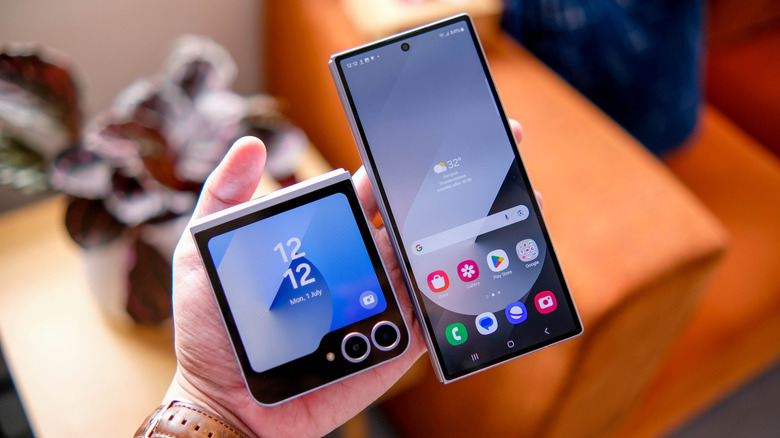
Samsung's One UI skin is usually praised for its high level of customization, and a big part of that is due to the Good Lock app. The Good Lock app contains a collection of modules that you can use to enhance your One UI experience or provide you more control over certain features. For example, the Home Up module lets you change your home screen's appearance; it includes options for folder size, layout, screen grid, and more. Grid sizes can change within your folders, so you can add a new configuration to make it tighter or wider, depending on how you like to view it.
Sound Assist is another module that offers tweaks to your volume options. For example, you can change the number of volume steps when pressing the physical volume button on your Galaxy device. Or you can access a sound mixer that lets you tweak the volume per app, almost like you would on a computer.
Another popular example is Camera Assistant. This module adds extra options to fine-tune the built-in Samsung camera app, so you don't have to fiddle with the settings to change the shutter speed or turn off the auto-switch lens, which can sometimes mess up your shots. It's a great add-on if you're a bit finicky with camera controls and like accessing more manual camera functions.