

Ditch Your Apple Magic Mouse For These 5 Superior Alternatives

We may receive a commission on purchases made from links.
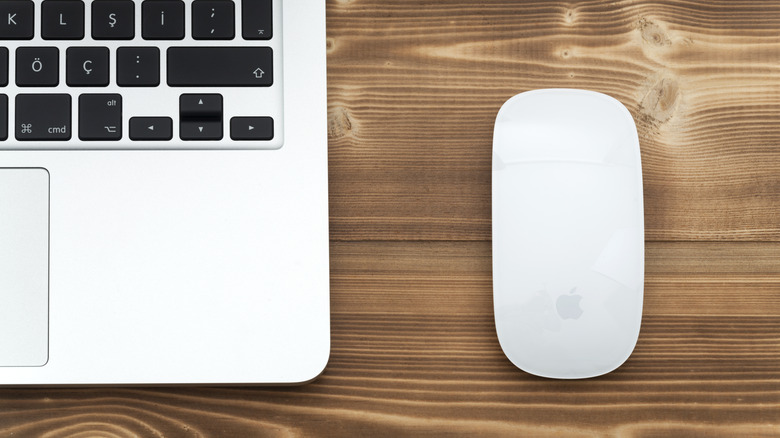
The sleek, minimal design of the Magic Mouse makes it easy to recognize as an Apple product. It blends right in with desktop Macs as well as the MacBook and MacBook Pro lineups. For a lot of users, it's simply the mouse that belongs with a Mac, as it offers touch-based gestures and pairs easily with just about any Apple device that's compatible with a mouse.
Apple has refined the Magic Mouse a few times over the years, most recently replacing its Lightning port with a USB-C charging port. But even though it's a natural fit for users of Apple hardware, the Magic Mouse leaves many other users unsatisfied in a number of ways. The placement of its USB-C port makes the mouse unusable when charging, for one, and its entry-level nature may not live up to the expectations of those who spend a lot of time at their computer.
We feel that for many people, the Magic Mouse is an Apple product worth skipping, as the market is full of competitive alternatives. There are mice available that work well with Mac desktops and laptops across a wide range of price points. We've sorted through them all and have handpicked what we feel to be capable alternatives for a number of user types. Among them you'll find mice with more attractive ergonomics, lower price points, and feature sets that go well beyond what the Magic Mouse has to offer. As a bonus, we've also included the Apple Magic Trackpad for those who like gesture-based controls of the Magic Mouse.
Logitech MX Master 4
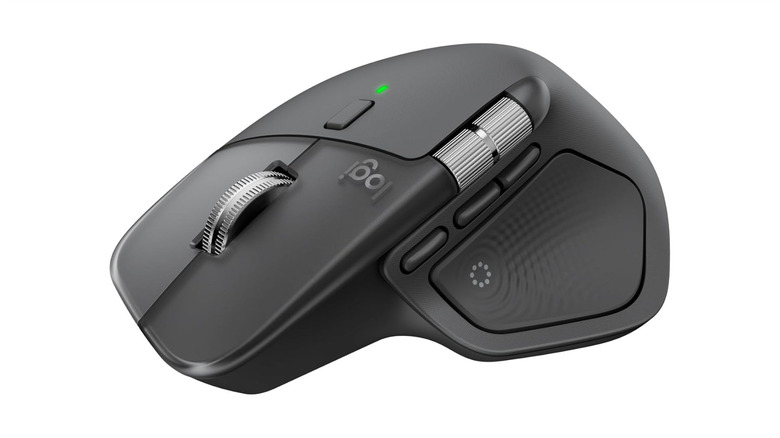
Logitech is one of the most recognized brand names when it comes to computer peripherals, and the Logitech MX Master 4 is its flagship wireless mouse. The MX Master has long been a go-to for those seeking one of the best mice on the market, and in our Logitech MX Master 4 review we talk about how this latest release is one of the biggest updates to the model. It works with Mac computers and other Apple devices, as well as Windows computers.
Where the Magic Mouse offers a flat, minimal profile that utilizes touch features for interaction, the MX Master 4 is shaped to fit the hand and has a dedicated scroll wheel and a horizontal scroll wheel for wide documents and timelines. It also has several programmable buttons that can be configured for specific applications. The MX Master 4 is a mouse that can handle much more than casual browsing, giving users a better feel for the digital interface they're working with.
Of course, being one of the best mice on the market means the MX Master 4 comes with a price point that's significantly higher than the Magic Mouse. It goes for $120, which may be difficult for light users to justify. But it can be operated while charging and offers a feature-set upgrade for Mac users who may have outgrown what the Magic Mouse brings to the table.
Logitech MX Anywhere 3S
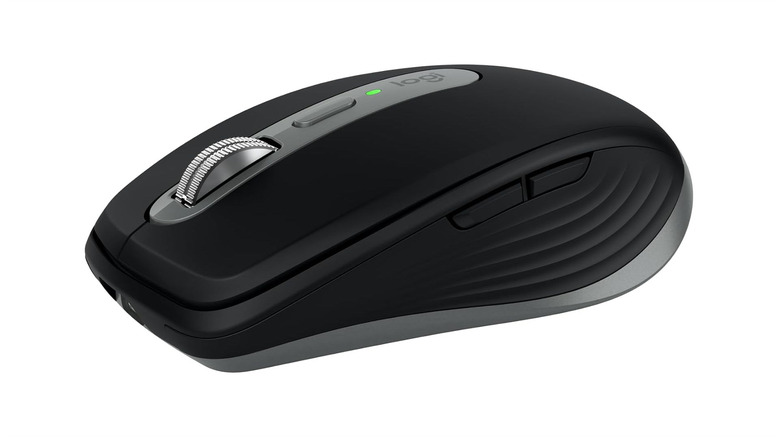
If the price of the MX Master 4 gives you pause, another mouse in the Logitech lineup that compares favorably to the Magic Mouse is the Logitech MX Anywhere 3S. It's priced at $90, which is significantly less than the MX Master 4 and right in the same range as the Apple Magic Mouse. It's designed with portability in mind, making it a good pairing with laptops in the MacBook and MacBook Pro lineups. Its battery can reach up to 70 days of use on a full charge.
While it's almost similar in price and size to the Magic Mouse, the MX Anywhere 3S comes with physical buttons, which should appeal to users who don't like the idea of the Magic Mouse's touch-gesture controls. It has a scroll wheel, quiet-click buttons, and six programmable buttons, with the scroll wheel capable of switching between different scroll modes. Additionally, the sensor of the MX Anywhere 3S is capable of tracking on virtually any surface, including glass.
This mouse isn't likely to have the same premium feel as the MX Master 4, and its compact size means it may not suit users with larger hands. But it's made to have a more physical feel to it than the Magic Mouse offers, and Mac users who prefer to use a mouse with their laptop can lean on its portability for getting some work done while out and about.
Apple Magic Trackpad
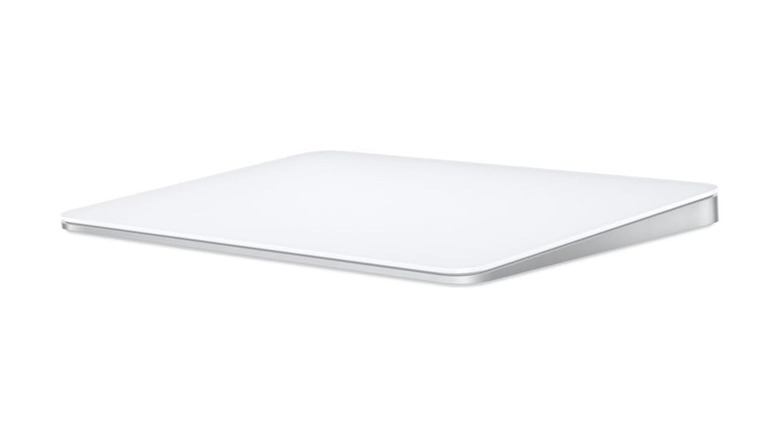
Not every Magic Mouse user will want to ditch its touch gestures entirely. For those who prefer the gesture-based experience the Magic Mouse offers but want more surface area to work with, the Apple Magic Trackpad is worth taking a look at. It's a wireless, rechargeable trackpad that utilizes Apple's Force Touch technology to provide a laptop-like cursor experience to desktop Mac users. It even has more surface area than most laptop trackpads, making it a viable option for MacBook and MacBook Pro users.
The Magic Trackpad includes a full range of Multi-Touch gestures, with Force Touch adding a layer of functionality the Magic Mouse doesn't have. Sensors built into the trackpad are capable of detecting varying amounts of pressure, which opens up a range of actions depending on the application in use. Scrolling, swiping between windows, pinching to zoom, and accessing your Mac's Mission Control all feel more natural than the lesser surface area of the Magic Mouse can deliver.
At $129, the Magic Trackpad checks in at a price that's significantly higher than the Magic Mouse. Its form factor may also require some mental adjustment for new users, and those who need precise cursor control, such as illustrators and photo editors, may not enjoy the transition to touch-based finger clicks. But anyone who prefers the touch-gesture controls of the Magic Mouse will find a more in-depth version of that experience with the Magic Trackpad.
ASUS ROG Harpe Ace Mini
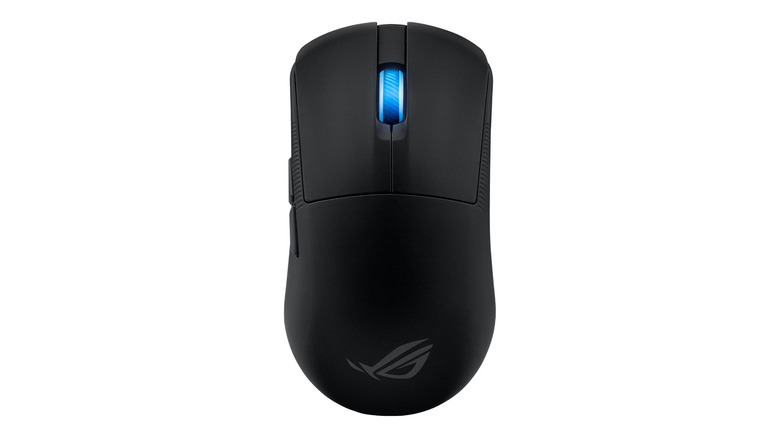
Asus makes a wide range of peripherals for gamers, with the ASUS ROG Harpe Ace Mini sitting among its ultralight gaming mouse options. This $100 mouse is a solid option to turn to if you're building a gaming setup, but its precision and minimal design make it a superior alternative to the Magic Mouse as well. It's very light at just 49 grams, but ASUS has still managed to pack it with capabilities.
The Ace Mini has a 42,000 DPI optical sensor and durable switches that should last a while. This gaming mouse's precision and durability also transfer well to a number of different use-case scenarios. Creative work like video editing, graphic design, and digital art all rely on precise cursor control, and even everyday users will benefit from not having to deal with a mouse that doesn't respond as effectively as one would like. ASUS has even designed this mouse to work with right-handed and left-handed users, just as Apple has done with the Magic Mouse.
However, the Ace Mini's symmetrical design could also be looked at as a flaw, as it isn't as ergonomic or accommodating to the shape of a hand as some other mice on the market. But because it's a gaming mouse, it's loaded with features and connects to a Mac wirelessly or with USB. Five programmable buttons and some customizable settings also make the Ace Mini a quality alternative to the Magic Mouse even for everyday users.
Lenovo Go
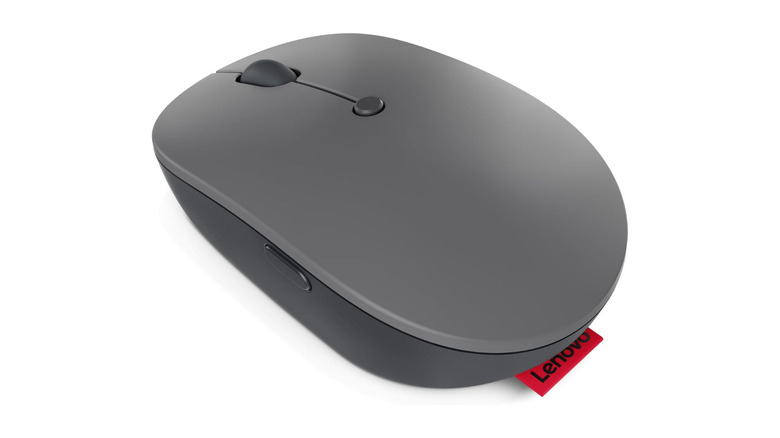
In the same way that the Magic Mouse is Apple's all-purpose mouse offering, the Lenovo Go is a mouse that's made for the masses. It's simple, affordable, and capable of doing just about everything an everyday computer user could ask for. That includes precise cursor control and the ability to adjust DPI sensitivity, as well as the ability to connect universally over 2.4GHz wireless.
The Lenovo Go is similar to the Magic Mouse in terms of who it's made for, but it offers a broad range of basic features at a much lower price point. It is regularly priced at $30, though it frequently sees discounts throughout the year and has dropped to as low as $25. It also has a physical scroll wheel and five buttons including a programmable utility button, which makes it another quality alternative for those who aren't interested in the touch-gesture controls of the Magic Mouse.
Its budget-minded nature is also a flaw of the Lenovo Go, as it lacks the premium build quality of more expensive mice. Users who want something that feels more substantial in the hand may want to consider something with better build quality. But for those looking for a mouse based strictly on budget, the Lenovo Go can step in as an everyday mouse and also let you save a few bucks.
How we selected these Apple Magic Mouse alternatives
The Magic Mouse works well enough for some users, but its limitations frustrate others. With our own hands-on Magic Mouse experience in tow, we researched the mouse market in search of mice that improve upon those limitations in one way or another. This wasn't about simply finding mice that happen to work with a Mac. With so many options on the market, we leaned heavily on our experience with certain mouse models, as well as our general tech expertise to understand the features of several others. Variety was also a priority, since the right alternative looks different depending on the user. What we've presented here reflects that range, with something worth considering for just about every kind of Mac user looking to move on from the Magic Mouse.