

Google's Latest Smart Home Upgrade Is A Big Deal (And It's Free)
Updates that deliver new features are always a pleasant surprise, and a new Gemini update for Google Home now makes conversations with the AI assistant more natural. Along with now delivering a more conversational experience when compared to past assistants, Gemini is good for commanding smart devices in your home or even performing tasks like planning a fun soirée. Now, Google is delivering a new Continued Conversation feature, and the best part is that it's free.
The new Continued Conversation feature for Gemini in Google Home will eliminate the need to constantly prompt the assistant once you start a conversation with it. Along with the new conversational feature, Google is also delivering some additional improvements that aim to enhance how users interact with the voice assistant, including support for more languages. As for Continued Conversation, users will need to enable the new feature — but don't worry, we can show you how to do it.
It's worth noting that this new update arrives as Gemini for Google Home is in an early access stage and requires sign-up. Google has plans for Gemini to replace the old Google Assistant entirely, though there's no official word on when the complete rollout will happen. While there were plans for Gemini to entirely replace Google Assistant by March 2026, the transition has primarily been with brand-new Android smartphones so far, with rollouts continuing for other Google devices incrementally.
How Continued Conversation works with Google Home
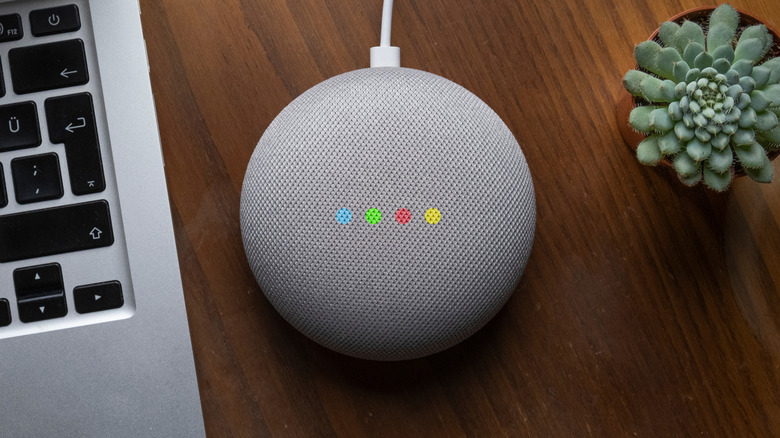
Continued Conversation for Google Home allows you to converse with Gemini without having to constantly say "Hey Google" before every statement. You'll still need to say the phrase when getting its attention, but once Gemini responds, it will keep the microphone active for a bit to take additional requests. If you see the lights on your Google Home flashing or pulsing, Gemini is still listening to you. It's a cool feature, and one that typically costs about $20 if going with Amazon Alexa+ (though you also get it through a Prime membership).
Google is also delivering some additional improvements for Continued Conversation on Google Home smart speakers. This includes Gemini being able to remember conversations, multilingual support that includes all regions and languages supported by Google, a better ability to avoid unnecessary responses, and access for all parties within a domicile (including guests). Just be sure to remind your friends that there are certain things you should never ask a Google Home.
While the new feature is now available, users will need to enable it to get started. Here are the steps:
-
Open the Google Home app.
-
Tap your profile icon in the top-right corner.
-
Select Home Settings.
-
Choose Gemini for Home voice assistant.
-
Select Continued Conversation.
-
Enable the toggle.
From here, you're good to go. If you want to give it a try for yourself, Google recommends asking Gemini about the weather. Ask something like, "Hey Google, what's the weather in Bucharest?" Wait for Gemini to respond, then ask what it will be like tomorrow. You won't need to say "Hey Google" for Gemini to respond.