

4 Files To Never Store On A Hard Drive
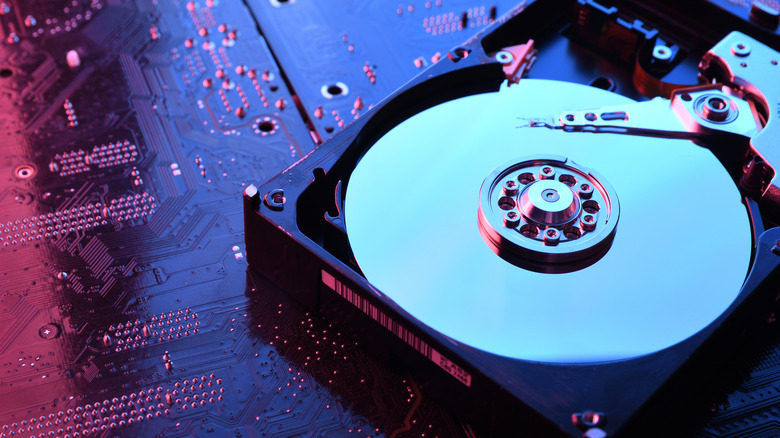
Reformatting your hard drive or having it suddenly die on you is pretty horrific. You can lose the most important documents in just seconds, especially if you haven't backed up your desktop in a while. All your essentials should get priority for storage and backup, but you should also consider separating any suspicious, unsafe, or exploitable items into another physical storage solution. Moreover, vulnerable executables are sometimes a no-go, as they can compromise your files' safety and even the drive's performance.
In general, you want to prioritize keeping your hard drive focused on documents, photos, and some videos. So then you need to decide what's worth leaving on your hard drive, and what's worth storing in the cloud — as certain kinds of files shouldn't be kept in the cloud either. Normally, it comes down to privacy, which ones might ruin you if you accidentally lose them forever, and the general technical reliability of your long-term storage solution. But if you are ever worried about losing anything permanently, the 3-2-1 rule for handling digital backups is usually pretty foolproof.
Intellectual property files

Anything corporate or work-related (unless permitted) should not be stored on a personal hard drive. This is because it can create legal issues if the company no longer employs you and you still hold intellectual property on your computer. Usually, this isn't something you should worry about too often, as most companies have a controlled process for keeping intellectual property files digitized and a very clear policy for handling them.
But if you are ever uncertain about work-sensitive files that are saved onto a local, personal hard drive, it is best to delete them so you can avoid any legal consequences that may come in case you have them, or for some reason, they end up in the wrong hands (like, say, someone got a hold of your external hard drive and it was stored there). But if you are not sure, just ask yourself: "Is this file owned by you or owned by someone else (like your work)?" and if it is the latter, do not leave it in cold storage.
Active project files or live documents

Active files, such as project data files, are live files that are edited, used, and collaboratively maintained over time. Examples of active files or live documents may include Excel, Google Sheets, and CAD. There are three main reasons not to store active files on your hard drive:
HDDs may offer latency and slower save and load times, which can make the experience feel really laggy and awkward. If you need to set up a collaboration with those specific documents, leaving it locally saved can lead to trickier situations, since you'd need to either set something up more portably, like swapping a physical external HDD, or consider using a network-sharing solution. Either way, there are downsides to doing this, so it's better to keep those files synced in the cloud rather than keeping them solely stored in the HDD — as some secure cloud storage solutions, like Proton, offer built-in online file sharing already.
Lastly, long-term degradation. Every time you access and save a file on the HDD, you generate heat (due to the rotating inner platters inside). Since those files aren't usually archived until the end, you would need to constantly overwrite the current version to keep the file up to date. This has an added effect of potentially producing multiple copies of the file with dated stamps, which can sometimes mess up the workflow if you accidentally mix them up. So, in summary, it just isn't practical to leave those frequently accessed or updated files stored on an HDD.
Downloadable and frequently used applications
Applications, such as your games, don't need to be stored on your primary hard drive (the one that acts as cold storage). They take up a lot of space and sometimes make it harder for you to back up your most crucial files due to storage constraints and the time it takes to properly back up everything. It then becomes much easier to just re-download those applications from the manufacturer's or developer's website, or from the Microsoft Store or Mac App Store.
Plus, if you're playing a game that requires a lot of loading, such as an MMORPG like "Final Fantasy XIV," you'll want to consider storing it on an SSD rather than an HDD, since it's often the case that these files need to be quickly recalled and accessed while you're playing (it helps reduce latency). All in all, you're better off separating out the frequently used updated applications onto an SSD if possible to avoid the technical hiccups that come with a slow HDD.
The installed operating system
If you have the choice between an internal SSD and an HDD for your operating system, you should always put it on the SSD. Placing the operating system on your HDD could be a problem because HDDs are unfortunately slower and can bottleneck your PC's performance. As such, system applications on an SSD load faster and open almost instantly, and files stored on the operating system are accessed quicker, too. Plus, one inherent weakness of HDDs is their durability.
This is because they store data differently, with SSDs using flash memory and HDDs using magnetic disks. So, HDDs using moving parts to store and access data, and if it's dropped, bumped, or impacted in the wrong way, you can essentially damage them. Ideally, something very important, such as your operating system, should not be stored on the HDD if you can help it; not only does it functionally perform worse when running, but you can also accidentally lose the data on it (having a loss of data or corruption can really mess with your system).