

Removing This Common Accessory Might Have A Big Impact On Your MacBook's Lifespan
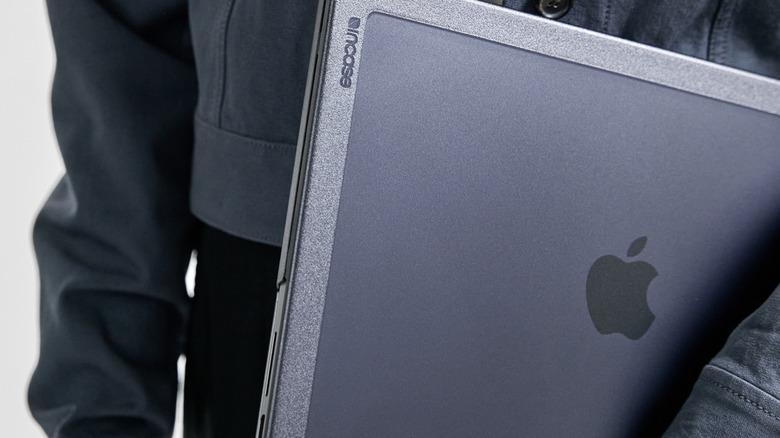
The MacBook is one of the best (and most popular) laptop brands available. As such, plenty of companies sell accessories for the device. Most of these supplemental parts improve functionality and/or protect your laptop, but some can prove more detrimental than beneficial. For instance, keyboard covers put unneeded stress on the screen, whereas hardshell cases make MacBooks wear out faster. On paper, hardshell cases protect MacBooks in much the same way phone cases protect iPhones against scratches and impacts.
However, while cases can protect your MacBook externally, whatever defenses they provide can come at the cost of internal damage because certain cases are improperly designed and block cooling vents. The cases don't block off the vents entirely, but they block enough to make your computer run hotter, forcing the fans to run faster. Of course, you've got the immediate problem of noisy fans and sub-par computer performance, but constantly running fans at high speeds drains batteries faster, which in turn forces you to charge your MacBook more frequently. And the more often you charge a depleted battery, the sooner you will need to replace it.
Thankfully, MacBooks tell you when to replace batteries, but that doesn't change the fact that your battery would probably last longer if you forgo the hardshell case. Hardshell cases can also affect more than just the battery; they also weigh down the screens, which loosen the hinges over time. Not only will you need to frequently reposition the screen (unless you don't mind neck pain caused by a non-ergonomic position), but a loose hinge could potentially damage the monitor.
Buy a sleeve instead

While you should avoid hardshell cases, you should still protect your MacBook from unnecessary dings and scratches. Sometimes the best way to safeguard such an investment involves a delicate touch. If you feel the urge to put your MacBook into a protective enclosure, use a soft sleeve. These offer the same protection (when the laptop is not in use) without any of the risks of a hardshell case. Granted, you need to remove the MacBook from the sleeve to use it, but you're less likely to drop it when you are actively paying attention to the device.
Moreover, a sleeve might technically block a MacBook's vents, but it can only accommodate a MacBook when the computer is closed and either off or asleep, i.e., when it doesn't need the vents for cooling. Quite frankly, if your computer's fans continue to run when its screen is closed, you have bigger things to worry about than overheating or battery life. Sleeves have several other advantages over hardshell cases.
If you purchase a sleeve, you need to make sure it fits your laptop, but you can still use a sleeve that is a little too big, giving you more buying options. If you find a sleeve you like on sale, you can buy it and still protect your laptop even if it's a little loose in the bag. Hardshell cases, however, must be more form-fitting to provide any sort of protection. These restrict the shell models you can purchase, and if a retailer offers a discount on all models except for the one you need, you are out of luck.