

Here's What A White Dot On Your Android Phone's Screen Means
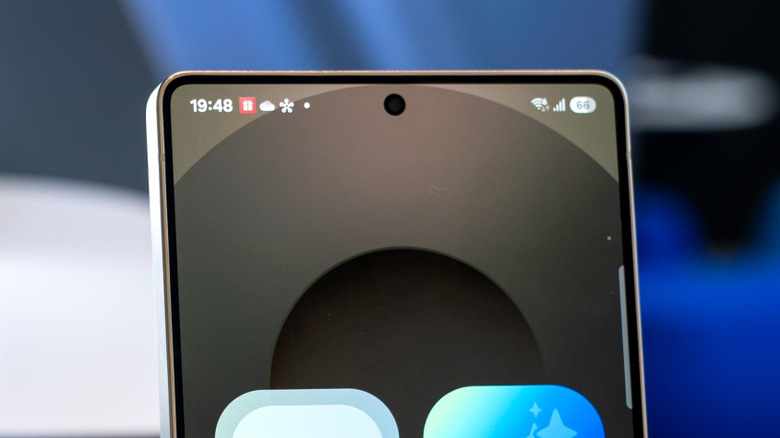
The status bar on Android phones provides several details about your device. It shows you how full the battery is, if it's connected to Wi-Fi or data, the time, and any missed notifications, such as texts or calls. It's useful for taking a quick glance to see if you have any unread messages or voicemails and allows you to see potential notifications before actually unlocking your phone to read or respond to them. Yet, there are even more symbols that can appear that you may not be aware of.
One such icon is a white dot that Android users have reported seeing near the top left or top right of the notification bar, though not all Android phones operate the same and many may not show a white dot at all. If the white dot does show on your Android phone, don't worry — it just means there are more notifications, but their icons don't all fit on the screen. The dot takes the place of them, letting you know there are more notifications you might want to see.
The additional notifications will vary and could come from any application you have downloaded to your phone. It's not a glitch or fault, but a way to inform you that you have a lot of notifications. Don't get the white dot confused with a green dot on your Android phone's screen, though — that one can be a bit more urgent.
How to get rid of the white dot on Android phone screen menus
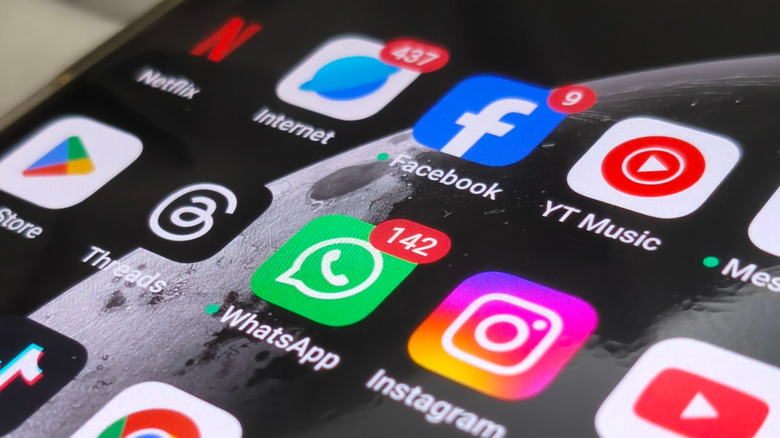
Phone manufacturers and Google have not provided much official documentation online as to what the symbol means, but online forums detail what it is and how to clear it. For example, Reddit users say the white dot is just a combined way to show there are multiple notifications on your phone. They've discovered several fixes that make the white dot go away on the notifications tab.
One way to get rid of the white dot on your Android phone screen is to clear all of your notifications on the notification bar. To do this, unlock the phone, then swipe down on the screen to bring up the notifications, and select "Clear all" at the bottom. This should wipe the screen of all active notifications, including the white dot. Another solution is to clear each notification manually by selecting it to open the app or to swipe it away. Keep in mind that many settings choices may require the phone to be updated to Android 10 and up. Regular updates are important, and skipping one is something you should never do on your Android phone.
Another possible solution is to go into Android notification settings. Options could include not showing notifications for the lock screen or status bar, or showing all notifications for both. Again, options, wording, and location of notification settings may vary by phone.
Other symbols on Android phone screen menus

The status bar can show many different icons, and not all of them are easy to distinguish, like the white dot. There are dozens of symbols that can appear on the top bar, and each can be linked to a downloaded app or be tied to the phone itself, like Wi-Fi or mobile data. Application notifications on the bar can be turned off or on in the Android phone's settings.
You can control notifications for each application downloaded to the phone. Keep in mind, the more apps you have installed, the less storage you'll have, but Google is testing a new Android feature to solve storage problems. Icons like Wi-Fi, Airplane mode, data, and the battery symbol may not be able to be removed, but you should be able to clear application notifications.
With more apps comes the potential for more notifications to appear on the status bar. If your Android phone gets overwhelmed by the amount of notifications coming in, you'll see the white dot in place of new notifications. To declutter the status bar, it all comes down to configuring what you want to be notified of in settings. Do that, and you'll reduce the chances of seeing that pesky white dot in the future.