

5 3D Printer Brands You Should Steer Clear Of, According To Users
We may receive a commission on purchases made from links.
Having a 3D printer on hand still feels like a manufacturing superpower, giving you the ability to make custom tools, replacement parts, toys, and much more at the push of a button. That excitement can quickly fade, though, when buying a low-quality or outdated 3D printer. There are tips and tricks that make 3D printing easier, but that all goes out the window if your device is lackluster. That's why you should always do your research to find out what you should know before buying a 3D printer.
It's easy to understand why 3D printers are so popular these days, especially for hobbyists who want to experiment with a new toy or projects that can save users money without spending a fortune. However, weathered community veterans on forums and review websites advise staying away from some of the more problematic models that you may spend more time fixing and maintaining rather than printing STL files. After looking at ratings and reviews, here are five 3D printers that you should avoid buying, according to firsthand user feedback.
EasyThreed K7
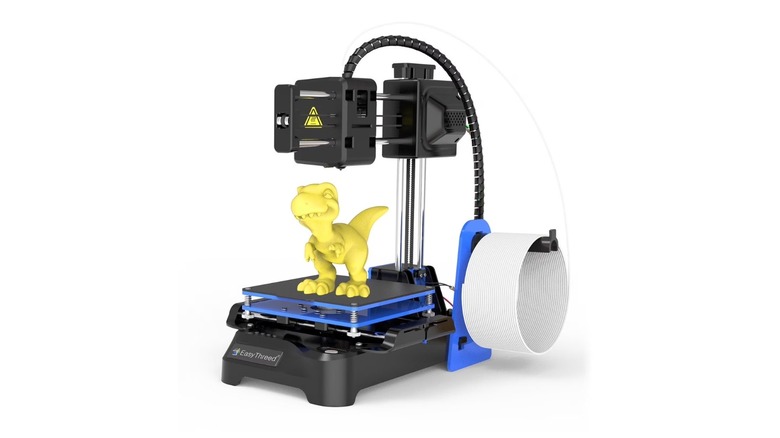
The EasyThreed K7 looks like an incredible deal for parents and budget shoppers with a price tag of $79.99 and a compact footprint that may seem attractive for a small desk. It's even remarkably quiet during operation, maintaining a noise level under 60 dB, making it less intrusive in a home environment. For kids who want to print little trinkets, print-in-place fidgets, and small solid figures, it's a very low-stakes entry point into the maker hobby.
However, reviews and users frequently describe the EasyThreed K7 as a "disposable" printer due to its flimsy construction and limited capabilities. It has a tiny 100 mm by 100 mm by 100 mm build plate that lacks heating functionality, which means users can only use PLA filament. And because it relies on a single Z-axis and lightweight plastic parts, it lacks the stability needed for consistent quality. The print speed doesn't help, either, with the unit's higher speed leading "ringing" and "ghosting" artifacts on 3D printing projects. Most makers suggest saving a bit more for a more substantial machine thanks to the K7 being an option that most outgrow or accidentally break within just a few weeks of regular use.
Tronxy Crux 1S
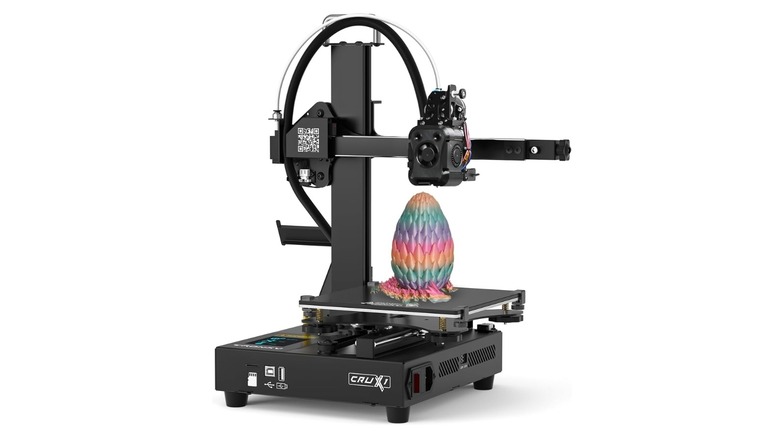
The Tronxy Crux 1S is another 3D printer targeting beginners who want a portable, space-saving machine. It's incredibly easy to move around and features a dual-axis OSG guide rail that is meant to provide smoother movement when compared to standard rollers. It's going to get buyers back around $170, looks modern enough, and provides a relatively quiet printing experience. For users looking for a small footprint and easy assembly, the Crux 1S looks like a great choice on paper.
Unfortunately, users report that the Tronxy Crux 1S isn't exactly consistent when it comes to mechanical efficiency. Because the cantilevered printing arm is only supported on one side it can be prone to sagging or vibrating during taller prints, which leads to failed layers, misaligned projects, or complete failures. Community members on Reddit often complain that filament fails to adhere mid-print, resulting in a bed of noodles and half a finished project that's practically a waste of filament. The Crux 1S looks the part, but the quality control is hit and miss with some users experiencing random stops and software glitches after only the first few layers have set. For users who feel comfortable in constantly tweaking belt tension and bed levelling, it's a cheap solution, but it also defeats the point of getting a cheap, beginner-friendly 3D printer in the first place.
Creality Ender 3
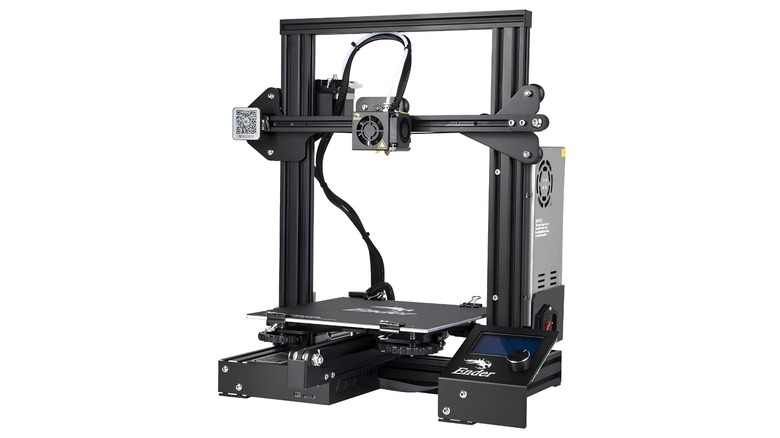
The Creality Ender 3 used to be the go-to 3D printer for many, and it's $169 price tag makes it one of the most affordable ways to get a 220 mm by 220 mm by 250 mm build volume. As an older device, it benefits from a massive community, meaning users can 3D print upgrades for it and get help on pretty much any issue thinkable. While the Ender 3 was a solid 3D printer for its time, it's like buying a classic car for a daily commute; It's full of character but users will spend more time working on it than enjoying it.
Times have certainly changed when it comes to 3D printers, as many entry-level devices now come with convenient features, such as automatic bed leveling and a quiet fan, once found only on the more premium models. According to users, the Ender 3 lacks many of these modern features, while requiring more of a learning curve compared to other products. It also uses a loud eight-bit mainboard and a basic extruder that frequently struggles with flexible materials like TPU.
MakerBot Sketch
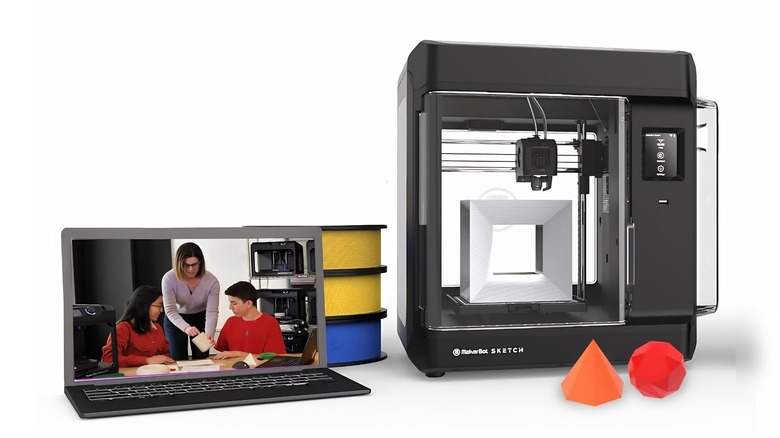
The MakerBot Sketch has been positioned as a premier solution for schools and professional environments with its fully enclosed design to help manage fumes and keep tiny fingers away from the heated build plate. It comes with cloud-based management software that allows a teacher to send STL files to multiple machines from a single dashboard. For an educational setting that requires safety and remote management, it's a "set it and forget it" solution that's hard to find elsewhere.
Despite the obvious benefits here, most users find the Makerbot Sketch to be poor value due to its staggering $1,299 price tag. For that high cost, users are only getting a small 150 mm by 150 mm by 150 mm build volume, while being locked into an ecosystem that uses expensive, NFC-tagged filament to prevent the use of cheaper third-party options. Users on Trustpilot frequently complain about constant hardware breakdowns and difficulty reaching customer support. The MakerBot Sketch is a great idea on paper, but it falls short of the competition when it comes to value for money and its proprietary ecosystem.
Toybox
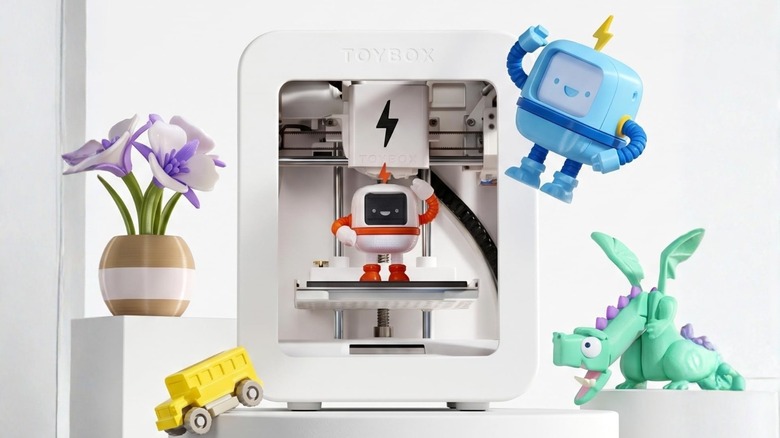
The Toybox 3D printer is the most user-friendly machine on the market for kids. It features a one-touch mobile app that allows children to start a print without needing to learn complex slicing software. It's a compact and lightweight solution that comes with a curated library of toys that are guaranteed to print successfully. It's positioned as an entry-level device for kids and beginners, but once users look past the easy interface, the Toybox 3D printer is extremely limited for anyone who wants to grow their 3D printing knowledge and capabilities down the line.
It has a very small build plate measuring 88.9 mm by 78.74 mm by 71.12 mm and lacks a heated bed, which leads to frequent warping issues when not using Toybox's sticky bed surfaces. While its $299 price tag sounds affordable, the brand encourages its users to buy premium-priced "printer food" from its own store that often costs more than double the price of standard PLA. For the same price, users can pick up a Bambu Lab A1 Mini, which offers automatic calibration, a simple app-based interface, and more room for users to grow their knowledge with a solid 3D printer.