

Dark Vs. Light Mode: Which Is Better For Your Eyes?
During the day and well into the night, people tend to look at screens in one form or another, considering how much they've dominated every facet of life. Looking at screens is not a problem in and of itself, but if you do it for too long, your eyes start to feel dry, tired, or irritated. It can go beyond this, with the eyes looking red, text becoming blurry, the onset of headaches, and even sensitivity to light, signaling one thing: digital eye strain (DES).
One way to combat this is to switch the theme of the device, app, or website to dark mode. Light mode puts dark text on a light background, while dark mode does the opposite — light text on a dark background. It's meant to be more comfortable to look at, preventing or reducing DES in the process. But unless you're in low-light conditions, it's not much better for you than sticking to light mode.
Neither mode is superior to the other, as it depends on the ambient lighting and the person's vision. That last part is important because if you have eye conditions like myopia (short-sightedness) and astigmatism, dark mode can actually make eye strain worse. Luckily, there are ways to make light mode better for your eyes without buying blue light glasses.
Why dark mode is not always better for the eyes
In low-light conditions, your pupils dilate to let in as much light as possible. This is why looking at a screen for too long in light mode with poor lighting can make your eyes hurt. The brightness overwhelms your visual system, leading to the physical symptoms of DES. That's why dark mode works so well in these ambient conditions. By reducing the brightness, it lowers the contrast between the screen and the room, making your eyes more comfortable.
When using dark mode in a well-lit room, your pupils dilate. In doing so, it reduces your depth of field, the distance at which objects appear sharper or more focused. That means that your eyes will work harder to keep the text in focus due to the lowered contrast. Sometimes, this can make text appear fuzzy or blurry around the edges.
This will affect short-sighted people the most, especially if they have astigmatism. Astigmatism is an imperfection in the curvature of the eye's cornea or lens, and it makes focusing hard because light bends in different directions as it enters the eye. It creates multiple focal points instead of one, leading to blurry or fuzzy vision. So, on top of the text looking less crisp, it can bleed into the background because of dark mode, even when wearing glasses. It will have a halo-like effect (halation), making it even harder to focus.
Light mode can still be comfortable on the eyes
If dark mode is hard on your eyes, especially if you have low contrast sensitivity, you can still use light mode with a few tweaks. For one, you can try lowering the brightness so the glare doesn't hurt your eyes. However, you have to ensure it matches the ambient light around you.
For modern iPhones and some Android devices, you might not need to do this manually, as they have sensors that can detect the ambient light around you and adjust the brightness accordingly. That means they will increase the brightness in a well-lit environment and lower it in low-light conditions. Just keep in mind that turning off auto-brightness can make your battery last longer. So be sure to do it manually — usually from the control panel — if you find that it's causing your battery to drain quickly.
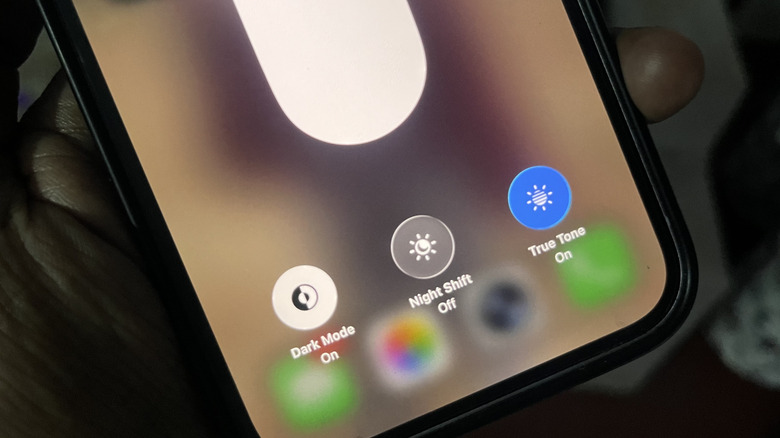
Another thing you can do is enable night mode (Night Shift, Night Light, or Eye Comfort Shield). This puts a warm, yellowish filter on your screen that reduces the amount of blue light being emitted, making it easier on the eyes. Blue light is energizing and can suppress melatonin, the hormone your body produces to aid with sleep. This is why you should never sleep with your TV on, as it emits the same type of light. Having night mode an hour before bed can help you go to sleep faster.