

Here's How To Track Tech Deals At Costco
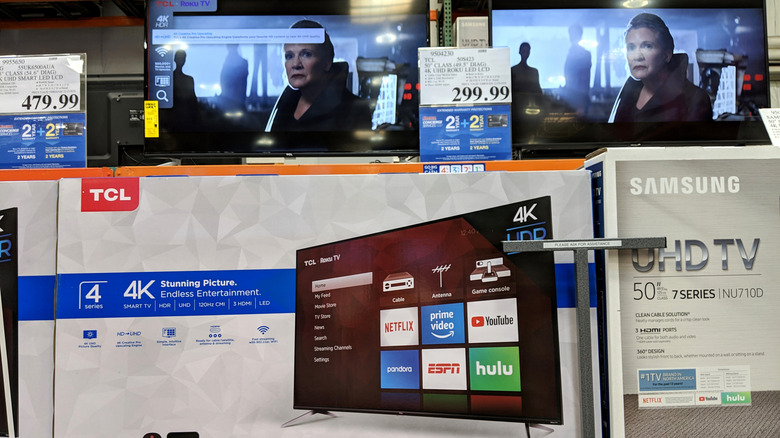
Costco offers several ways for customers to save on different items. From monthly sales that see deep discounts on items to rolling deals on items that the company plans to stop carrying, there's almost always something on sale at the warehouse store. You can even sometimes find better deals at Costco compared to other sites. However, finding the best tech deals isn't always easy. If you go into the store, then you have to walk around and manually verify how the deals compare by searching online as your browse the aisles.
The same can be said for the website, too. While Costco often has sections on its site for big deals, sorting through the variety of options can be tedious. Plus, it might not always translate to an actual deal being available. That's why one good option for tracking tech deals that we've seen pop up on Reddit and in browser extension stores is Price Lasso.
The extension is available to Chrome, Firefox, and Safari users and works across various stores like Costco, Amazon, Target, Walmart, and more. One reason users might want to try Price Lasso is because it also allows you to set price drop alerts which let you easily keep track of when tech you're looking to buy goes on sale.
You can use Price Lasso to search for deals on items you actually want
Unfortunately, Price Lasso doesn't offer a way to sort through deals before adding them to your list. Instead, the primary way that you'll search for deals is to be proactive and know what you're looking for. To start tracking deals on specific items, all you need to do is navigate to Costco's website after installing the extension in your browser of choice. Keep in mind you will need an account for Price Lasso, but the account creation process is fairly quick and free.
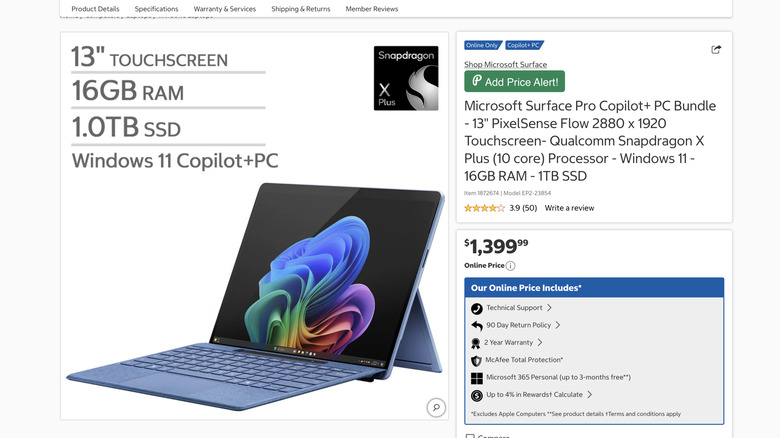
Once the extension is enabled, an Add Price Alert option will appear on the item listing page. Once you click this, it'll add the item to your price alerts page on the Price Lasso website and you can select a See your alerts link where the Add Price Alert option used to be. On this page, you can through your alerts, as well as look at the price history for that particular store (Costco in this case).
You can also customize what kind of deal you're looking for (10% off, 20% off, etc.) to help narrow down what kind of alerts you receive. And, the listing that you set up will even show which store you can get it at for that particular price, so you always know if Costco is offering the best deal or not.
Why users recommend Price Lasso
While it might not be as handy as a tool that automatically aggregates the latest tech deals, Price Lasso has received a lot of positive reviews from users across its various extension offerings. One user says, "Everyone who shops online should have this app," noting that they would give it at least ten stars if they could.
Other users on the Firefox add-on store noted that they had some issues getting Costco tracking to work initially, but that upon reporting it, the developer reached out quickly and had a new update to fix that issue pushed out within a short time. The user then said they'd continue using it, as the developer was on top of pushing out fixes.
Even still, other users of the extension have noted that it is easy to use and simple to set up, and that it makes tracking potential deals on the items they're looking to buy much easier than looking them up individually each time, especially for those who believe everyone should always buy their tech from Costco.