

Android Auto's New Update Will Change How You Use Your Dashboard
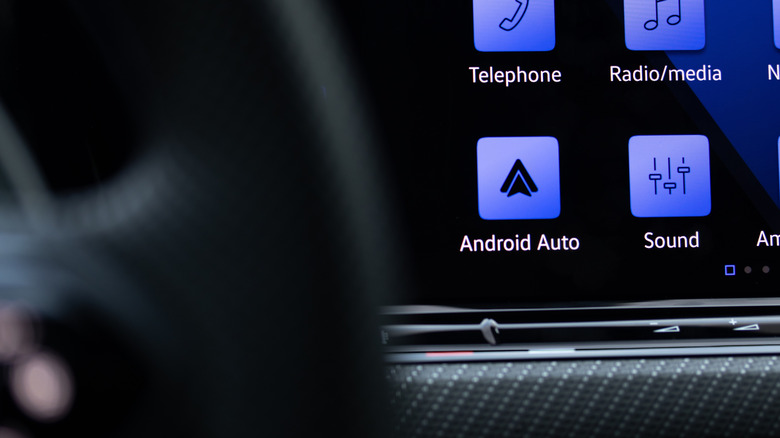
If you're a big Android Auto user, you'll be happy to know Google has announced that the platform is getting a huge update with a host of feature changes and a complete visual overhaul. Google Maps is a part of that refresh, with some more stylish and user-friendly app upgrades — it's the biggest Maps update in a long time. That's big news, because Google Maps is easily one of the most essential Android Auto apps.
The change you'll notice most is Google's Material 3 Expressive design, which itself is an update to the company's Material Design 3 or "Material You" design philosophy. The biggest difference with Google's latest design initiative is an emphasis on animations, which the company says fosters "more usable and engaging products with emotion-driven UX (user experience)." For Android Auto, that means new, visually-appealing fonts, snappier animations with added flair, and updated visual components like wallpapers from the Android phone experience.
Another major visual change comes with how the updated Android Auto adapts to the shape of your vehicle's screen. The platform has supported landscape, portrait, ultrawide, and even circular screen layouts for years, but the experience wasn't always perfect. Now, Android Auto uses more of the available display area across irregular screen shapes.
Home screen widgets have also arrived and work like Android widgets, giving you important information at a glance and quick access to your most used apps. On Auto, that includes your favorite contacts, garage door controls, traffic and weather information, and more. It's part of a concerted effort to make Android Auto better — several EV car brands saw a hugely helpful Android Auto upgrade before this. While the meatier development of this latest update is tied to the visual improvements and enhanced user experience, it's not the only major change.
What else does this Android Auto update add?
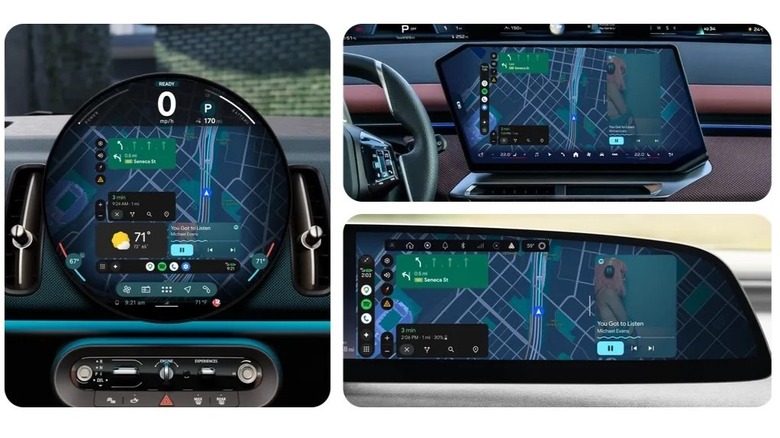
Beyond the visual overhaul, there are several other enhancements to explore in this update. Google says these new features will roll out in batches, with some of the features coming "soon" and others not being available until "later this year."
HD video playback through Android Auto will begin rolling out later this year in the YouTube app. When parked, you'll be able to watch YouTube videos at 60 fps on compatible vehicle displays. If you put your car in drive, videos will automatically swap to audio-only so you can listen safely. Alongside that, Dolby Atmos support is coming soon along with visual updates to the Spotify and YouTube Music apps. Immersive maps for Google Maps will also start showing up, with details like 3D buildings and highlights for lanes, traffic lights, stop signs, and more.
For those who use Gemini, you'll be happy to hear Google is adding improved Gemini Intelligence to Android Auto with this update, too. Sure, there are already some clever ways to use Gemini on Android Auto, but this update expands its capabilities. It "doesn't just look and sound great," but also "has a more helpful Gemini" to get stuff done, according to Google.
If your friends or family send a text that asks a question or requires specific info, Gemini's new "Magic Cue" feature will be able to find relevant information in other text messages, emails, or calendar events and then offer to send a reply. That way, you keep your focus on the road while taking advantage of a smarter, more contextually aware assistant to do other tasks. Lastly, you'll even be able to use Gemini to order dinner on the ride home or perform other tasks within select apps thanks to improved agentic capabilities.