

Why Do Mac Shortcuts Use Command Keys Instead Of Control?
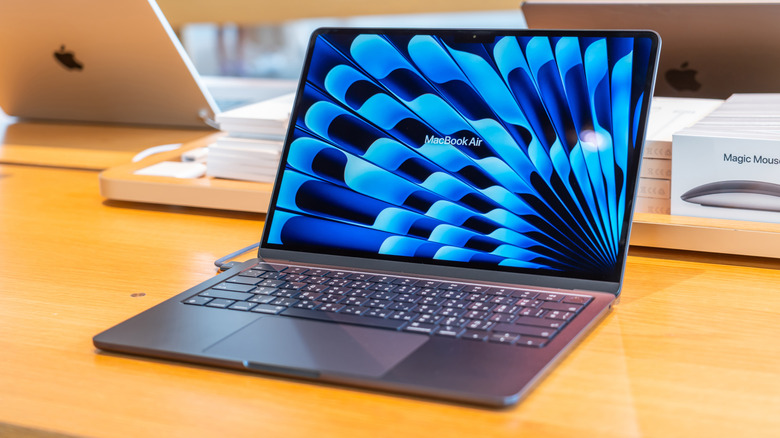
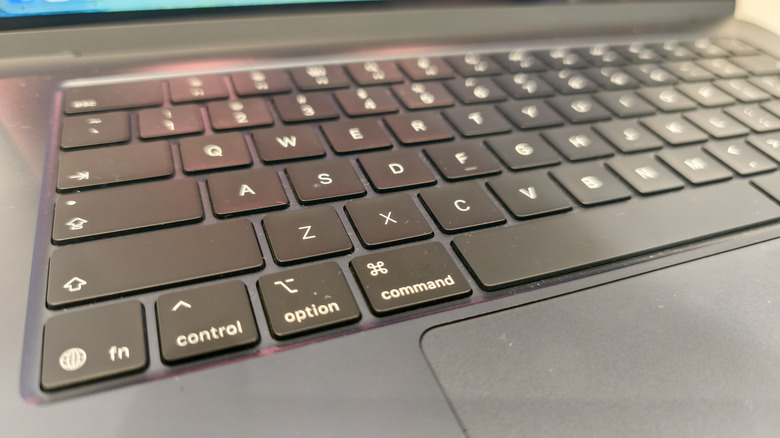
Getting used to pressing the Command key instead of Control on a Mac may be one of the most difficult things to adapt to when switching from a Windows computer to something like an M2 Macbook Air. The Command key has the word "Command" on it and a special icon that resembles a four-leaf clover. Until 2007, it also had the Apple logo on it without any text, which is why some longtime Mac users may refer to it as the "Apple key". The Command key functions similarly to the CTRL key on a Windows computer.
Press Command-C to copy content and then Command-V to paste it. The existence of a Control key on an Apple keyboard only furthers the confusion for Windows users switching over to macOS. Apple introduced the Command key decades ago, before computers featured a graphical user interface (GUI). The original Command keys came with the Apple III computer in 1980, at a time when personal computers required users to type commands to navigate the OS.
Apple used two different keys to enter key combinations, one featuring an "open" Apple logo and one featuring a "solid" Apple logo. The user would press one of these keys while also pressing a different key to send a command. Three years later, the Lisa computer came with a GUI that allowed users to interact with elements on the screen, including the menus. Apple wanted users to be able to access all those commands from the keyboard, creating the model for Mac keyboard shortcuts.
The history of the Mac's Command key
The Mac's menu featured the Apple logo next to every shortcut that could use the Command key, which Steve Jobs was not a fan of, according to Andy Hertzfeld (via Folklore), a former software engineer for Apple and a key developer of the original Macintosh operating system. "There are too many Apples on the screen! It's ridiculous! We're taking the Apple logo in vain! We've got to stop doing that!" Jobs said. While he may have wanted Command keys in the Apple III era, he didn't appreciate all the Apple logos appearing on the screen.
The Apple co-founder and then-CEO demanded a different symbol for the Command shortcuts displayed on the screen. That task came down to Apple's key graphic designer, Susan Kare, who had to find a symbol that would work graphically, while also conveying the "Command" meaning. She ended up choosing the symbol seen today on all Apple keyboards, including Magic Keyboards made for iPads, the four-leaf clover-like icon. This design was apparently used in Sweden to indicate points of interest.
What about Control?
YouTube channel Apple Explained also noted that the symbol was meant to indicate a castle with turrets seen from above in Scandinavia. The comparison with castles can better suggest command or authority, though Apple didn't make that association. Apple kept using the new symbol and the open Apple logo on Mac keyboards until 2007, when it printed the word "Command" on the button, and removed the logo.
But a Mac user could interact with the computer without using the Command key. You can use the MacBook's trackpad or a mouse with a Mac desktop to navigate all the menus and click on the actions you need to perform. You can copy and paste text or photos with the mouse. However, using the Command key for repeated actions, like copy-and-pasting content, closing windows, tabs, and apps, or multitasking, can speed up your workflow. Put differently, the Command key is so ingrained in the macOS experience that Apple can't remove it from keyboards even if it wanted to. It could change the iconography or name, but not its function.
That doesn't mean the Control key isn't necessary. It might not have the same function as Windows' Control key, but it can be used in some shortcuts, depending on the app, and how the user customizes shortcuts. Also, the Control key has different shortcuts inside the Terminal app, which some Mac users may need for various workflows.