

Do USB-C Headphones Work On A MacBook?

Apple's Mac computers are the only products of the company that still feature a 3.5mm headphone jack, so you can continue to use your favorite earbuds and headphones by just plugging them into the side port of your Mac or MacBook. However, not everybody knows that USB-C headphones also work on a Mac and a MacBook. That's likely because whenever you plug your wired USB-C headphones into your Mac, it doesn't automatically switch the audio output to your headphones, causing some people to believe the Mac doesn't support USB-C headphones.
Luckily, to use your USB-C EarPods, AirPods Max, Beats Studio Pro, or any other headphones that have a USB-C connection, you just have to follow some simple steps. After you connect your headphones using the Mac's USB-C port (doesn't matter which one), you'll be prompted to let this accessory connect to your Mac. After that, go to System Settings, tap "Sound," and in the "Output & Input" section, select your wired headphones as the audio output. Under these settings, iPhone users can also change how volume behaves on the Mac and adjust some additional settings regarding the source of audio.
This is why you should be using wired headphones on a MacBook
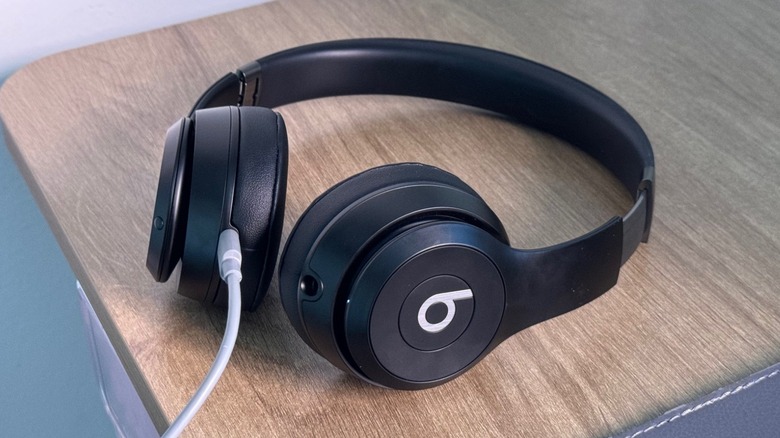
Even though Mac and MacBook computers work flawlessly with Apple's AirPods, there are some real benefits of choosing USB-C headphones instead of wireless options. For example, if you're a gamer, wired earbuds give you absolute zero latency, which means you get a sound of footsteps, shooters, and anything else that you need to pay attention to in a game instantly. This can also improve your experience when editing a video or a podcast.
Besides that, using USB-C headphones gives your headphones infinite battery life, meaning that even if you stay on your computer for over 16 hours in a row working on an important project, you won't need to worry about your headphones dying midway through it. Wired headphones are also really good if you're constantly on video and audio calls on your computer, as some options, like Apple's EarPods, have a microphone really close to your mouth, making your sound a lot better than if you were using wireless headphones.
Last but not least, if you care about the sound quality of your songs, and you want to take true advantage of lossless, your MacBook, especially the M5 MacBook Pro models, has a great Digital-to-Analog converter (DAC) that will make your wired USB-C headphones shine if they can handle the bigger data your MacBook will be sending from your favorite tunes.