

5 Ways To Tell If Someone's Recording You With Smart Glasses
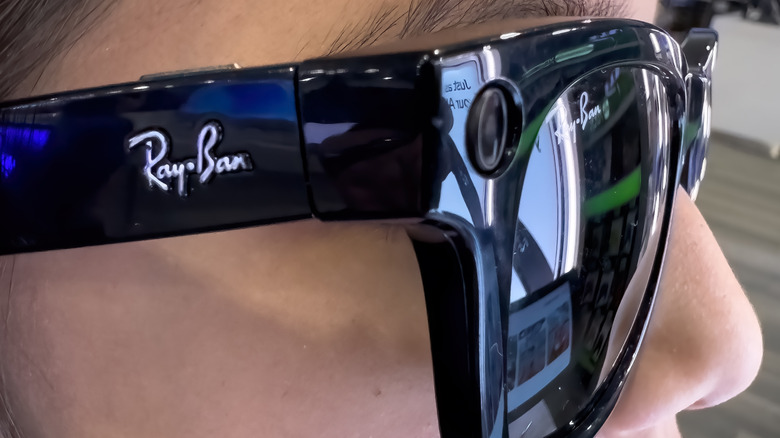
As cool and convenient as smart glasses may seem conceptually, their actual use in the real world comes with a very real concern: People recording your private moments with smart glasses. In a time when it's becoming harder to keep a lid on your digital privacy, having your real-life privacy violated in this manner can be extremely frustrating, especially as brands like Meta upgrades its smart glasses with features like facial recognition. While there are equally high-tech solutions to this problem, like smart eyewear detection apps, if you don't have your phone handy, the only other option is to be vigilant for signs of recording, like obvious camera lenses, suspicious motions, and audio cues.
While smart glasses are generally designed to be discreet, many models include tells in their construction, some subtle, some overt. Nice as it would be to not think about something like this, you have to consider your privacy in the age of smart tech-powered surveillance, and that means keeping a sharp eye out for the warning signs that someone is capturing your image without consent.
Spot a recording light
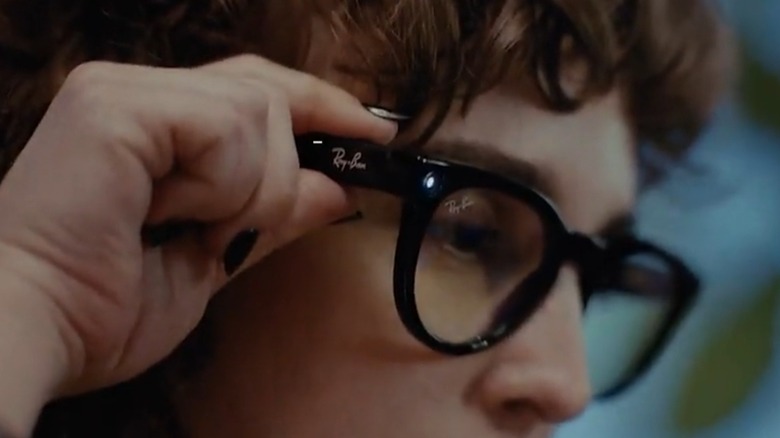
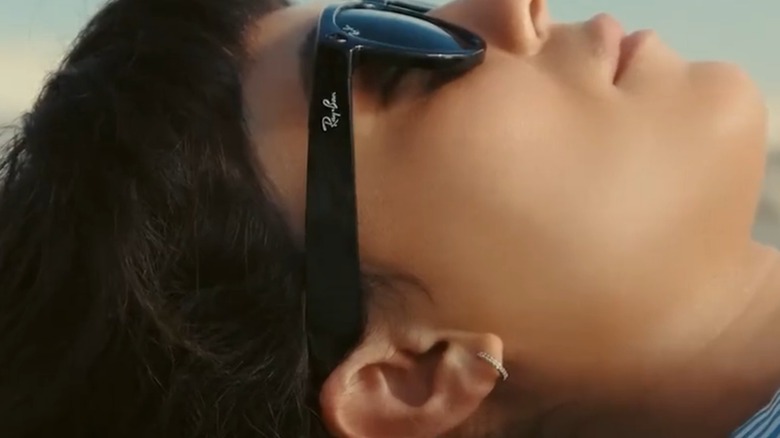
In the best-case scenario, whatever brand of smart glasses an onlooker is wearing included privacy warning features into its design. In the same way that a traditional handheld camera has a red light indicating that it's recording, so to do many models of smart glasses. Major manufacturers like Ray-Bans and Oakley place small, yet distinct indicator LEDs on the front of their frames, usually in one of the corners. Ideally, this LED will be clearly illuminated whenever the glasses' built-in camera is actively capturing stills or footage.
Unfortunately, this helpful warning light is not a given. Not only is it not present on all models of smart glasses, but even for those that do have it, it is distressingly simple to cover it up or otherwise disable the feature. All it really takes is a small sticker the same color as the frames, and the LED is hidden from sight. In short, if you see an LED on someone's smart glasses, that's a surefire sign they're recording, but not seeing it doesn't necessarily mean you're safe.
Look for camera lenses
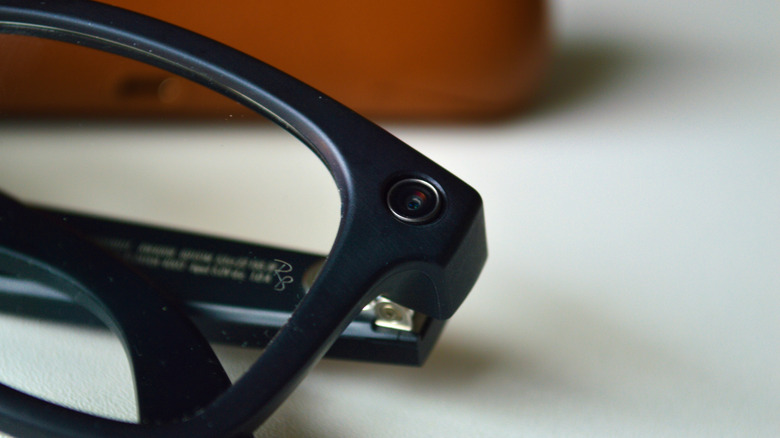
While you might assume that smart glasses cameras would record footage via an obvious lens, that isn't always the case. Smart glasses use traditional camera lenses, albeit very small units placed on the front of the frames. These tiny lenses can be hard to make out from a distance, but if someone is recording you right up in your face, it becomes more obvious. Camera lenses on smart glasses are most commonly placed in unobtrusive spots, like the top-left and top-right corners of the frames.
If someone is wearing a particularly thick pair of glasses, watch those corners for the distinct shimmer of a lens, not to mention unusually chunky segments that may be concealing internal components like batteries. Alternatively, watch the bridge of the frames, as there may be a tiny pinhole camera placed in the center. While a shimmer on the corners of the frames could be mistaken for decorative rivets, a typical pair of glasses wouldn't normally have a little hole in the center; meaning it could very well be a camera.
Watch for certain head and hand motions
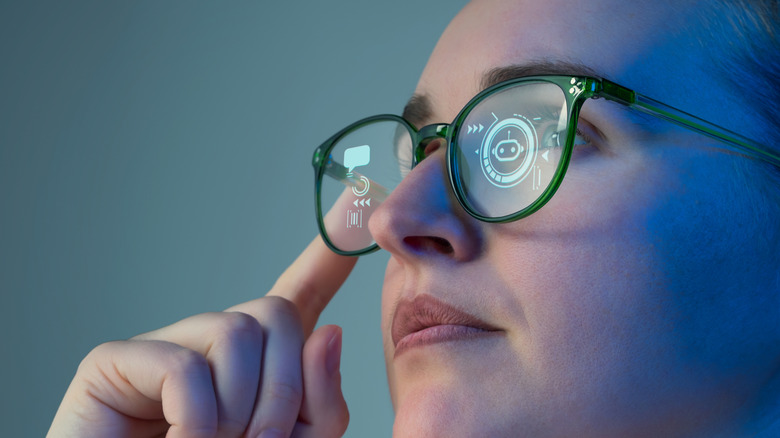
Part of what makes up the generally subtle designs of smart glasses is that you don't need large physical buttons or switches to operate them. Of course, this high-tech eyewear can't read your mind, so using features like video recording usually requires performing some manner of distinct motion. When the glasses detect these motions, they might take pictures or start recording footage. A practiced hand may be able to keep these motions looking innocuous, but if you're vigilant, you can catch it happening.
Common motions for recording or capturing images with smart glasses are tapping or sliding your finger on the side of the frames. It's one thing if someone adjusts their glasses every now and then, but if they seem like they're constantly tapping on the same spot, they might be taking pictures. When it comes to recording video, pay attention to how an individual moves their head and eyes. If they seem to be deliberately moving their entire head around when simply moving their eyes would be easier, it could be because they're trying to keep you center-frame in their smart glasses' lenses.
Listen for audio cues
In addition to taking photos or using augmented reality, some smart glasses have audio capability built in. The sounds produced by a pair of smart glasses are subtle if you're not the one wearing them, but if you focus your hearing and there's not much ambient noise, you might catch a giveaway that someone's frames are smarter than they appear. In the case of recording or taking photos, smart glasses will typically produce a quick, yet distinct shutter noise, not unlike the camera on your smartphone.
This sound could also be a short beep or soft tone, usually triggered when the wearer taps a button on the frames. If you hear that shutter sound, but don't see any obvious cameras, it likely means there is one hidden nearby. The same goes for overhearing commands like "Hey Meta, take a photo." Additionally, if you happen to hear faint audio, but don't see anyone wearing headphones or earbuds, someone may be listing to music with smart glasses. While that's not a sign they're recording you, it is a cue that they're wearing smart glasses and, therefore, could record you.
Use a detection app
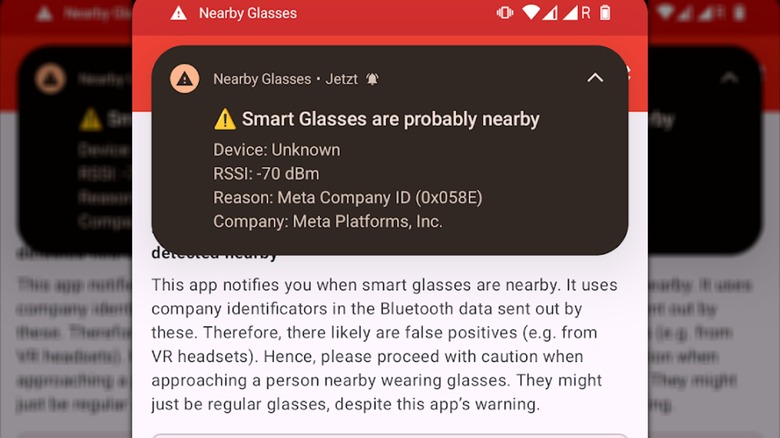
As frustrations around covert monitoring with smart glasses have mounted, coders have sought out more ways of identifying the tech in their vicinity beyond mere vigilance. Smart glasses detection apps for smartphones have begun circulating, allowing you to ping the presence of active smart eyewear nearby. Smart glasses may be getting harder to spot in public, but with the Nearby Glasses app, you can scan for smart eyewear in the vicinity.
It works by identifying brands via the Bluetooth identifiers assigned to manufacturers. This scanning runs passively, sending you notifications whenever probable smart glasses are detected within your range. Keep in mind that this app is not an absolute solution for warding off unwanted smart glasses recording; the creator of the app notes that it can produce false positives, and attempting to harass anyone who you think is wearing smart glasses could get you in trouble. Rather, it's best to use the app in conjunction with other monitoring techniques, so you know what to watch out for.