

3 Signs Your TV Is Costing You More Than It Should (Even When It's Off)
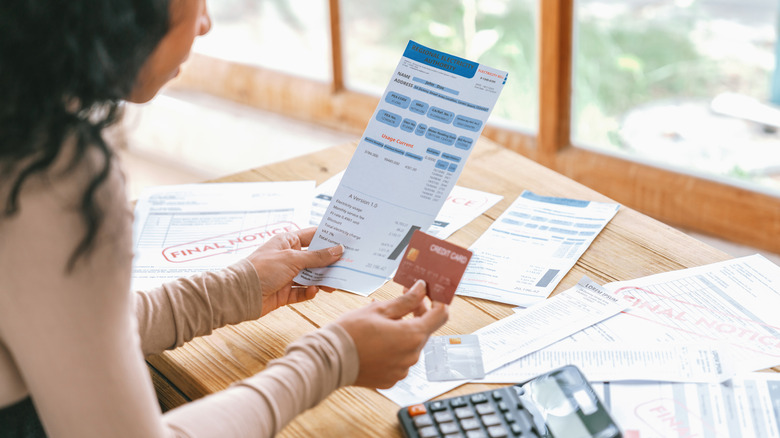
The true cost of any appliance or piece of tech often consists of more than just what you spend when you first purchase it. You also have to account for additional costs that may result from using a device, such as energy bills. That's not to say that these additional costs are always unavoidable. Although you do technically have to pay for the energy necessary to run your devices, it's possible you're currently paying more than you need to. For example, if you know what warning signs to be on the lookout for, you may discover that your TV is costing you more than it should.
A smart TV in particular can cost you more in utility bills than you might realize due to what's known as phantom energy (also referred to as vampire energy). This is energy that gets drained even when a device isn't actively in use. As long as the device is plugged in, it uses some energy. Unfortunately, a device like a smart TV, which is connected to the internet and often remains in standby mode even when you're not watching it, can drain close to 40 times more energy than an older unit might.
That doesn't need to happen. There are various ways to reduce a TV's energy usage and save money. Again, you're more likely to address this problem successfully if you recognize the signs of a problem in the first place.
Your energy bills are high with no clear explanation

It's worth noting that there are numerous reasons utility bills could be higher than expected. For all you know, your home is using more energy than you thought because your HVAC system isn't working as efficiently as it should. However, if it seems that your energy bills began to rise after you started using a new TV, there's a strong possibility that's at least one factor contributing to the issue.
A simple way you can potentially reduce energy bills in this scenario is to unplug the TV when it's not in use. Yes, this might make using the TV a little less convenient, as you'll need to plug it back in every time you want to turn it on, but it will prevent the unit from draining power when you're not watching anything. If taking this step yields a reduction in energy bills, it's a strong sign your smart TV played a role in driving those bills up in the first place.
On the other hand, most current TVs tend to be designed so that standby mode uses minimal power. Thus, it might only be truly necessary to unplug your TV when you won't be using it for several days at a time, such as when you're going on vacation.
You haven't explored energy-saving settings on your smart TV
Not all smart TVs are the same. You need to explore the features of your specific unit to determine how making adjustments could theoretically save you money. That said, smart TVs often have optional features that users can toggle on or off depending on their needs. It's sometimes possible to reduce how much energy a TV uses by turning certain of these features off. Any feature that allows a TV to be responsive to an external device may be an extra feature that you can switch off to help you save a little money. If you haven't ever explored these options, there's a decent chance your set is using more energy than it should be.
Your TV might also offer modes and options designed specifically for the very purposes of reducing energy consumption. For example, some TVs offer eco modes meant to strike the ideal balance between impressive picture quality and limited energy use. If your TV doesn't offer this mode, you can nevertheless turn down the brightness to save energy. As an added bonus, reducing the brightness can also often help to boost a TV's lifespan.
A kilowatt meter shows high energy consumption by your TV
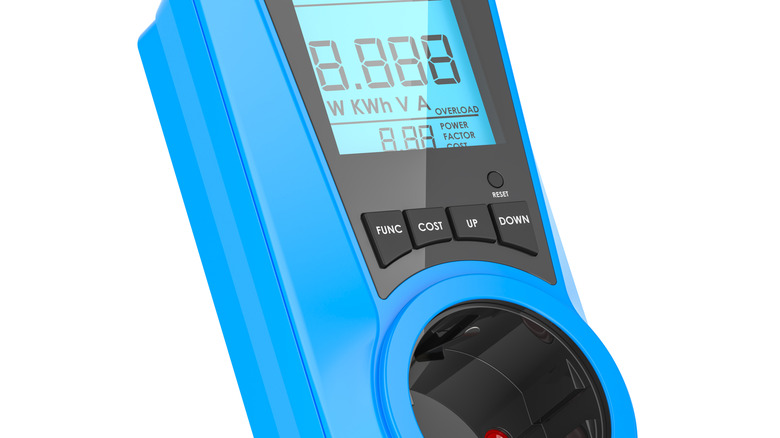
If you want confirmation that your TV is the reason your home is using seemingly excessive amounts of energy, you can purchase a home kilowatt meter to conduct a deeper investigation. This device (which sometimes goes by other names, like an electricity meter or power meter) can tell you how much energy individual devices and appliances are using.
Although you should check the instructions to determine exactly how to use whichever type of kilowatt meter you end up investing in, generally, you plug the meter into a wall and then plug the device or appliance you're measuring into the meter. The meter will then provide readings on energy consumption to give you a better sense of what's behind your phantom energy drains.
This is also a topic worth considering when buying a new TV. If you're not sure whether you really need the largest screen available, for example, consider how a 100-inch TV will drain more power than a smaller unit. By remembering that your energy bills are part of the overall cost of the TV, you'll be more likely to make a purchase you can afford in the long run ... and to heed the signs of a power-hogging TV.