

Monitor Light Bars Are A Desk Upgrade Actually Worth Trying
We may receive a commission on purchases made from links.
Computer vision syndrome (CVS) or digital eye strain is caused by several factors related to the long-term use of devices with bright displays, including computer monitors, smartphones, tablets, and laptops. While there are numerous reasons it can occur, such as poor posture or uncorrected vision issues, the American Optometric Association explains it can also be caused by poor lighting in contrast to the bright glare of a screen. In other words, you want to be in a fully lit room when you're working at a computer. You can illuminate your desk space with desk or floor lamps, overhead lighting, and fully-lit keyboards. But an underrated method is to install a monitor light bar.
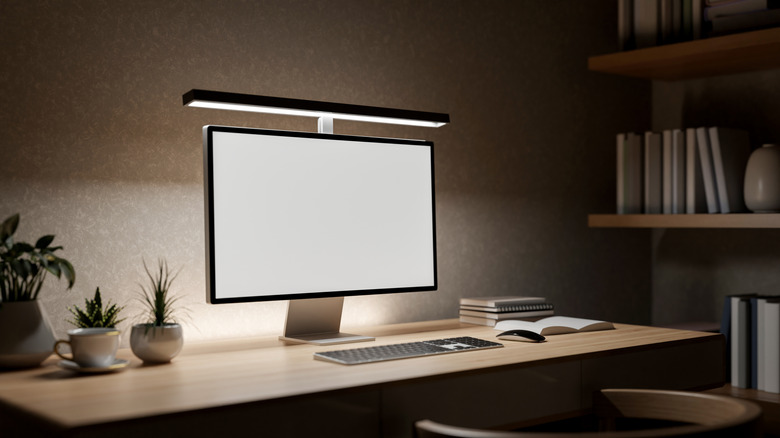
A light bar is a mountable light that runs the length of your display, directing light down onto the desk. They're not equipped with any old incandescent or LED bulb, however. They produce balanced, glare-free lighting that won't cause eye strain or impede your vision. That includes using flicker-free technologies. You either use a clip or mount to physically attach the light bar to the top of your monitor, and some might nestle neatly behind the monitor's frame.
They offer unique benefits versus the average lamp. For starters, they don't take up extra desk space. Instead, they attach to your monitor or use already occupied areas. They brighten the desktop, making it and everything on it, such as your keyboard and mouse, easier to see without producing glare. Most light bars are customizable with color, brightness, and temperature settings. Many are also USB-powered and plug into existing devices to reduce clutter, like the USB port on your monitor.
Desk lamp versus monitor light bar: Which is better?

Ultimately, a desk lamp and a monitor light bar provide two different experiences. You might be wary of purchasing a light bar if you already have a well-placed desk or floor lamp. That's understandable. But a direct match-up is not the right way to look at it. It's better to assess what kind of lighting you need for your workspace.
Lamps are a general-purpose option. A desk lamp is good for illuminating a wide area and also a good alternative to natural light in rooms without windows. Lamps can reduce eye strain and fatigue, similar to light bars, by improving visibility. They come in all shapes and sizes, and some include RGB and multi-color customization. At the same time, desk lamps take up more space. They require external power, so you'll need an outlet and may need to run a power cord. If they're battery-powered, you'll still need somewhere to charge them. Comparatively, the type of light they produce varies and isn't typically glare-free.
Monitor light bars are better suited to professional workspaces but also great for minimal work areas, remote or work-from-home setups, and anyone who has to work long hours in front of a monitor. They're also a must-have gadget to level up your gaming space. Imagine installing a light bar on a monitor that's attached to an adjustable arm? You could adjust the lighting then. But overall, they save desk space, are glare-free, improve visibility, have intelligent features like dimming and ergonomic brightness levels, and feature zero-flicker designs.
What to look for when choosing a monitor light bar?

You'll want to choose a bar that matches your monitor's dimensions, and be sure to consider its panel size and thickness. Not all monitors will accommodate mounting. If it's a curved monitor, that'll also make a huge difference, and you'll need a curved monitor light bar. You'll also want to think about what type of lighting you like, including temperature (white or warm), color options like RGB, and how the lighting in your office changes throughout the day. You'll want to adjust the lighting temperature to match, so make sure that's an option. If you have multiple monitors, you'll need additional light bars.
Finally, be sure to note the lighting controls. The bar might have physical buttons or touch controls, which require you to stand up every time to adjust settings, while some bars include a remote or smart app functionality.
When choosing, you'll want to balance your desired price and features, but there are lots of options. In BGR's list of fun USB gadgets you can buy on Amazon for under $20, there's a cheap under-monitor light bar from ABCidy. Other budget-friendly options include Quntis models on Amazon. A step up from those would be Honeywell's standing LED lamp, which you can tuck behind a monitor, or BenQ's ScreenBar Pro. There are premium options, such as BenQ's upgraded ScreenBar Halo 2. Moreover, of all the USB accessories from IKEA that are actually worth buying, believe it or not, one is a monitor light bar called the Lagergång LED Lamp. It has good ratings too.