

Why There's A Tiny Flashing Dot On Your Samsung Phone's Screen
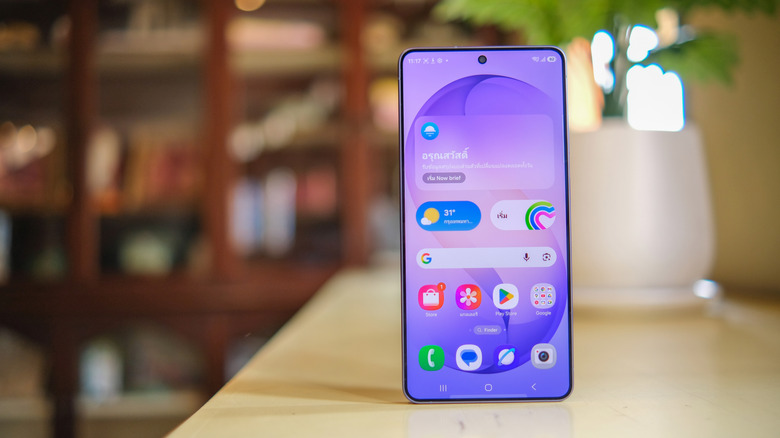
When you're talking on a modern smartphone, the display will turn off as soon as you bring the handset to your ear. The feature is meant to prevent accidental taps or interactions with the display. Smartphones use proximity sensors that measure how far objects are from the screen to determine whether to turn off the display. It is a process many users may take for granted. If you own a Samsung phone, you may have noticed the proximity sensor in action without knowing what it was. That tiny flashing dot near the top of the screen is the proximity sensor firing. It's not a bug, and it's not a feature the user can customize. It is how many smartphones with proximity sensors work, including older Samsung models.
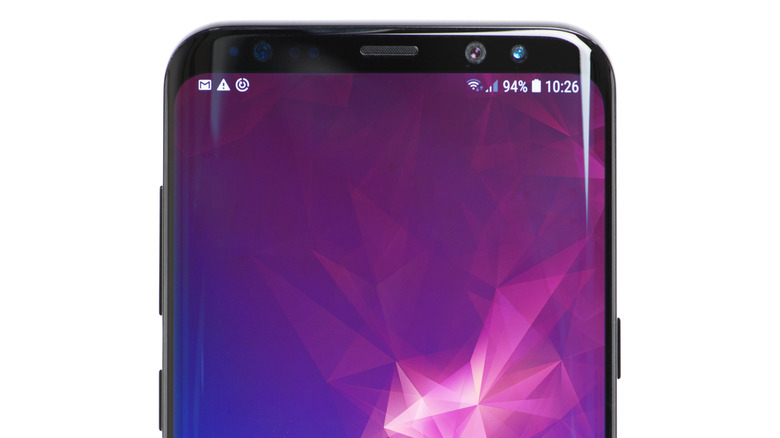
The design differences between older generations and newer models explain why modern Samsung models have visible flashing proximity sensors. Newer Galaxy phones, like the Galaxy S26, have large displays on the front, occupying almost the entire surface. Older models featured larger top and bottom bezels, like the Galaxy S8+ seen in the following image. The component was placed under the bezel in older models, and that made it more difficult to spot.
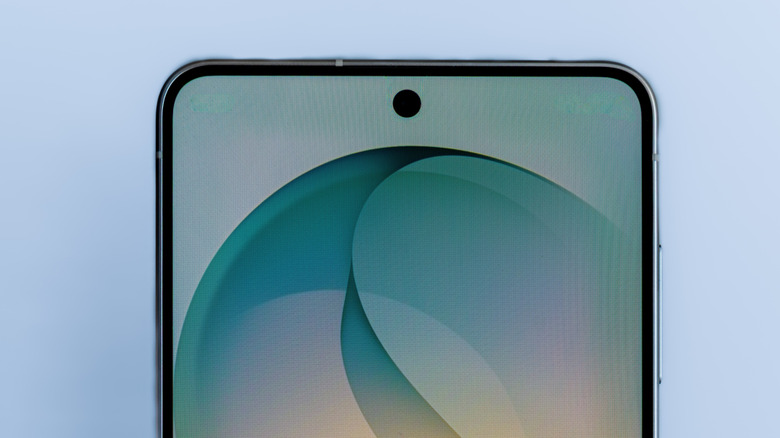
Samsung explained in a support document from 2020 that all Galaxy phones that feature Infinity displays, including the Galaxy S20 launched that year and the previous Galaxy S10 and Galaxy Note 10 models, featured proximity sensors behind the display, which makes the dot visible whenever it's activated.
Can you turn off the proximity sensor?
In a support document that was last updated in February 2026, Samsung explains how the proximity sensor works: "A proximity sensor consists of a light-emitting and light-receiving component. Infrared rays from the light-emitting component analyze the light reflected from physical objects and measure the distance between the object and the device." Samsung also notes that its Galaxy phones feature a proximity sensor, placed either under the top bezel or directly under the screen.
The blinking light "may appear faintly" on Galaxy phones with all-screen displays, according to Samsung. But Samsung makes it clear it's not an indicator of a display problem. The sensor flashes as it emits light to measure the distance between the screen and other objects. Some users may be confused when spotting the blinking light accidentally because a flashing light can suggest an issue on other products. For example, a car may light up various indicators on the dashboard when there's a problem with a key component, like the engine — but this is not the case with Galaxy phones.
Turning off the proximity sensor isn't possible for users who want to disable it. Samsung explains in the same document that all phones released after the Galaxy S5 series feature proximity sensors that can't be turned off. If you were to turn the sensor off, you'd miss out on the features it enables, like the screen turning off during calls when you keep the handset pressed against the ear. Samsung notes that using speakerphone or Bluetooth earphones for calls will deactivate the flashing light, and the display will not be locked. In those cases, users may still need access to the phone during a call.
The proximity sensor can malfunction
While you can't turn off the proximity sensor, the component can malfunction, causing the screen to behave unexpectedly during calls. For example, if the sensor stops working, the display won't turn on during calls or once you've finished the call. Samsung advises users to turn on the "Double tap to turn on screen" feature in Settings > Advanced features > Motions and gestures. This can help ensure you can quickly turn on the screen, but the underlying problem may remain. Something may be blocking the sensor. Samsung advises users to clean the top portion of the display with a soft cloth. The company explains that hair and static electricity can impact the sensor's functionality.
Accessories, including screen protectors and films, may also block the sensor. Removing them might help. Samsung also advises users to try to diagnose the proximity sensor issue using the Samsung Members app that contains a proximity recognition diagnostic test. This feature may help fix a malfunctioning proximity sensor.
After trying various fixes, users should restart the Galaxy device and check whether the sensor works as intended. Placing a test call may help. If all else fails, you can take the Galaxy phone to a Samsung repair shop for more advanced troubleshooting.