

5 Smartwatch Sleep Tracking Features You Need To Try
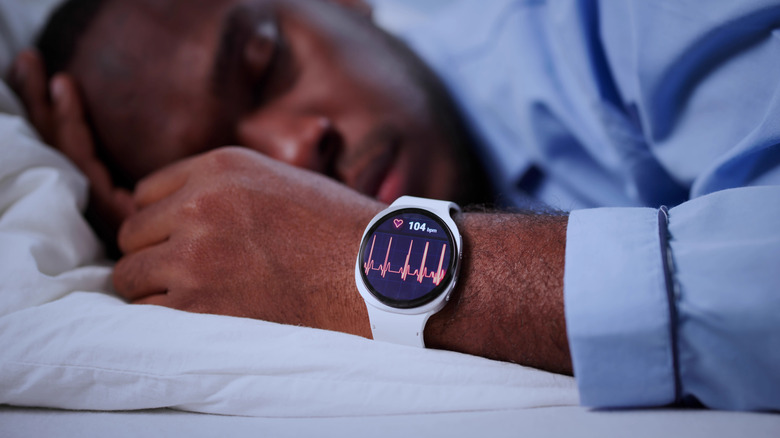
One of the core things I love about my smartwatch, fitness tracker, and smart ring (yes, I wear all three and cycle among different types as I review them) is sleep tracking. It's one area of overall wellness that I, like many others, am sorely lacking and need to improve. Every device that tracks sleep will generally tell you when you went to bed and fell asleep, and the duration of your sleep as well as your wake-up time. Most nowadays also offer sleep stage tracking, which shows how much time you spent in light, deep, and REM sleep as well as moments of wakefulness.
But there are other sleep tracking features you can leverage with different devices, including smartwatches. Some are locked behind paywalls, but others are available for your enjoyment and insight without needing a subscription. Plus, there are third-party apps worth using alongside the devices that offer useful add-ons.
Sleep apnea detection
Smartwatches like the Apple Watch Series 9 and up and Ultra 2 and Ultra 3 as well as Samsung Galaxy Watch 7, 8, and Ultra series, can monitor for breathing disturbances during sleep to help detect potential instances of sleep apnea. It's not designed for those who have already been diagnosed, nor is it a diagnostic tool. But if you suspect you may have sleep apnea, you can leverage this feature to check and prompt next steps if needed.
Once the sleep apnea feature is turned on, the watch will run an evaluation period spanning multiple days, looking for signs of breathing disturbances during sleep that could be attributed to sleep apnea. Running it for a prolonged period can help rule out occasional disturbances due to things like an upper respiratory illness or alcohol consumption, and create a baseline measurement. When you finally get a report, if the watch detects possible sleep apnea, you can make an appointment to see your doctor or specialist to investigate further. As long as you are 18 or older (22 years on the Galaxy Watches), not pregnant, aren't suffering from other breathing disturbances, and, as noted, haven't already been diagnosed with sleep apnea, you can use this feature. It can help you determine if your suspicions are correct or conversely, suggest that everything is OK. Either way, it can be a good first indicator.
Setting a sleep schedule
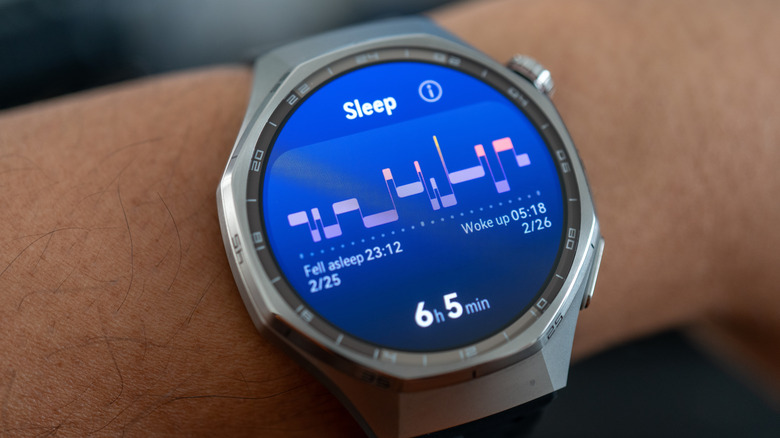
Many smartwatches, fitness trackers, and smart rings allow you to create a sleep schedule or sleep goal. And it's worth using. A sleep schedule is your estimated or anticipated time to go to sleep and wake up each day and night. You can usually set this differently for weekdays and weekends because, of course, who doesn't like to sleep in on a lazy Sunday morning?
Using a sleep schedule, the smartwatch can not only report when you went to bed, fell asleep, and woke up, it can also evaluate if the times were within your expected range, how often you divert from the expected range, or conversely, how consistently you keep within it. The schedule is essentially a goal you set for yourself that you either meet or don't. With the new Google Health app and Premium subscription, which works with smartwatches like the Google Pixel Watch 4, once you set expected parameters, a graph shows how well you stick with your expected schedule.
Use AI insights
Smartwatches that come with AI features allow you to have natural language conversations to both get more details and advice about your sleep, ask questions, and log information for context. Smartwatches from Google and Fitbit that work with Google Health Premium and Amazfit watches that work with Zepp Flow and Zepp Coach come with AI features. Maybe your sleep was horrible one night but you want the app's AI assistant/coach to log that your newborn woke up several times, which caused interruptions. Or perhaps you were at a party the night before and consumed a few drinks, which affected your sleep.
Telling the AI this information will save it in its history and help it understand how your body reacts to different stimuli or why your stats might be markedly off from the usual. If you can pinpoint the reason why your sleep was off, you want the smartwatch to be able to know it, too, and take this data into account. That information can inform the advice it provides, like reminding you that having a latte after 6 p.m. usually impacts your deep sleep. It can also help you identify triggers that might be hindering you from getting a better night's sleep.
Track naps
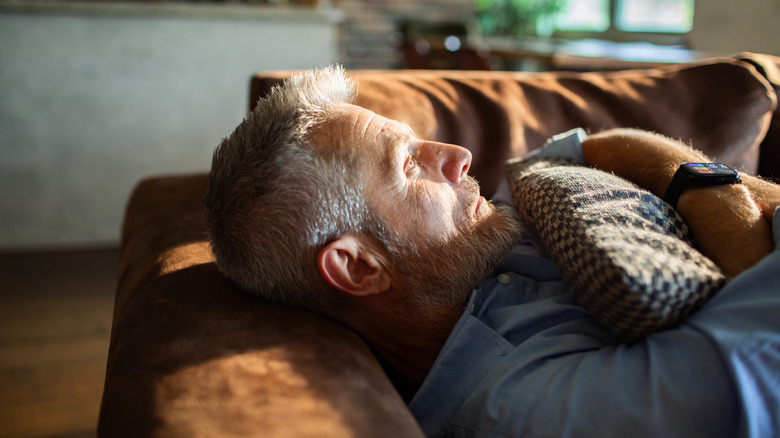
There's nothing like a good midday nap. They recharge your body, mind, and soul, leaving you feeling refreshed. And you want them to count towards daily sleep totals. Many smartwatches offer automatic nap detection. Once you lie down, movement stops, and your breathing slows, the watch can infer that you are down for a nap and start logging it. Once you're done, you'll see the data added to the app, either extending your overall sleep numbers or logging it separately as a nap.
You may not get detailed sleep stage tracking for shorter naps since this usually requires at least an hour or so to kick in, depending on the watch. But you'll get the estimated start and end time and duration. You'll find automatic nap detection in smartwatches including Garmin models like the Venu 3 and Vivoactive 6. In those watches, the information, once collected, is used to inform your Body Battery energy calculation, which helps determine your readiness for a workout, light activity, or more rest.
Leverage third-party apps
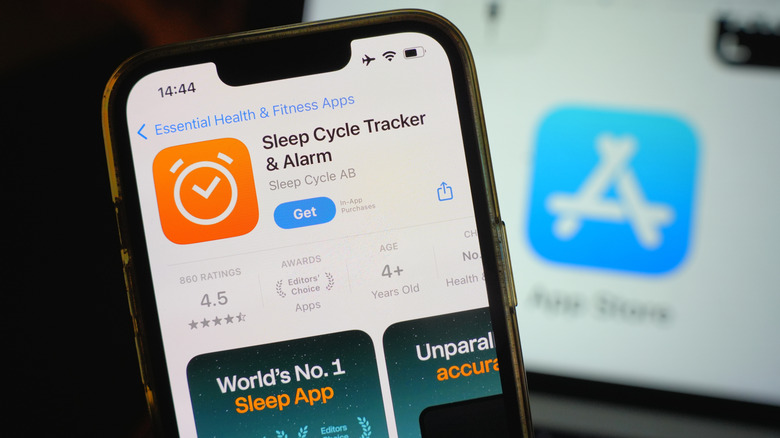
To supplement a smartwatch's built-in sleep tracking, you can also lean on popular third-party apps like Sleep Cycle. This app, which works with both iOS and Android devices and uses both your phone and wearable to track movement and determine sleep, can track a single sleep cycle per day. It not only provides in-depth, supplemental information about your sleep, it also adds features like cough tracking and premium tools like sleep stories or soundscapes like nature, rain, and ocean sounds to help you get pleasant rest.
To wind down, you can enjoy calming meditations and breathing exercises. SleepWatch is another option that works with Apple Watch to track the same data but also provides AI-powered insights to help you improve your habits. The app comes with handy features like Sleep Rhythm, which tracks how consistent you are with your sleeping habits and Time to Fall Asleep that analyzes how long it takes you to fall asleep. Moreover, the app analyzes your fatigue levels a few hours after you wake up to paint a better picture of your sleep.