

5 Of The Best Android Apps For Making A Podcast

In recent years, podcasting has seen an explosion of adoption – becoming a mainstay for commuting, gym listening, and generally passive entertainment. If you already know the best podcast listening apps, then you might be wondering: What are the best apps for actually recording and producing one?
It's true that it's easier now than perhaps ever to build and release a podcast. That's largely because software and technology is accessible to so many now. Wireless microphones such as the DJI Mic 2 keep content creators in focus and peripherals for phones also do such a good job that now might be a great time to consider recording one yourself. If you have an Android device, there's good news for you — podcast recording and producing apps are well-represented on the platform. We'll go over a few of our favorites, from some AI-powered recording apps, music-building tools, and even a full-blown digital audio workstation right on your mobile device.
FL Studio Mobile
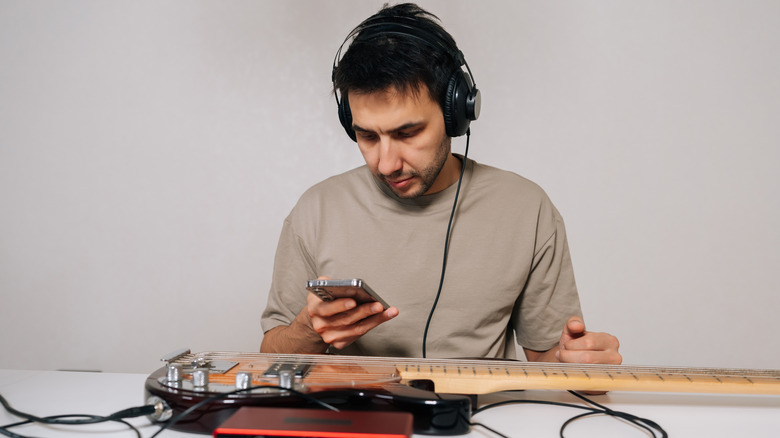
FL Studio, originally known as the budget-friendly Fruity Loops, is a well-known digital audio workstation (DAW) in the desktop world. It doesn't quite command the industry-standard market share that Pro Tools, Logic Pro, or Ableton do, but FL Studio has its share of loyalists. The FL Studio Mobile app is truly a full-featured DAW right on your Android, allowing you to add tracks, record right on your device, add mixing and effects plugins, and polish and edit recordings.
The benefit of having a full studio in your phone is that you're basically never without the tools you need to record, mix, or master an episode of your podcast. The multi-track recording functionality is great, but its track-based graphical interface makes cutting and moving parts of a podcast conversation much easier. There will be a learning curve here, especially for those who have never used a full-featured DAW before, but if you want something with a bit more control than the record-and-ship alternatives out there, then FL Studio Mobile is a well-rounded choice.
Riverside
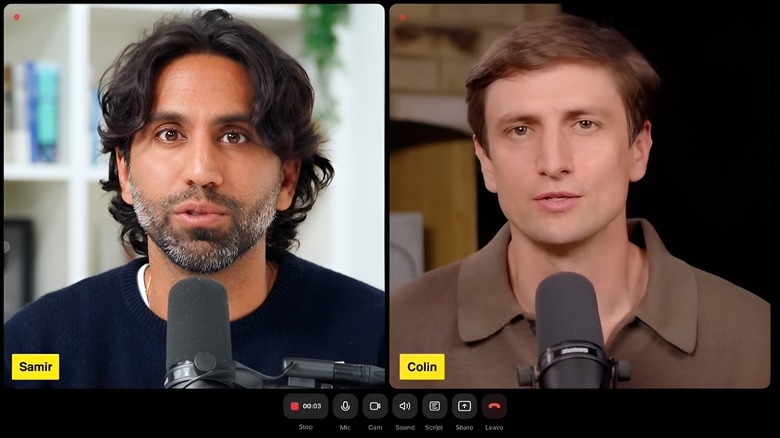
On the other end of the control spectrum, you'll find the slick Riverside Android app. If a DAW like FL Studio gives you full control with granular effects and plugins, then Riverside aims to take that control off your plate. It lets you focus on recording high-quality audio of you and your podcast guests without digging too far into a sea of settings. Riverside looks and feels a little bit like a video calling platform, such as Zoom or Google Meet, but its focus is on recording and quality.
The trick is that if you're hosting a Riverside call, you can send invite links and those people will join using Riverside on their end (just like a Zoom call). Then, you can hit record and Riverside will capture up to 4K video and 48 kilohertz audio. The app also records the audio and records it in WAV format, locally on your device. When the call is over, it uploads the individual, high-quality files to the cloud for easy access. This is better than just recording a Zoom call, because you will worry less about spotty reception and compressed audio and video quality.
MasteringBOX
Once you've got your podcast episode recorded and you've done the trimming and timeline-based editing you want, then you'll need to consider getting it polished and ready to be published for the world to hear. For many podcasts, this can be a simple process, but if you've got several guests, who speak at lots of different volumes, using a variety of different microphone quality levels, then this can be an important step. Mastering music or podcasts can require a lot of steps, but the most important of these is to ensure that the dynamics, loudness, and overall quality of the final product sound cohesive and easy to listen to, with as little harshness as possible.
MasteringBOX is a unique, AI-supported take on this important step. This app allows you to upload your final podcast or music recording to its system. That system uses its algorithm to assess the characteristics of this file and then polish it and get it ready for the average listener's headphones or speaker. It's a single-button solution to a problem that could otherwise take you a lot of trial and error.
Koala Sampler
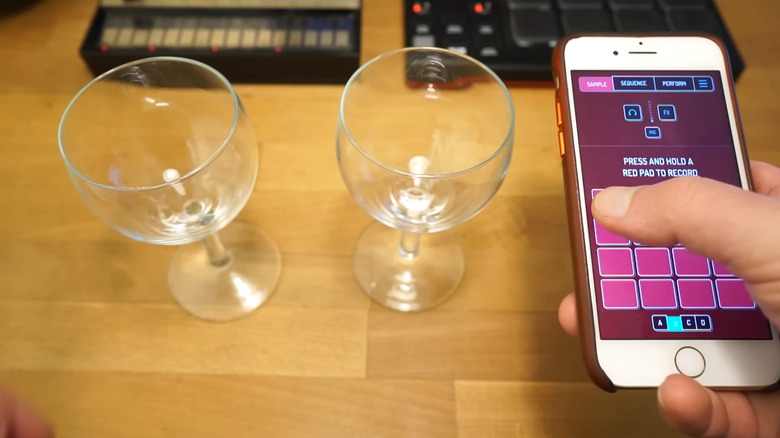
We have focused mostly on podcast recording, with a particular emphasis on recording speech and editing those recordings into a podcast episode. However, many podcasts include a lot of musical or sound-effect components to really give them a brand and an identity. Koala Sampler is a fun little app that gives you playful, on-the-go music-making tools that live right on your phone. The app has a lot of design pedigree in common with some of the portable synths and samplers from brands like Teenage Engineering, as it allows you to record sounds out in the world (or just snippets of instruments or your voice), and then mold and turn those sounds into real music and melodies. This is great for a podcaster, because it lets you be creative even when you're not at a studio, and you can whip up theme music, transition sound effects, and more all from your Android device.
Google Recorder
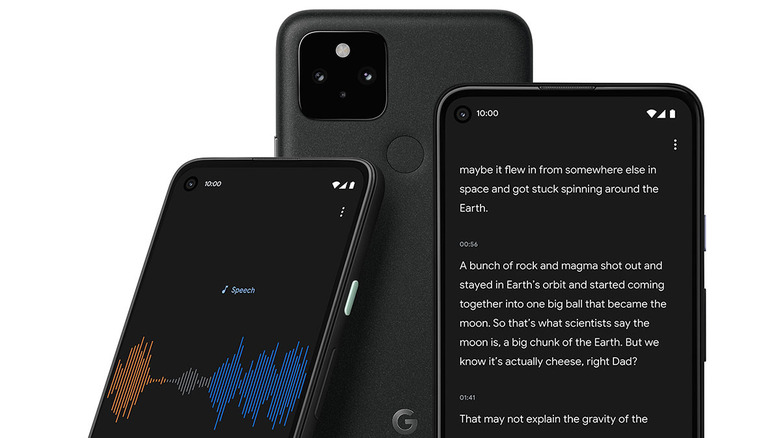
Sometimes the simplest choice for production software is the app you've already got. Most phones, Android or otherwise, come with a built-in audio or voice recorder app. While this app is meant mostly for recording quick voice memos or capturing an interview or conversation, the newest version of these apps actually gives you some powerful recording functions. Recorder is Google's take on this kind of app – and this Pixel exclusive can do a lot more than simple recordings with its capable recording interface.
One of the coolest parts about Google Recorder is that it transcribes the audio and voices you're recording in real-time, showing it as written text on the screen as you speak. Then, if you want to edit the audio file, you can do so just by editing text on the screen – much like you would a Word document. It's genuinely one of the coolest, totally free apps out there that's a great choice if you've got a Pixel.
How we chose these apps
Choosing applications for a list like this takes a little bit of finesse to dial in. One look at the Google Play Store and it's clear that there are a lot of apps out there vying for a coveted space on your phone. The first priority for us in populating this list was to ensure that the apps are currently active with plenty of support, and ideally offer solid usability and functionality for a wide range of Android devices.
Once an app reaches that baseline requirement, we also wanted to ensure that real users actually like using that app. So all the apps on this list are available on the Google Play Store with a healthy number of ratings and good overall reviews. This allowed us to verify whether an app actually does what it says it does. Finally, a few of these apps are well-loved favorites on other forums like tech review sites and Reddit, so we can be sure there's a certain amount of critical support as well.