

You Can Make Most Older Phones Charge Wirelessly - Here's How
We may receive a commission on purchases made from links.
While placing a phone on a dock to charge is convenient, not all devices support it. Even the best wireless chargers on the market can charge a phone that lacks compatible hardware. Unless, that is, you buy an external receiver.
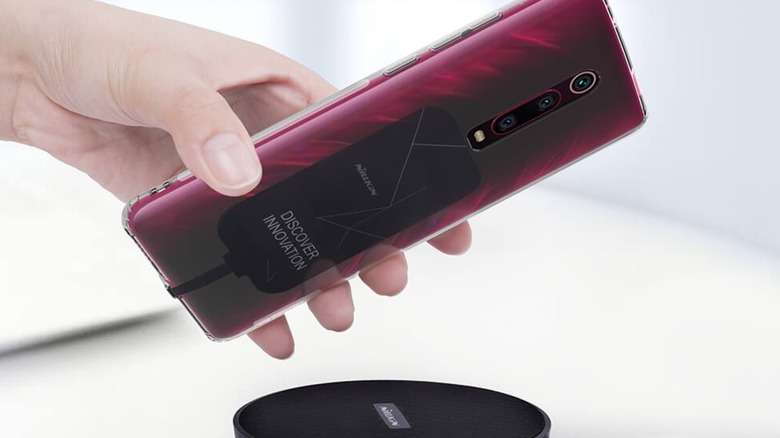
As its name suggests, an external receiver is an accessory that houses the induction coil that enables wireless charging. Simply plug it into your phone's normal charging port, place the phone/external receiver on your charging pad, and watch the magic happen. You still have to make sure your model's cable matches your phone's USB slot. Some versions, such as the Nillkin Magic Tag, include an adhesive strip so you can permanently secure them to your phone's case, although some are thin enough to slip under standard protective phone cases.
If you would rather roll wireless charging and protection into one package, you should invest in a charging case. These accessories function much like external receivers (i.e., they add wireless charging by plugging an external induction coil into the phone), but unlike external receivers, the coil is housed in a durable shell that also protects the phone. Like external receivers, charging cases bridge the phone and wireless chargers by taking up the charging port, but you can often unplug the case to free up the slot for faster wired charging. However, this additional protection comes at a cost. Whereas receivers like the Nillkin Magic Tag will set you back $15, expect to shell out between $40 and $50 for chargers like the Aircharge Wireless Charging Case.
There's always mods
While buying an external induction coil is a simple (but not always inexpensive) way to give older phones wireless charging capabilities, it still takes up the charging port. Not that charging a phone with a wireless charger and a USB cable speeds up the process, but it's still annoying. However, if you're technologically inclined, you can always modify your phone.
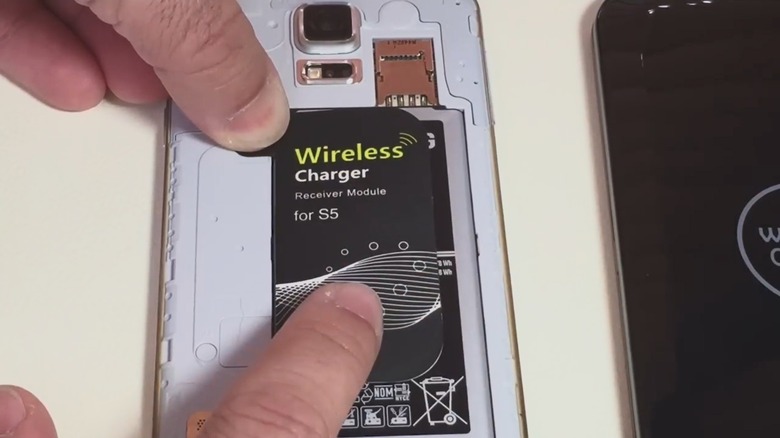
Enterprising individuals have figured out that they can add wireless charging to older phones by installing foreign induction coils. In fact, some companies found a niche by manufacturing these products. Unlike external receivers, these coils are designed to slip onto (and secure to) the internal battery, but they won't work unless they touch the required internal contact points. When properly arranged, such items can add wireless charging without eating up the USB slot, but you must open your phone's shell to install the item.
If you can't find one of these premade devices, you can always add wireless charging functionality by transplanting an induction coil. The process is much more involved and riskier than slipping a premade receiver under the case, so always look up a tutorial and follow the instructions to the letter. Sometimes you can find a spare coil through local hardware stores or online retailers, but other times you have to source your own by cannibalizing an old phone with wireless charging capabilities. Just remember that if something goes wrong, you won't be able to fall back on a phone's warranty.
Always keep an eye on compatibility
The advantages of USB charging go beyond just speed. Since USB cables are universal (the name "USB" stands for "Universal Serial Bus"), you can use any USB cord to charge your phone. Some are faster than others, but they all should work. The same isn't true for wireless chargers.
Nowadays, Qi and Qi2 are the standard for wireless chargers. If you buy a smartphone with wireless charging and/or a charging pad, odds are it is Qi-compatible. But therein lies the rub: Unless devices say they are Qi-enabled, they won't cooperate with Qi-compatible gadgets. This is true for charging pads and receivers — doubly so if you use an induction coil to mod a phone.
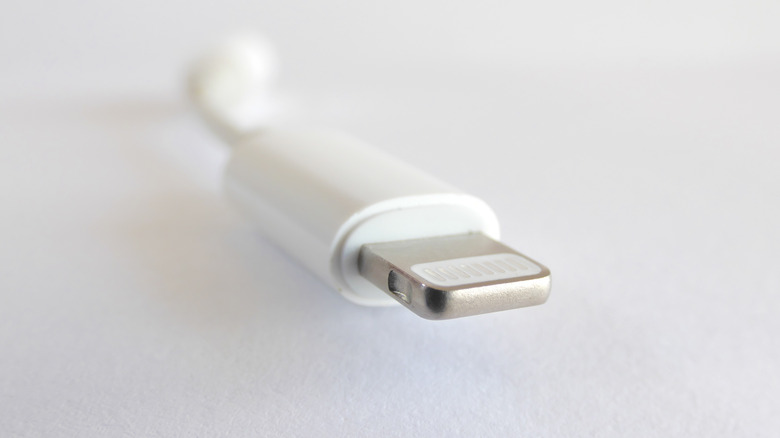
Even if you buy Qi-compliant components, you aren't out of the woods just yet. While USB charging is convenient, it's easy to forget that it wasn't always as universal as its name advertised. Apple, for instance, was famous (or infamous) for using its own proprietary Lightning connector. Modern iPhones use USB-C slots, but older ones, especially those that predate widespread wireless charging, used Lightning. If you want to buy an external receiver or a charging case for a legacy iPhone, you need to purchase one with a compatible connector. And of course you need to worry about voltages and wattages, because you don't want to overload the battery.