

Can You Charge Your Phone With A Wireless Charger And USB Cable At The Same Time?
We may receive a commission on purchases made from links.
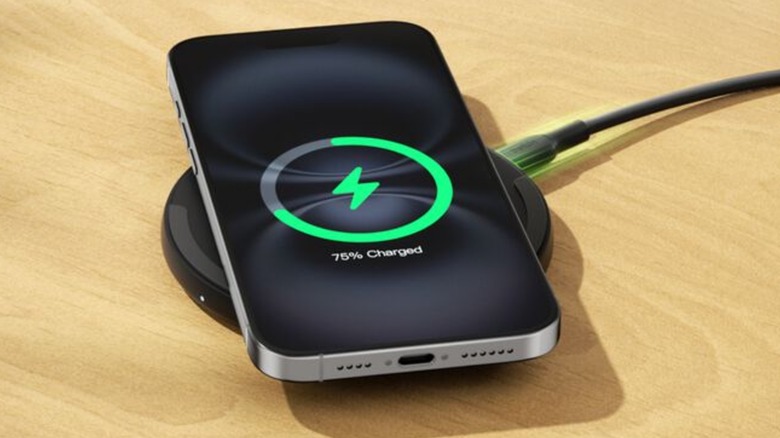
Charging a phone always takes time. Sure, you can speed up the process by activating fast-charging mode (assuming your phone supports it), but relying on it too much can reduce the battery's maximum capacity. So, is there another way? Maybe you can charge your phone wirelessly while it's also plugged into a wall outlet via a USB cable. Sorry, but phones are designed to prevent this, and even if you could, you wouldn't want to.
Most modern phones are designed to prioritize wired charging connections. Even if you place your device on a charging pad first, your phone will switch to wired charging and draw power from only the cord as long as it's attached. How does your phone tell the difference? It relies on its internal power management circuitry. When a smartphone detects a wired connection, the system actively disables the wireless charging coil to prevent hardware conflicts and overheating. Because wired connections are faster and more efficient, the phone is programmed to prioritize the cable.
This is a virtually universal rule among modern smartphones, even among iPhones. But what if you actually could use both charging methods at the same time? Hypothetically, since wired and wireless chargers produce heat, using both to speed up charging times could generate more heat than is safe. We're not saying you would start a fire, but you could damage your battery with that much heat.
Why recharge one device faster when you can charge multiple devices at once?
At first glance, you might assume you don't really need wireless chargers since they don't speed up charging times when your phone is plugged into a cable. Heck, you might also assume you don't need a wireless charger if you don't own enough compatible electronic devices. But owning (and using) a wireless charger and charging cables has its advantages.
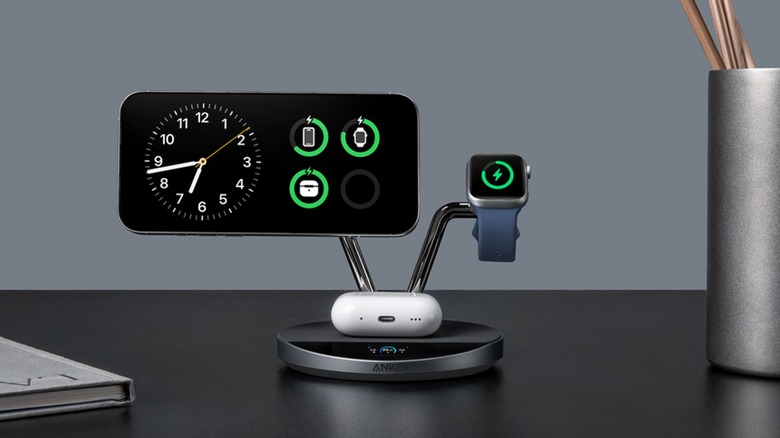
Quite obviously, you can charge multiple devices with both a wireless charger and a USB cable, and since charging pads are generally heavy, they are less likely to cause cable clutter. However, gadgets such as the Anker MagGo Wireless Charging Station — one of the best wireless chargers – can accommodate multiple devices at once. Sure, the device uses more electricity than the average wireless charger, but it only needs one wall socket, which is perfect for rooms where outlets are at a premium (or if you don't want to plug multiple gadgets into a power strip).
If you use a USB cable and a wireless charger — especially one that can charge multiple devices at once — you can prioritize which gadget charges first. As previously stated, wireless chargers aren't as efficient as wired connections, and some electricity is inevitably lost. However, placing a device on a wireless charger is perfect for a "set it and forget it" style of charging. Just hook any cables into gadgets you need quickly (or are incompatible with wireless chargers), and relegate the rest to wireless chargers. It's a new form of organization you never knew you needed.