

6 Major Motherboard Brands, Ranked
We may receive a commission on purchases made from links.
Motherboards are a crucial component for every computer, whether it's a laptop, prebuilt PC, or gaming rig. If the CPU is the brain of the operations, the motherboard is the spine, connecting all the vital parts to each other to run as a single cohesive unit. Despite that, people tend to put more stock in the CPU, RAM, and GPU they're installing in their computer. While those definitely have a big impact on the overall performance of a PC, the motherboard is going to determine which and how many components you can install. Want an AMD CPU? You're going to need a specific motherboard for that. Want 128 GB of RAM? You'll need to make sure your motherboard supports that much.
Taking that into consideration, the motherboard might be the single most important component you put into your computer. If you have built or frequently build your own computers, then you've heard some of the popular brand names repeatedly, and you most likely even have a favorite. Every brand has its benefits and drawbacks, excelling in some areas more than others. Some offer basic boards at a good price, while others have a range of budget and premium boards that can give your rig the support and aesthetic you're looking for. This ranking should help as a starting point.
6. MAXSUN
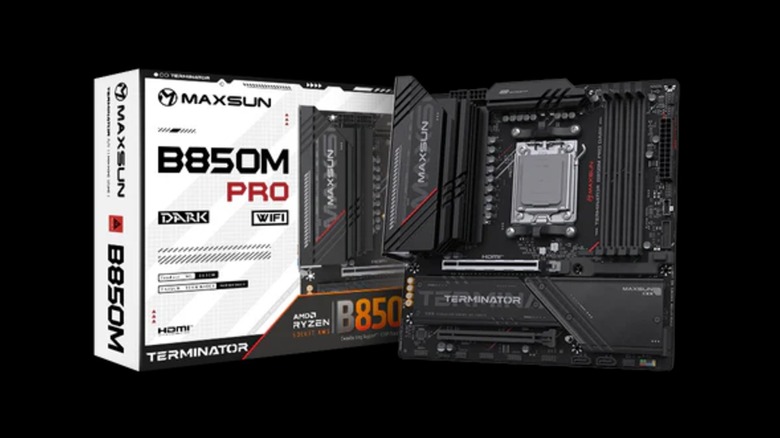
MAXSUN isn't a brand that's too well known outside of China, but if you ever want to give its boards a go, whether it's for an AMD or Intel build, they are available outside of China. Though, as of this writing, it might be difficult to get your hands on one of its AMD offerings. They look like they're only available on MAXSUN's website, and Amazon is sold out of the small selection it had. They are reasonably priced boards, and Newegg has a few between $150 and $315. Getting pricing on anything not on Newegg is difficult. Even the main website requires you to contact the company to request a quote.
The few who have thrown a MAXSUN board into their builds have been relatively happy with their choice. One Reddit user confirms that there are regular BIOS updates — a huge plus — while another said, "I am currently using the motherboard with a Ryzen 7 7800x3d and I am satisfied with the motherboard. The bios is in English and it works well with EXPO (I am using crucial 6000mhz cl36 ram). Just make sure to check that the motherboard is compatible with the ram that you are planning to use."
Amazon has mostly positive reviews for MAXSUN boards. Users rate only two of the eight offerings low. One, based on three reviews, earned a 2.7-star rating, while another, also based on three reviews, received a 2.8 rating. The other six were rated three stars or higher, with the highest being 4.1 stars with 37 reviews. Again, it's not the most popular brand.
5. NZXT
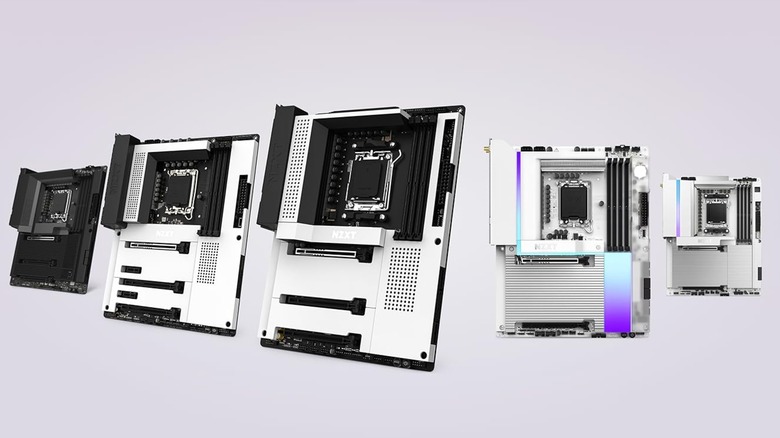
NZXT has been in the computer business since 2004, when it offered PC cases to the DIY crowd in the PC community. By the time 2018 rolled around, the brand jumped into the motherboard business, and their boards look slick, for sure. These are the motherboards to throw into your rig if you're going for a purely aesthetic look because they come with all-metal covers that come in white and black, and some with different accents, as well as LED lighting to really personalize your PC.
Underneath those metal covers are the PCIe lanes and M.2 slots, which you could keep revealed if you're not a fan of the coverings. The PCB for the more affordable boards, like the N7 B850, uses the same color, whether the metal covers are white or black. If you're going for a full whiteout look and want the PCB to also be white, you'll have to go the premium route and nab yourself an N9 X870E or Z890.
NZXT board prices are a bit on the higher side, starting at about $200 and getting as high as $500. Overall, NZXT's boards look great. They support both AMD and Intel, and besides its controversial PC rental program, the brand is mostly reliable, but not everyone building a gaming rig is trying to be as aesthetically pleasing as NZXT offers, especially for the price. Most just might not find it worth the cost.
4. ASRock
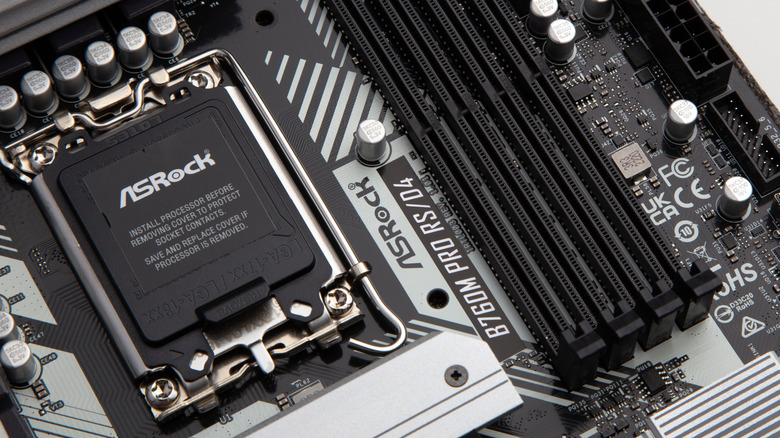
I put an ASRock MOBO in the first gaming rig I built. Let me tell you, it didn't look like much, but it had everything I needed, and it never gave me any issues. Of course, back in 2015, I was on a much smaller budget and just had to go with what I could afford, and ASRock has some excellent budget boards. You can get some brand new for as low as $110. It also has premium boards in the $400 range, as well as boards with Intel and AMD sockets, plus any form factor you desire from STX to ATX.
Unfortunately, ASRock also has a bit of a blemish on its record due to a persistent issue with its AM5 boards. While it has MOBOs that support PCIe 5.0 x16, DDR5 RAM (though data centers are causing memory prices to skyrocket), WiFi 7, and M.2, the CPU socket sometimes burns out. CPUs do normally get hot, which is why you add a cooling system, but they're not supposed to get hot enough to burn a hole through the CPU.
This problem alone prevents the brand from ranking higher, but it doesn't help that ASRock doesn't yet know what's causing the issue. In February 2026, ASRock put out a statement letting its customers know that it's aware of the problem and is keeping an eye on it, but nowhere in the notice does it mention a cause for the faulty motherboards. Perhaps by the end of the year, it will.
3. ASUS
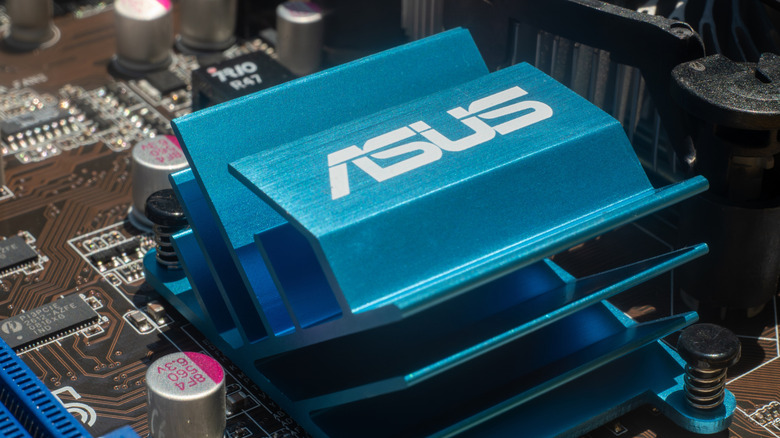
When one thinks about a gaming motherboard, they think about ASUS' Republic of Gamers (ROG) line. After ASUS introduced the ROG Crosshair Extreme motherboard in 2006, other manufacturers followed with their own gaming motherboards, but few stand up to the same kind of innovation that ASUS brings to the table. The brand pours about 6% of its revenue into R&D (compared to about 4% from other brands), allowing it to devise its own audio codecs, power delivery solutions, and create innovative designs for each new board.
Unfortunately, ASUS is able to put that kind of money into its R&D because of what many PC enthusiasts call the "ASUS tax." Most ASUS products, including its boards, can cost about 10% to 20% more than those of its competitors. And while you will get frequent BIOS updates with its boards, even some that will add new features well after the MOBO was released, and unique features, like AI-powered overclocking, you're mostly paying for the brand name because the performance isn't much different than that of other trustworthy brands.
There have also been complaints about ASUS' customer service for years, which is a big deal when you're paying so much for a product. One review from Trustpilot says their one-year warranty was "only good for a month." Similar experiences got so bad that ASUS had to come out and apologize in 2024. If you do go with an ASUS board, you should remove some of the bloatware it installs on your PC, like Armoury Crate, to get the most out of your PC.
2. MSI
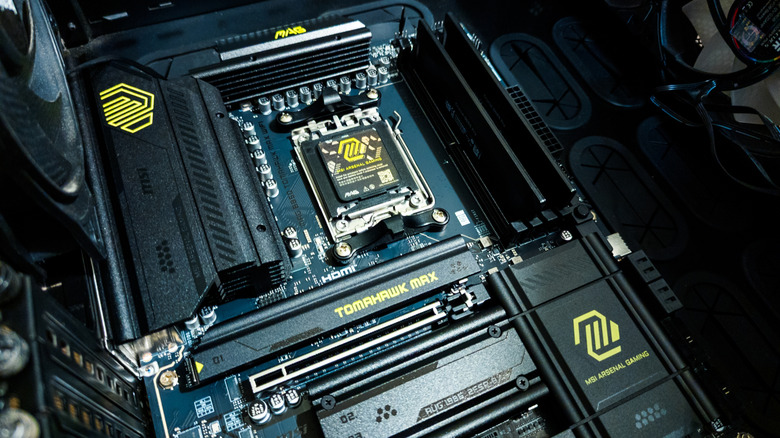
MSI has a special place in my heart because my current gaming rig is running a MAG B650 Tomahawk; it offers so much more support than my old bare minimum ASRock board and has been absolutely amazing. MSI is easily one of the best-known brands in the computer component industry, and that's because it produces excellent offerings. While some on Reddit have called its budget boards "primitive," others praise the VRMs on the Tomahawk boards (like mine).
It's easy to find an MSI board with four DIMM slots, three PCIe lanes, and all the M.2 slots you want, even in the more affordable price ranges. MSI is known for its intuitive BIOS, as well as regular updates during the board's lifecycle. One Reddit user claims to have used their MSI MOBO for 15 years, which is a considerably long time to stick with the same board in this age when everyone is eager to get their hands on the newest, shiniest version of what they already have. It's a testament to that person's loyalty as well as MSI's reliability.
Then there's the matter of customization with native apps like MSI Center, which lets you monitor your computer's hardware, but it also allows you to customize any MSI components you have in your rig, such as lighting. While you don't need an MSI board to monitor your hardware with MSI Center or to overclock your GPU with MSI Afterburner, these apps show how much support MSI offers its customers.
1. Gigabyte
At the top is Gigabyte. This company is probably best known as a major graphics cards brand, but it's one of the most well-known names in PC components. Gigabyte's motherboards have consistently evolved over the years, becoming possibly the most balanced boards in the industry. While Gigabyte isn't known for the same kind of innovation that ASUS is, simply using Realtek ALC1220 audio codecs rather than some proprietary codec, users aren't subject to early adoption drawbacks like ASUS users are, who sometimes have to wait for firmware updates to fix things. It might not be the most innovative brand, but it's reliable, and that's exactly what you want from a motherboard.
The brand has both affordable and premium boards, but you're going to get the same stability and reliability no matter your price range. When it comes to the Gigabyte BIOS, it's a polished environment that's easy to navigate, and its Q-Flash Plus feature is something to be praised, as it lets users update the BIOS before RAM or a CPU is even installed.
Moreover, the brand's thermal management is top-tier. It installs oversized VRM heatsinks and direct touch heatpipes to keep temperature levels in favorable ranges, which was partly responsible for Gigabyte's X870 AORUS STEALTH ICE, X870E AORUS XTREME X3D AI TOP, X870E AORUS MASTER X3D ICE, and X870E AERO X3D WOOD winning the 2026 Red Dot Design Awards.
Methodology

In order to rank these motherboard brands, we fielded numerous professional reviews from PCMag, PC Gamer, and Tom's Hardware, and supplemented that with input from everyday people on Reddit, Newegg, and Amazon, as well as personal experience from the writer. We considered the different features each brand includes in its board, its designs, as well as any current issues with the motherboards or brands themselves.