

5 Clever Ways To Use Google Gemini With Android Auto
Driving can be stressful in the age of smart devices, especially when juggling navigation, music, and incoming messages. Fumbling with a touchscreen while trying to watch the road is a recipe for disaster for drivers, passengers, and other people on the road. Luckily, there are integrations like Android Auto that can handle all of this for users while they focus on the road.
Google recently updated Android Auto to bring its Gemini AI model into a driver's car ecosystem. That means users don't have to keep an eye on their phone to organize meetings or respond to important group chats. It's a seamless link between smartphones and vehicles designed to make daily commutes far easier. Android Auto already did this, but the aim of adding Gemini to the mix is to improve how Android Auto handles driver requests. Need a review for a restaurant you're thinking of visiting or a hotel name and address buried in emails? Gemini aims to bridge that gap practically.
Learning how Gemini improves Android and helps users communicate better with even third-party apps unlocks an efficient driving experience by leveraging the capabilities of the large language platform. Instead of fighting with rigid, old-school voice commands that fail at the first sign of human nuance, drivers gain a helpful assistant.
Summarize messy group chats

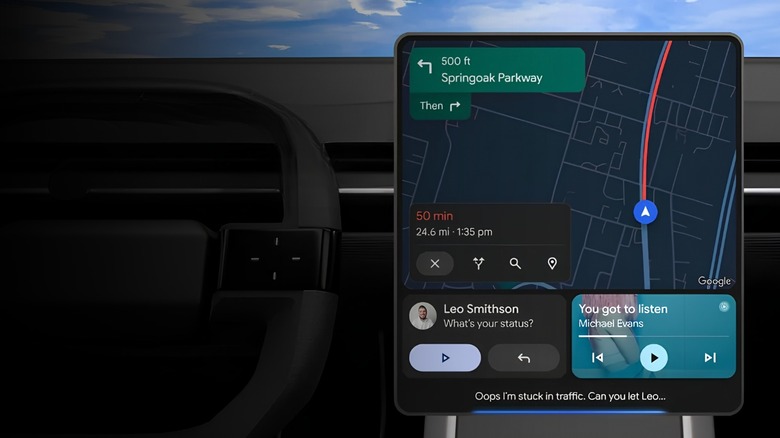
Obviously, most motorists ignore messages until they're not behind the wheel, but getting dozens of message notifications from a busy group chat is a nightmare to check through. It's just not safe to read long paragraphs on a vehicle monitor or smartphone, and ignoring the conversation might cause users to miss an urgent shift in plans. Gemini solves this problem by using its reasoning algorithms to automatically parse long, chaotic conversations.
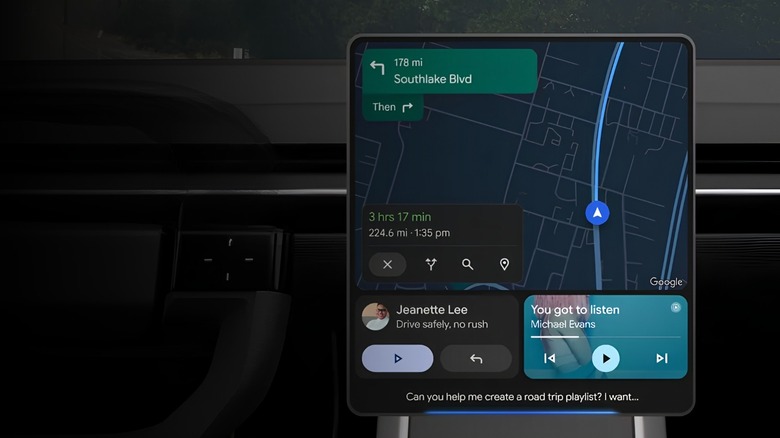
Advanced algorithms generate crisp, spoken summaries of the discussion. Instead of reading every single message aloud, as Android Auto used to, it distills the entire exchange into a few key sentences. It allows drivers to stay up to date on family chats or workplace emergencies without taking a hand off the steering wheel. For example, it might say "Your date is running behind schedule in traffic, so they will arrive 30 minutes late" with a follow-up one-tap reply like "Ok, see you soon", allowing users to respond quickly without distracting them from driving.
Users can trigger these audio summaries with simple verbal prompts, ensuring their eyes remain glued to the road ahead. Gemini dynamically adapts to incoming notifications, turning a potentially dangerous screen hazard into a helpful, hands-free audio brief.
Smart one-tap replies
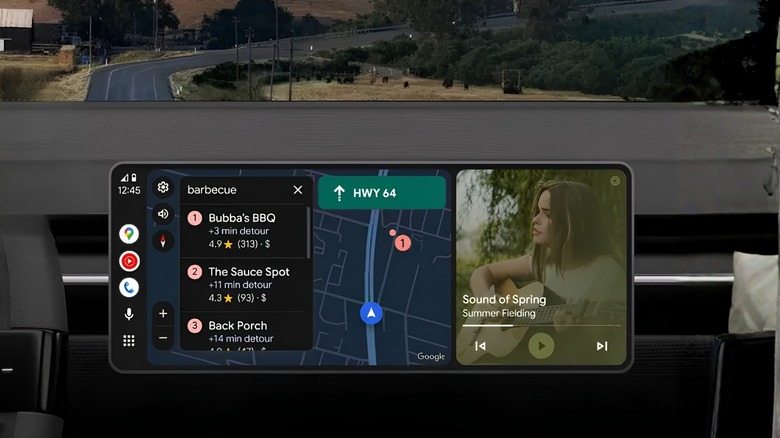
There's more to on-tap replies with Gemini Live on Android Auto. Old auto-responses are blunt and thoughtless, and they don't represent the user or the situation. If someone asks a specific question about arrival time or dinner preferences, a standard, dull reply like "I am driving" might kill the atmosphere. Gemini Live eliminates this friction by analyzing the context of incoming notifications to create custom, relevant response paths.
The platform generates smart, context-aware quick replies that appear directly on a driver's dashboard screen as glanceable options. It analyzes the language of incoming messages to predict what the driver actually needs to say, which could range from picking a restaurant to even a location to meet someone. Users can instantly send these tailored answers with a single tap on the screen or a brief verbal confirmation.
This intelligent layout saves users from typing out locations or correcting inaccurate voice-to-text dictations while moving. It respects someone's limited attention span on the road by presenting immediate, logical communications precisely when a driver needs them. This also eliminates the desire to pick up a smartphone while driving to reply when plans change or when a quick reply is needed.
Automate pre-drive checklists
We all end up wasting a few minutes before a long drive for both ourselves and our passengers. Sitting in the driveway, selecting a destination on Google Maps, finding a podcast, and manually adjusting the air conditioning take more time than most drivers think. They can stop burning fuel and wasting time by stacking these independent actions into a single automated sequence.
The Google Home app allows users to configure automated driving routines that activate the exact moment a driver's smartphone connects to a vehicle via Android Auto with Gemini Live. These automated routines can be triggered by adding custom voice triggers, such as "start my drive," to have Gemini execute multiple background procedures simultaneously. Gemini can open a navigation route, bypass heavy traffic delays, hit play on a music app, and adjust the home thermostat while users put their car in drive.
Smart integration like this ensures drivers never have to scramble through their entire app drawer to get their vehicle just right for a long commute. It transforms a disconnected group of programs into a single instruction that will save about one hour per week. Manual app opening and getting comfortable take more time than drivers think, especially when you add it up over a week or month, doesn't it?
Multi-step research requests
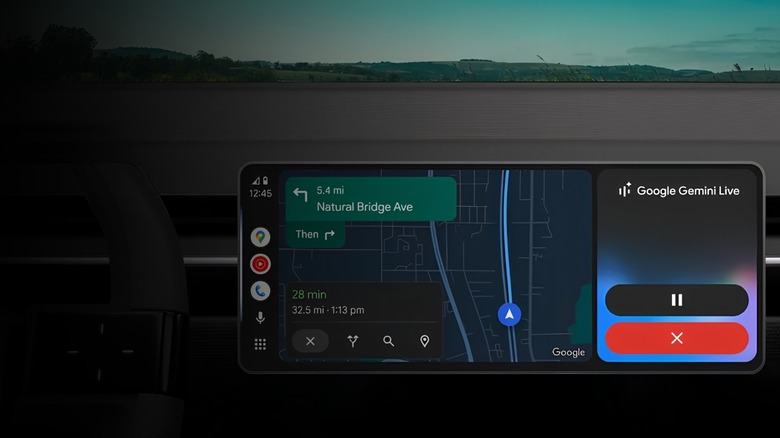
Older smart vehicle assistants can introduce bugs into the conversation by deviating from speech formulas. For example, if drivers want to change their destination mid-trip, legacy voice assistants often force users to stop the car and change it manually via Google Maps. Gemini Live shifts this logic by tracking conversational context across multiple turns as a real passenger would.
Users can execute intricate, multi-layered research requests by speaking naturally to their vehicle's audio system. For example, drivers can ask Gemini Live to find open electric-vehicle fast-charging locations within a 5-mile radius near a highly rated coffee shop. Gemini will then filter live data pulled from the internet to isolate results that match those specific parameters, without interrupting the active Google Maps navigation instance.
Because Gemini actively retrains the tracking of conversational context across multiple requests, users can refine their requests on the fly. Just say "pick the second option" and check the coffee shop's closing time" to finalize plans without needing to pull over, search for the best options manually, and set a new destination in Google Maps.
Turn inbox data into voice updates
The daily commute is often the only quiet time drivers have to plan their hectic personal, family, and professional schedules. Unfortunately, the exact details needed, such as digital event ticket barcodes, package tracking numbers, and specific venue addresses, usually sit buried deep inside an email inbox. Gemini Live removes this planning bottleneck by securely scraping Google apps while driving to work.
Users can query Gemini Live directly to retrieve specific information from their email folders or calendar invites hands-free. For example, drivers can ask it to check when a specific delivery will land at their doorstep or pull up the check-in time for a flight. Gemini handles digital retrieval in the background, retrieving only the exact information needed so as not to distract drivers from concentrating on the road.
The feature allows people to fluidly cross-reference their upcoming schedule with real-world logistics. They can quickly verify store opening hours or calendar conflicts without pulling over and delaying their journey, ensuring they arrive fully organized for the rest of the day. Gemini Live does have a lot in common with the old Android Auto functionality, but it builds on those features to make them feel free-flowing and natural, rather than dictating rigid commands to a smartphone.