

Can You Use A Phone Charger To Charge A Nintendo Joy-Con Controller?
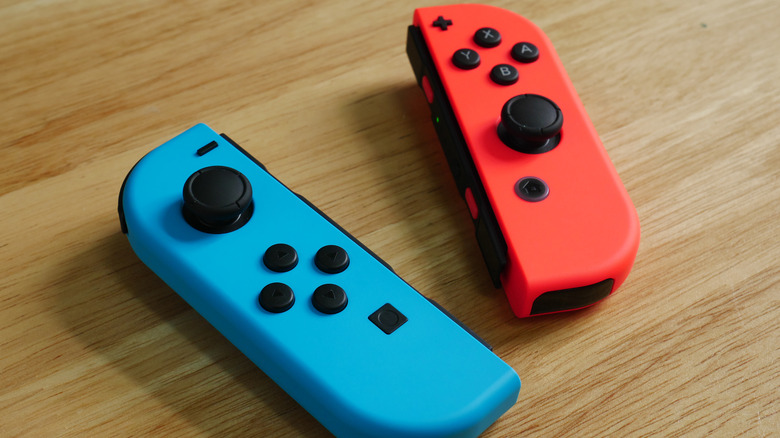
The Nintendo Switch Joy-Cons are quite versatile. You can attach the controllers to the console to play in handheld mode, or if you want more flexibility, you can detach them from the console and use them wirelessly. While detached, you can put them on the included Joy-Con Grip for a standard controller experience. You can also hand one of them to a friend to play local multiplayer games like "Super Mario Party." The last thing you'd want is for them to die on you while detached from the console, which, when attached, keeps them charged or powered on. But can you use a phone charger to charge a Joy-Con? Yes, but not directly.
Joy-Cons don't have a USB port. You can't simply attach a phone charger and charge it like you would the PlayStation 5's DualSense controller. You can, however, attach the Joy-Con to the Nintendo Switch and then charge the console with a phone charger. As long as the Switch is on or in sleep mode, the Joy-Con will charge.
You can also charge the Joy-Con with a phone charger through the Joy-Con Charging Grip, which is an accessory that is sold separately and should not be confused with the regular Joy-Con Grip. Just connect your phone charger to the USB port at the top of the grip with the Joy-Con attached, and you're good to go. You can't use a phone charger with the Joy-Con charging dock, however, as that has a built-in USB charging cable.
Tips for charging a Nintendo Joy-Con controller
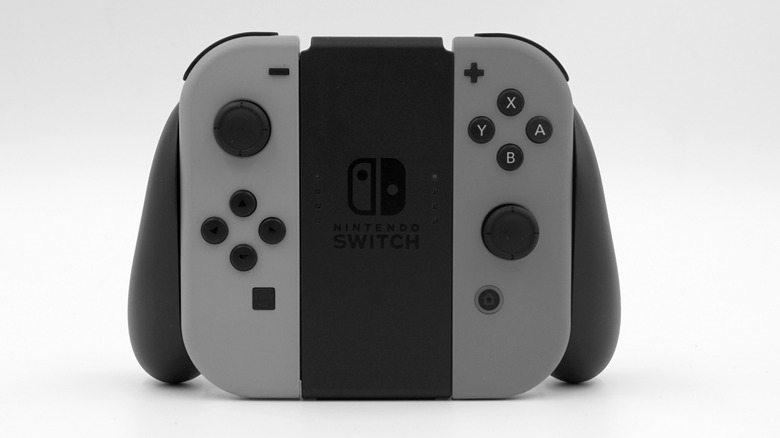
While using the Joy-Con Charging Grip, you can still use your Joy-Cons, since they support pass-through charging. This means you can safely play games with the Joy-Con while it's being charged, just like when it's connected to your Switch. Just make sure you're using a high-quality charger that is at least 7.5W (5V/1.5A) — that is the minimum output of the original Switch's AC Adapter. The minimum output for the Switch 2's adapter is 15W (5V/3A).
It should take the Joy-Con controllers approximately 3.5 hours to fully charge. You should get up to 20 hours of continuous use on that single charge. While the Switch and charging dock won't overcharge your Joy-Cons, you should ensure you don't completely drain their battery. Doing so speeds up the rate of chemical degradation, especially if you leave them in that state for weeks or months, shortening their lifespan.
When your Joy-Cons are low on battery, your Switch will send you a notification so you can charge them. You can also check their charge level by selecting Controllers in the Home menu. On the next screen, check the bottom of each Joy-Con controller, and you will see a battery level indicator. Unfortunately, it doesn't show the percentage of charge.