

5 Cool Accessories You Can 3D Print For Your Fitbit Air
We may receive a commission on purchases made from links.
Google's Fitbit Air is a nifty choice for a personal fitness tracker, emphasizing seamless comfort with its compact, unobtrusive design. Though it might seem superfluous to add any kind of accessories to such a simple device, the Fitbit Air's simplicity actually makes it ideal for homebrew modifications. All you need is a 3D printer and some designs from a site like MakerWorld to create all kinds of helpful doodads like charging stands and strap adapters.
The Fitbit Air itself is a very small device that can be removed from its companion band and used elsewhere to meet your needs. Of course, to do that, you'd need bands, carriers, and stands that are properly sized for the device's proportions. Rather than buying something like that piecemeal, try using a 3D printer to make them yourself, to save money and enjoy more flexibility when it comes to accessorizing. You can even make adapters to use your Fitbit Air with bands outside of Google's designs, which can be particularly helpful if your original band breaks or gets lost.
Minimal charging stand
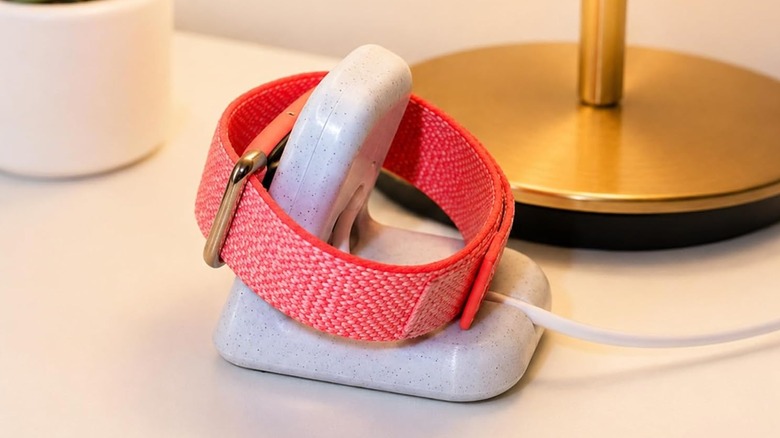
The Fitbit Air comes bundled with a specialized USB-C charging puck, which plugs directly into the device itself and charges via a compatible adapter. It's not the biggest pain to plug your Fitbit Air in, but using the puck on its own does mean you have to leave the device and its band sitting on your desk, which is a little messy. If you want something a bit more tidy, try 3D-printing a Fitbit Air Minimal Charging Stand.
MakerWorld user christianselig designed an easy-to-print minimalist charging stand with the Fitbit Air in mind, which you can mount both the device and its band onto, and keep it propped up off your desk. Insert the charging puck into the central slot, snake the USB-C cord out through the back, and thread it through the bottom groove to keep the cord firmly in place. While it's not required, christianselig does suggest adding some anti-skid rubber feet onto the bottom of the stand to keep it from getting jostled around.
2-in-1 Fitbit Air and smartphone charging station
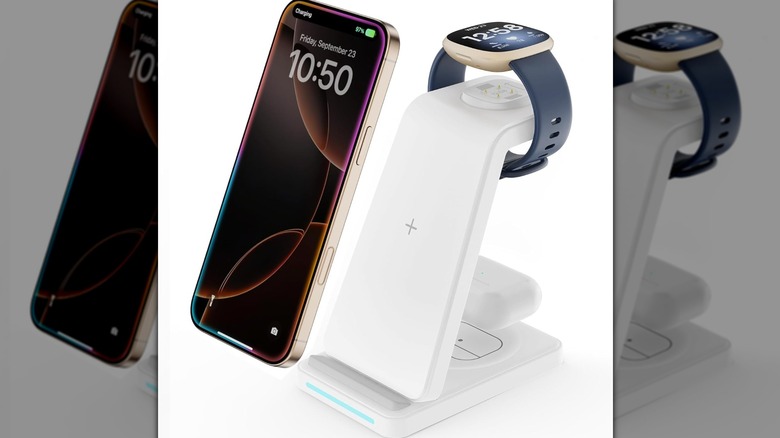
These day, it's likely that your Fitbit Air is sharing desk real estate for charging with your smartphone. Having more than one device charging on your desk at once can lead to unsightly cable clutter, which makes the charging routine that much more aggravating. If you want your Fitbit Air and smartphone to play nice on your desk, get them set up in a 3D-printed 2-in-1 charging stand.
Coming to us from MakerWorld user Euler_3DWorks, this charging station allows for simultaneous charging of both a Fitbit Air and a typical smartphone. The Fitbit's charging puck is inserted into the slot on the side, with its cable running out the back, while the smartphone's cord and jack pass through a bottom groove and up the middle. This keeps both charging cables clearly identified and separated, and makes recharging your devices as simple as plugging them in. It's also a nice way to keep both devices in a single, centralized location so you never leave home without one or the other.
Watch band clip
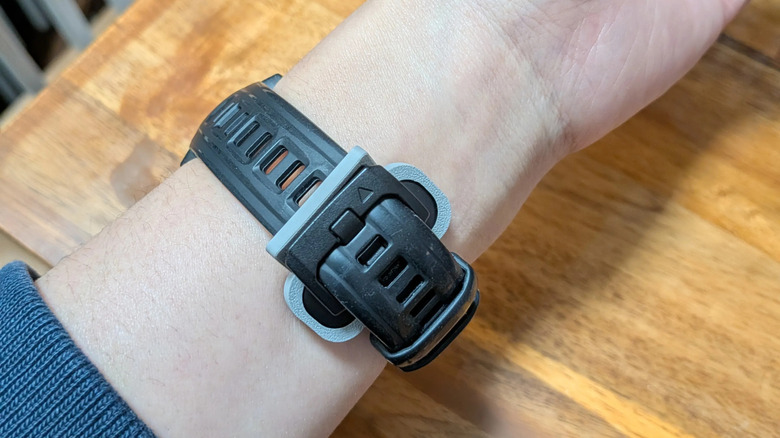
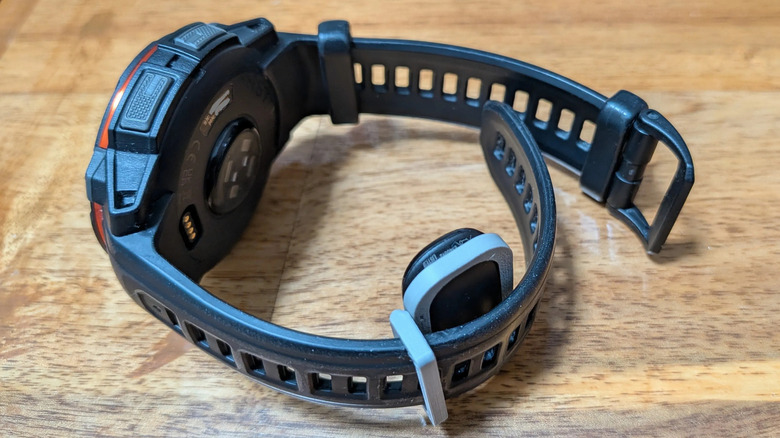
While there's no rule saying you can't wear a Fitbit Air on the same wrist as your watch, having both bouncing around on the same arm may be a bit uncomfortable. But, to keep your wrist tech in one place, there is an option: 3D-printing a Fitbit Air Watch Band Clip. MakerWorld user LeonZZ @ SnowVi wanted an easy way to wear their Fitbit Air on the same wrist as their watch, so they designed a simple mount for the device that would allow it to be clipped onto their wristwatch band.
The project includes several sizes and configurations for the mount. LeonZZ @ SnowVi tested the 21 millimeter configuration with a Garmin Instinct, a Casio G-Shock, and an Apple Watch, and all setups were said to fit fine. It's a big help if, for instance, you wanted to use a Fitbit Air and a Google Pixel watch at the same time. They do note, however, that the print-in-place swivel included in the V2 21 millimeter model can't withstand intense workouts as well as the others, and that you should use a different version if that's your goal.
Bicep strap carrier
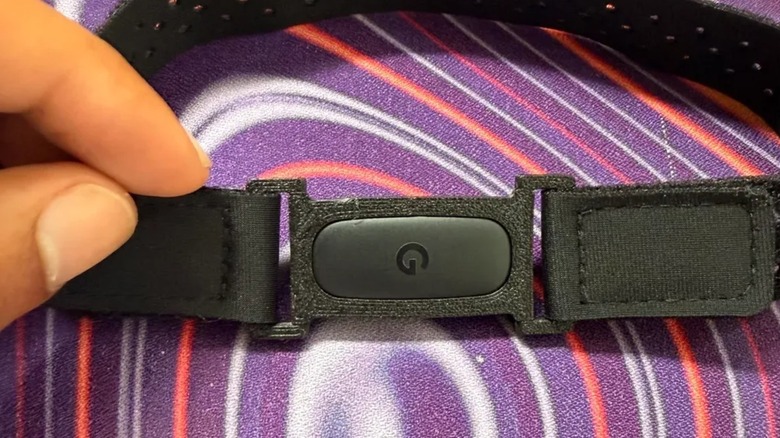
Something you should know before buying a Fitbit Air is that its included bands are only really intended to be worn on your wrist. They're not sized for larger areas like your bicep, and even if you attach it there, it probably won't hold as well as an elastic bicep strap. If you prefer to keep your Fitbit around your bicep during exercise, for example, this Fitbit bicep strap carrier is a great 3D-printed accessory.
MakerWorld user macrowave wanted to do just this, so they created a remixed version of LeonZZ @ SnowVi's watch band clip with two tie-down points instead of just one. With this change, they could attach a simple elastic band from Amazon, tying it on both sides to ensure a firm fit. The strap holes fit bands up to 20 millimeters in size, and by macrowave's estimates, it should work on arms up to 15 inches in thickness, possibly larger depending on the quality and size of the bicep band.
Whoop 5.0 adapter
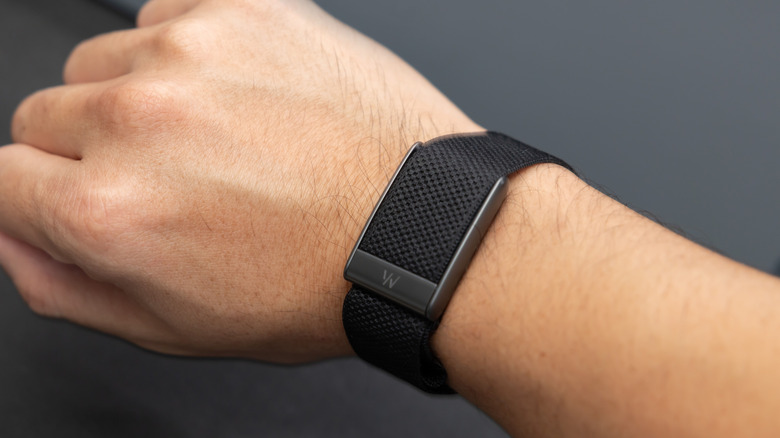
Fitbit isn't the only wrist-mounted fitness tracker on the block. Whoop is a a screenless fitness band competitor to Fitbit, and has proven to be a popular alternative for fitness tracking fans. For those who have gotten used to wearing a Whoop tracker, but want to start using a Fitbit Air instead, you don't necessarily need to give up the Whoop. Just 3D-print a Fitbit Air to Whoop 5.0 adapter.
MakerWorld user Ste3l wanted to create a convenient adapter that would allow Fitbit Air trackers to work with a Whoop 5.0/mg strap. The result is a simple print-as-is project that can clip right onto an existing Whoop band, allowing you to use the Fitbit Air in the same way you normally would with its own band. Ste3l says the adapter should fit all Whoop 5.0/mg bands currently available, though this assumption is still subject to variant testing.