

Why Is Your Speaker Audio Hissing? Here's How To Fix It
Audio hiss, buzzing, humming, and other types of auditory faults can be irritating, to say the least. It's never a welcome experience to suddenly be disrupted by ominous droning or shrill noises while you're listening to tunes on your headphones (or, even worse, while recording audio of your own). There are multiple factors that cause speaker hiss, however. Older speakers were frequently impacted by electromagnetic interference from cell phones in the early 2000s, but that issue has become exceptionally rare.
One source of hissing in your audio stream could stem from faulty built-in amplifiers in your passive speaker system. In such cases, simply turning down the volume is one possible fix. If you've set the volume too high on the speakers themselves, you may hear hissing when nothing is playing. So, before you get a little more hands-on with troubleshooting, try turning down the volume a few notches. In the event your speakers are connected to an audio interface, such as the ever-popular Focusrite Scarlett, you might also want to avoid plugging the interface into a USB hub.
Hubs and docks can cause sound issues because they actively carry signals between devices, including their own power sources, that could introduce grounding issues or interference. Rather than running your audio interface through a docking station or a USB hub, it's best to give it its own dedicated connection on your PC to reduce hissing from electromagnetic or ground loop interference. But that's more of an edge case.
Turn it down
One easy fix is to start turning down the audio, as you might be introducing noise or distortion by pumping in too much sound. Noise is an additional signal that has found its way into your setup. Distortion is the original signal being altered to the detriment of your enjoyment.
If the sound being pumped through your speakers is too loud, it can bring distortion to the mix. In some cases, your speakers might not be able to go as loud as you want them to, but fixing distortion can be as easy as just turning one element of your setup down. Before altering your input, try turning down the gain or volume on your speaker until the unpleasant sound is reduced or eliminated. If it's still there after this, you'll need to alter the input's volume output to give you enough overhead to turn the speakers up.
Oftentimes, hiss can be introduced into your speakers because you're raising the volume from the noise floor. This is the low-level audio that exists due to the electrical nature of sending signals, but isn't heard until the volume gets raised. Understanding the limits of your hardware will bring the best results out of your audio experiences. Once you've determined it isn't distortion causing the hiss, but noise that's been introduced, then you should take a look at the ground loop section below.
You might need a ground loop isolator to fix the problem
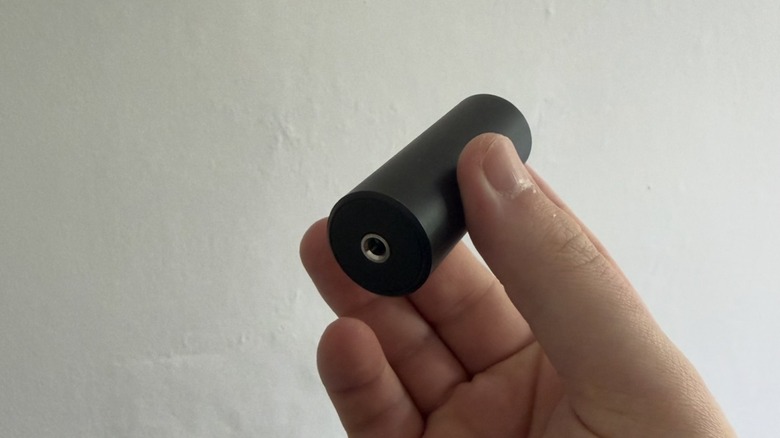
In many cases, speaker hiss is caused by ground loops. When ground loops occur, your speakers are likely to emit unpleasant noises. In such cases, grab an inexpensive ground loop isolator. Put simply, ground loops happen when a speaker and an audio source are connected to one another but grounded separately; that difference in grounding can cause unwanted electrical noise. Plugging your speakers into a ground loop isolator can eliminate the ground loop path itself, which can fix hissing.
That advice also applies if you're using power strips. Having multiple bits of hardware plugged into one power strip can cause interference, too. Besides buying a high-quality power strip or surge protector, plugging your speakers into their own dedicated wall socket should immediately ground them. Once you do that, sound problems like audio hiss should disappear. For those using wireless Bluetooth speakers, your strategy will more so entail ensuring that the "air" is as clear as possible of any disruptions.
In rare instances, it might also come down to changing the equalizer settings on your device. Of course, these troubleshooting methods can't fix every kind of disruption in your speaker audio; sometimes, the issue has to do with the speaker's internal components or wiring, which would require you to take a screwdriver to it. You shouldn't typically have to do that to repair high-quality speakers, but even those can be impacted by ground loops and signal issues.