

What Does The Flashing Red Light Mean On A Fire TV Stick Remote?
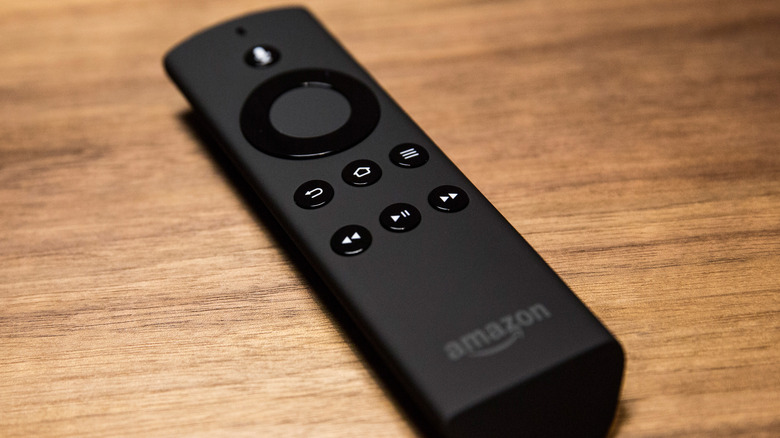
When it comes to streaming devices and smart TVs, Amazon's Fire TV hardware is one of the most popular options on the market. Brands like Hisense and TCL license the use of Amazon's Fire TV OS for all things apps, smart home, and user interface-oriented, but there are plenty of Amazon-branded TVs to choose from as well. Whether you're using the well-liked Amazon Fire TV Stick or a bright and bold Ember Mini LED TV, if Amazon's name is on it, the product comes with a Fire TV remote. And if that remote shows a flashing red LED, it likely means the battery level is getting low.
It may also mean there's a connectivity problem with your Fire TV Stick. There are a handful of remote versions that have been released over the years, and a number of them include an LED indicator towards the top. Press the Alexa Voice button, and if the LED flashes, it supports Amazon's troubleshooting mode, which can be activated by long-pressing the rewind and arrow-right buttons simultaneously for three seconds. When you're in troubleshooting mode, there are four colors used to diagnose issues — red, orange, white, and blue.
How to reconnect an unpaired Fire TV remote
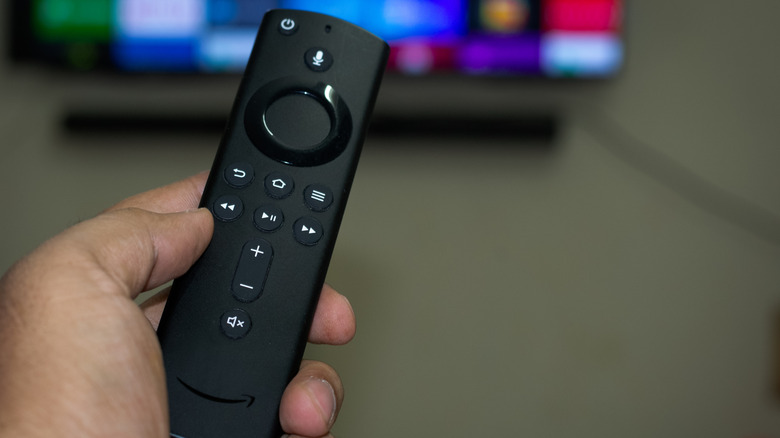
A slowly pulsing red LED means the Fire TV Stick remote batteries are on the fritz and should be replaced, while a rapidly blinking red LED signals a connectivity problem. An orange LED indicates an unpaired Fire TV remote. If you're dealing with connectivity trouble, the first thing to do is unpair and re-pair your remote. To get started, you'll need to unplug the device, which is a good reminder to avoid leaving your Amazon Fire TV Stick plugged in all the time. It's also helpful to keep the remote within 10 feet of your Fire TV device for this process.
- After unplugging your Fire TV streaming device, wait 60 seconds.
- Take out the remote batteries, then plug your Fire TV device back in. You should see a remote detection error message.
- Put the batteries back in your remote, and press and hold the Home button for 10 seconds.
If the LED indicator blinks blue, your remote is successfully reset and re-paired. Once you've finished diagnosing issues, you can exit troubleshooting mode by long-pressing the play/pause and arrow-up buttons simultaneously for three seconds. Then, press the Menu button to fully exit troubleshooting mode. Amazon also recommends removing the batteries and putting them back in the remote.