

DVI Vs. VGA: What's The Difference Between These Legacy Video Ports?
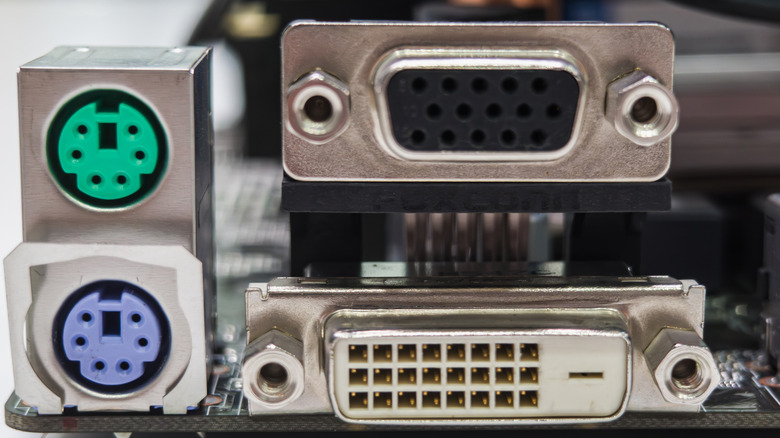
Today, just about every monitor, computer, and laptop uses HDMI or DisplayPort as connection ports, but two cables paved the way for both: the digital visual interface (DVI) and video graphics array (VGA). If you wanted to connect a screen with your computer, those were the main two cables to do so. Nowadays, cables like them, especially VGA, are considered a novelty, as they were once-popular TV ports that are now obsolete.
VGA came before DVI, and is an analog interface that allows computers to connect to display devices such as a monitor. The signal isn't as powerful over longer distances, with longer cables weakening the signal. The cable comes with two ends, both with 15 pins that attach to both components. The ends are screwed in or tightened to prevent them from coming unplugged or detaching more easily.
DVI was released many years after VGA, and provides a digital interface, but can include analog as well, with high-quality video resolution. It's more similar to an HDMI connection, as it uses a digital signal over an analog one. This makes it more powerful and capable of running longer distances and connecting to multiple screens. Even newer technology such as screens and computers may have DVI ports, but it's always good to check ahead of time.
What exactly VGA is
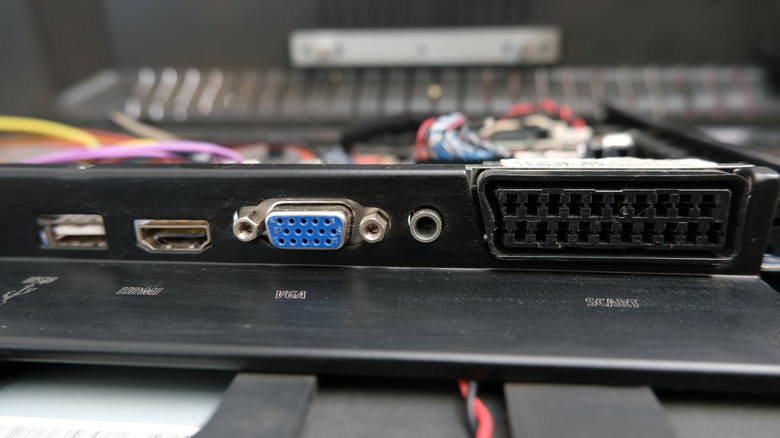
Technology such as the VGA cable is being seen less and less on modern devices. They were a powerhouse back in the day, but with advancements in the digital age, they've become a dinosaur. They're still useful if you have older computers and monitors that still work with VGA ports or are in a business or office type setting.
IBM launched the VGA cable in 1987. It could be found on televisions, monitors, and computers as it was a major component for connecting devices. The resolution quality could run anywhere from 640x480 pixels, but later extended to support higher resolutions to 2048x1536 at 75 Hz depending on the VGA cable and device. A downside of the VGA cable, as it's an analog system, is it isn't able to provide audio support between devices. If you wanted to listen to anything on your device, you had to connect an external sound system or speaker.
As one of a handful of old-school computer accessories that used to be essential, a VGA cable is outclassed and outmatched by modern cables such as the HDMI, DisplayPort, and even the DVI cable. Though you can always get an HDMI to VGA adapter to connect to modern devices. It was once the standard-bearer for connecting devices, but its time has come and now it stands as a legacy cable for older technology.
What exactly DVI is
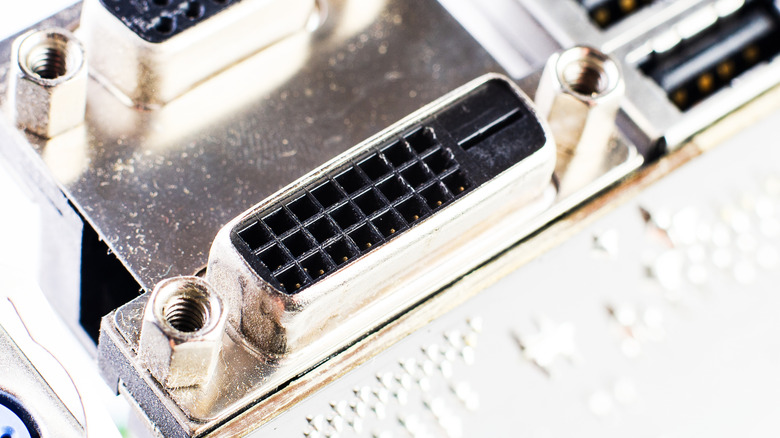
When DVI came along in 1999, it revolutionized the game by providing sharper images and crisper views on high-definition monitors. Its combination of providing both digital and analog output makes it a more versatile and powerful cable than its predecessor. This made DVI a great choice for anyone wanting a better picture quality up to 1920x1200 pixels. Though if you wanted a better resolution, a dual-link cable supports up to 2560x1600 pixels.
Like the VGA cable, it connects devices using two ends with multiple pins and a locking mechanism. It also is unable to carry an audio signal to speakers, as it just provides video output. DVI is a great choice for older computers and monitors as well, but you may be able to find newer devices with DVI ports. If you have an old DVI cable lying around, you can even get a HDMI DVI cable to connect to an HDMI port.
In the olden days, connecting monitors and PCs was done through either VGA or DVI. Today, modern technology such as laptops, game systems, and TVs use cables such as HDMI and DisplayPorts to connect to external devices — and between the two, which port should you be actually using? Legacy ports have their uses, but may no longer find a purpose with today's technology.