

12 Old-School Computer Accessories That Used To Be Essential
We may receive a commission on purchases made from links.
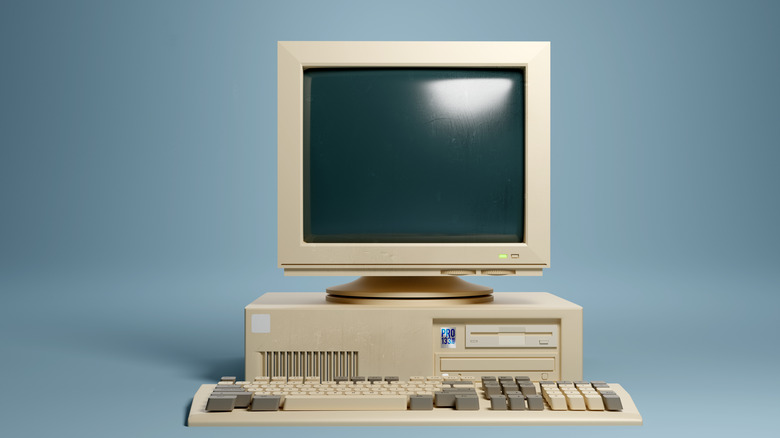
If you're a millennial or older, you probably remember that before the minimalistic modern laptops and PCs we enjoy today, older computers came with quite a number of accessories. These weren't just gimmicks, but essential parts that made computers tick at the time. Here's what a typical setup looked like between the '80s and early 2000s — a bulky monitor with a tiny screen by today's standards, a chunky keyboard, a large ball mouse, a stack of disks, and at least one cable that never quite fit into the computer upon the first try.
With that in mind, we are going to revisit this era and walk through the mentioned among several other essential computer accessories. We'll see how some of them were genuinely clever inventions, and also point out the ones that were a pain to work with — noting that they were all still critical in getting daily tasks done. On top of that, we'll describe how they worked, who used them the most, and the kind of modern tech that's in place today for the obsolete ones.
1. CRT monitors were massive desk-eating screens
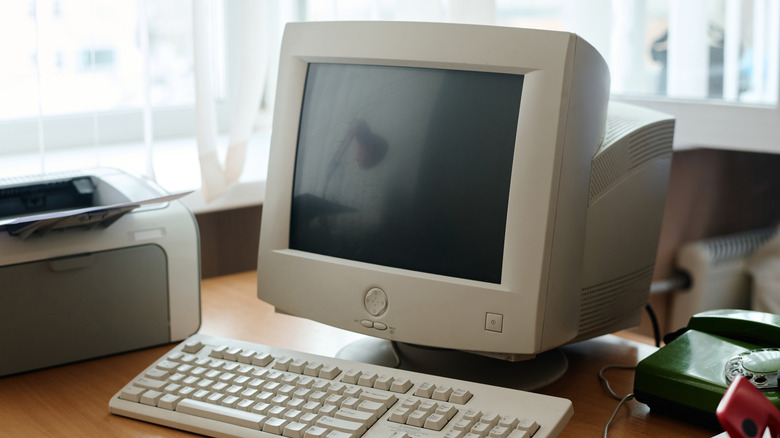
Before flat screen monitors became affordable and standard, a cathode-ray tube (CRT) monitor that could easily swallow half your desk surface was the first noticeable part of every home computer. The tech behind it was an electron gun that fired beams at a phosphor coated glass screen and swept line by line to draw the image that you'll see on the other end. If you gamed on one of these units, you probably remember having to nudge the resolution so that it could keep up without your game becoming a blurry mess.
CRT monitors were heavy and consumed lots of power, but they were surprisingly durable and were also how most of us were able to see the web for the first time. They were essential for not just their functionality; they were the only realistic monitor option for many, since the early LCD monitors came with astronomical price tags. Besides being expensive, the latter were small and weren't so great for motion. Fast forward to today, and slim OLED, LED, and LCD panels are the order of the day. They're lighter, more energy efficient, and, most importantly, more pleasing to the eye.
A few CRTs are still around, but they mainly survive in old garages and in retro gaming setups owned by nostalgic gamers. Despite their age, CRT monitors may still hold some value. It's for this reason that we included them in this list of gadgets you might regret throwing away.
2. Floppy disks/diskettes made 1.44 MB feel generous
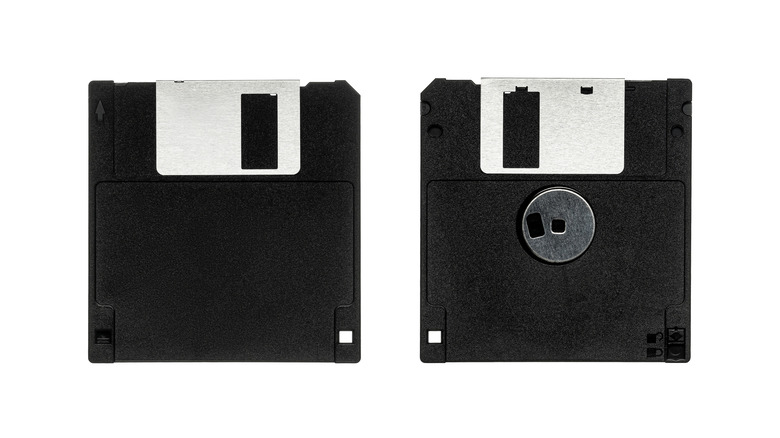
The floppy disk was this 3.5-inch piece of plastic that you had to use if you wanted to carry important computer files, and it held about 1.44 MB of data. This storage space was enough for a couple of Word docs, a few pixelated images, and a small program. All computers came with a floppy drive, which used magnetic heads to read and write data while the disk spun inside. The 3.5-inch floppy disk became the standard by the late '80s and '90s, taking over from earlier 8-inch and 5.25-inch floppies. Besides carrying and sharing files, you could also use a floppy disk to install software or even booting operating systems.
At one point, floppy disks were the best realistic method of moving files around when there was no internet in homes or school labs. Despite being great tools, floppies were quite susceptible to data corruption or loss, making cloud backups and autosave feel like magic today. Over time CDs, DVDs, and USB flash drives came (in that order), blowing past the 1.44 MB limit by hundreds and thousands of times on top of being way less susceptible to damage and corruption. Floppy disks are still in use on rare old tech, and the save icon pays homage to their glory days.
3. Dial-up modems screeched your way onto the internet
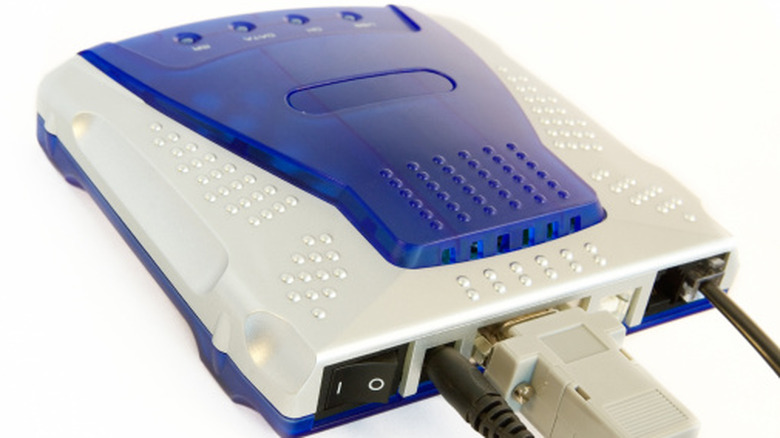
If you lived through early dial-up internet, you can probably still hear the screeching modem in your head. The dial-up modem worked by converting digital data from your computer into audible analog signals and sending it over to your internet service provider through your telephone line. Your ISP would then convert these signals into digital before sending them back and connecting your device to the internet. The sound you had during this process was the two points negotiating speed and settings. Speaking of speed, it usually topped out at about 56 kbps on a decent line.
Being on a phone line meant two things in most homes: no internet while making a phone call, and an unexpected call nuked any downloads in progress. It wasn't much, but dial-up modems were a critical piece of tech in their time because they made the internet accessible in regular homes without the need of special wiring. With dial-up internet, you could open basic web pages, email, internet forums that were really addictive before social media, and chat platforms like AIM or MSN. Fast-forward to today, fibre, cable, satellite, and 4G/5G are up to tens of thousands times faster, allowing internet users to be online all day and do whatever they want to do seamlessly.
4. PS/2 keyboards and ball mice ruled before plug-and-play usb
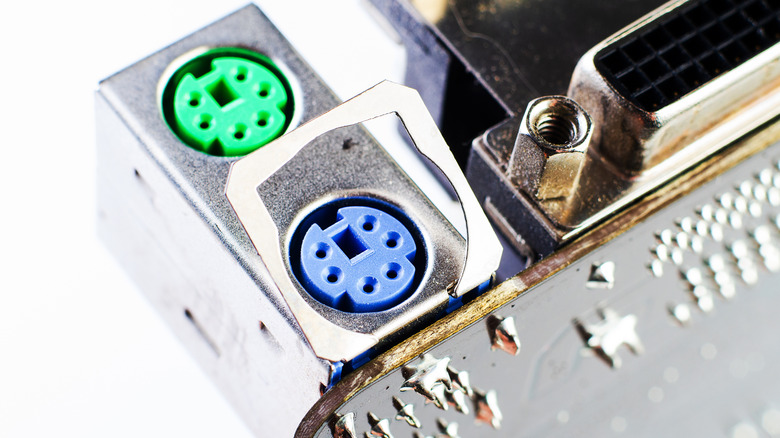
Long before hot swapping and USB dongle became a thing, most computers relied on PS/2 ports to connect mice and keyboards. Personal system/2 connectors first came into the scene in the late '80s featuring 6-pin connectors and quickly became the standard in the '90s and early 2000s. Unlike USB, you had to plug your keyboard and mouse in designated ports each marked by a different color. Moving them around wouldn't work, reconnecting required a reboot, and the luxury of wireless keyboards and mice wasn't common.
The available mouse at the time also had something extra to think about — it came with a huge rubber-coated ball to track movement. For it to work smoothly, you had to every once in a while pop off its ring and clean out accumulating gunk. Over time, laser and optical mice came into play, and USB came in with more convenient hot-plugging to whichever port you wanted without a reboot. Today, most computer users live on Bluetooth or USB receivers and cable for input with PS/2 still lingering around for very specific cases, like controlling old gaming rigs and enterprise hardware.
5. Optical drives ran CDs and DVDs
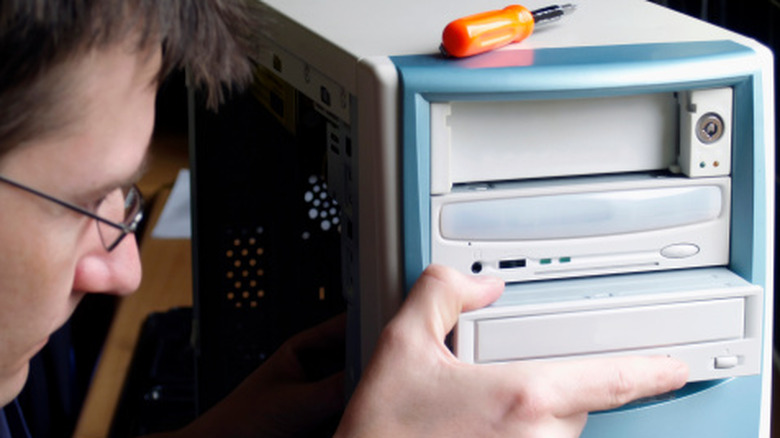
In the '90s, 700 MB CDs became mainstream, and a CD-ROM drive was an exciting upgrade you could give your computer. DVDs and Blu-rays with gigabytes of storage came later, and you could get a drive for both formats starting at the turn of the millennium. Optical drives used low-power laser beams to read data from any presented disk and would let you install software, run massive games, listen to music, and watch movies. At this point in time, CDs had replaced floppy disks with one of the former being able to carry as much data as hundreds of the diskettes.
The optical drives went on to include CD-R and DVD-R later on, allowing people to write their own CDs. You could make mix CDs of your favorite music, backup photos, and tools. Computers became both a work machine and an entertainment system in dorm rooms and bedrooms because of the drives with the CRT monitor or early LCD being the main display.
Optical drives came in clutch, offering big yet affordable removable storage at a time when dial-up or broadband internet was slow with strict data caps. Online storefronts were just getting started and had their day, but over the last decade, streaming and digital downloads have revolutionized the game. Today, most new desktops and laptops ship without optical drives, leaving all the heavy lifting to the more capable external SSDs, flash drives, and cloud storage. CDs mostly stick around for older music collections.
6. VGA and DVI were chunky but good video cables
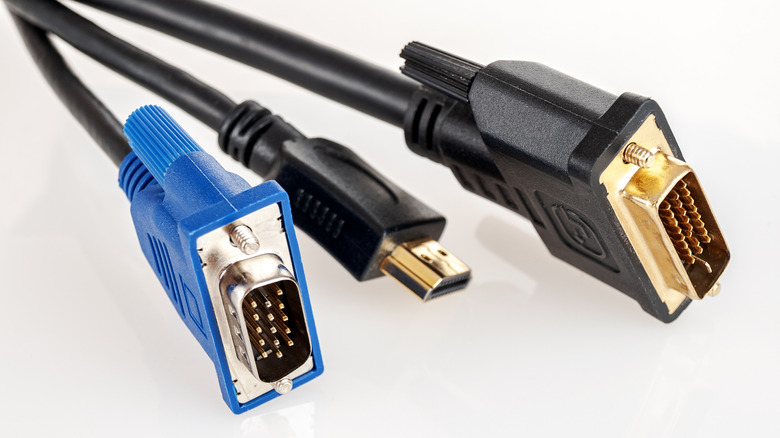
Before DisplayPort and HDMI became the standard, you mostly plugged your computer to your monitor using VGA (video graphics array) or DVI (digital visual interface) cables. VGA was the classic blue cable with a 15-pin connector and carried an analog signal. It worked fine on CRTs but was a little fuzzy on early LCD monitors. DVI came in later as a bridge into the flat-panel era and used a digital signal that worked well with LCD pixels, while still being able to handle analog signals on some variants. If you gamed on early 1080 p monitors, you most likely used DVI – especially if you were after higher refresh rates.
VGA and DVI ports were essential because without them, there was no other way of visualizing your computer. As home entertainment and computing merged, DisplayPort and HDMI took over offering slimmer cables that not only supported higher resolutions and refresh rates, but could also transmit audio at the same time. USB-C came in more recently, making it possible to do all these alongside power delivery over a single cable. VGA and DVI are still in use but they are mostly available in adapters and older monitors hanging on for one last upgrade cycle.
7. PCI sound cards if you needed good audio
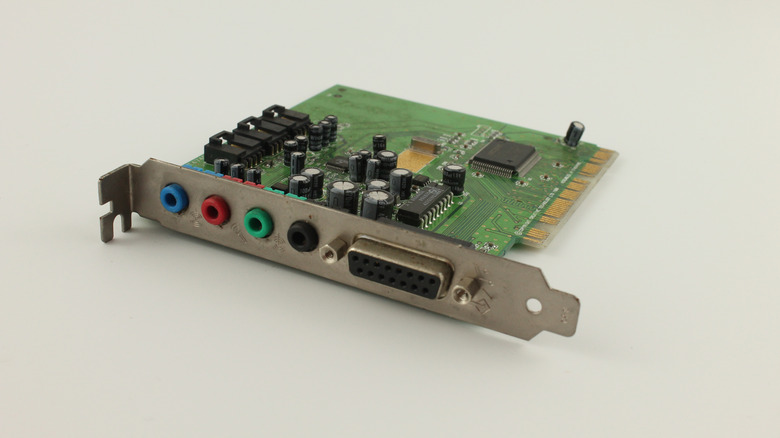
The oldest home computers relied on simple beeps or very basic onboard audio. For this reason, you had to buy a separate PCI sound card if you needed proper music and sound for your movies or games. The cards handled audio processing themselves, in most cases adding multichannel support, clean output, and 3D positional sound that made gaming more immersive. You also had to grab a pair of stereo speakers to get to output sound from the card or use headphones.
Sound cards made the computer a real entertainment box at a time when integrated audio was almost non-existent. Over time, motherboard audio chipsets have improved so sound cards are no longer necessary for most people other than audiophiles and professionals. These groups of people often use modern versions of the cards in the shape of PCIe and external USB sound cards which offer specific creative features.
8. Wired desktop speakers were a necessity
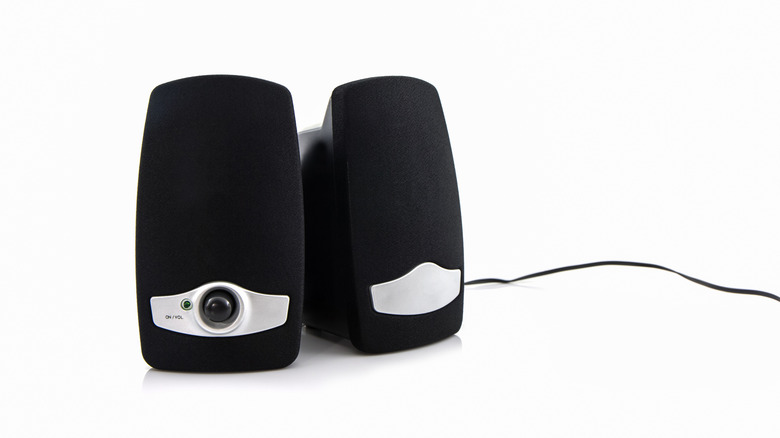
We mentioned grabbing a pair of stereo speakers earlier as soon as you got your sound card. These speakers were the universal computer audio consumption solutions long before Bluetooth speakers and smart assistants came into the fray. You'd have to park them on either side of your CRT monitor, and plug them into the sound card to turn your computer into a music player and movie machine. They were also great additions if you wanted an immersive stereo gaming experience.
These speakers were the easiest way to get decent stereo sound out of any old school computer or laptop. Today that role can be delegated to a smorgasbord of options like soundbars, USB-powered speakers, smart speakers and inbuilt speakers which are becoming quite good on both laptops and desktop computers. Wireless options are also many if you prefer a cleaner desk look. The old wired desktop speakers have evolved a lot in size, design, and quality — and are still in use today.
9. Zip drives were storage solutions for a short period
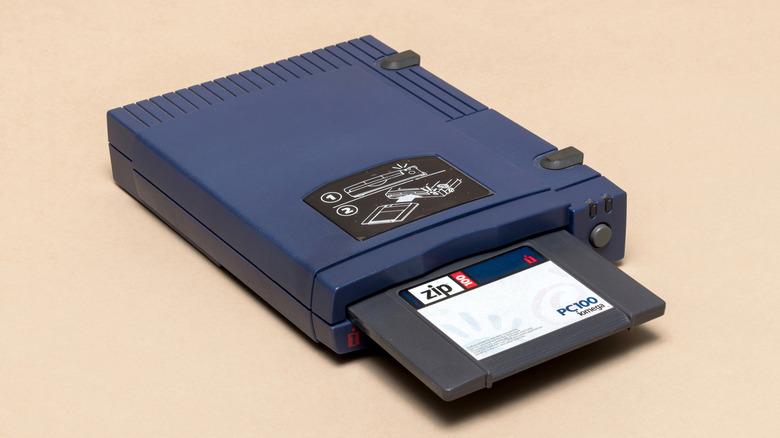
At a time when floppy disks still offered a measly 1.44 MB in the mid '90s, Zip disks offered almost 100 times that with 100 MB, later 250 MB, and 750 MB. These discs looked like floppies but significantly thicker and needed a Zip drive to spin and read them. You could hook up Zip drives over parallel ports, small computer system interface (SCSI), or USB. This storage solution meant professionals and students could easily carry full projects, large files and programs in one place without having to juggle between a whole box of floppy disks.
Zip drives were a bit short-lived, but that was just because better storage solutions like USB flash drives and cheap CD-R drives came in shortly after. During their time, they were the sweet spot for people who found floppies to be too small and CD burners too pricey or slow. Today, Zip gear is mostly retro-computing nostalgia or a way to open an old archive. Flash drives, SSDs and cloud storage do what Zip drives used to do but with ridiculous amounts of space and zero chance of sudden breakdown.
10. ISP installation CDs got you online
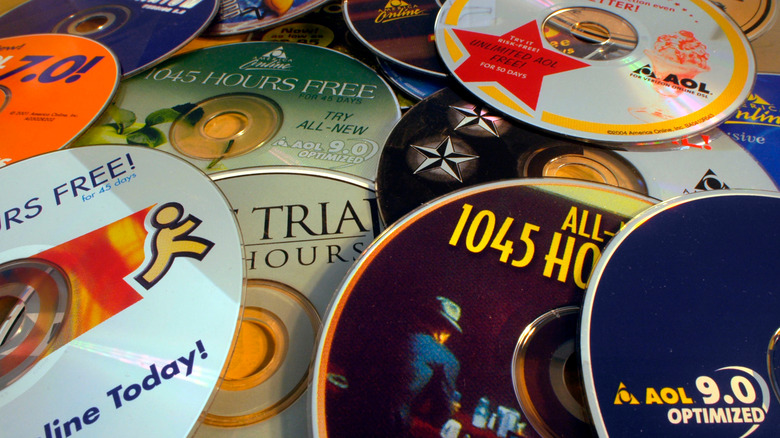
Getting internet in the '90s and early 2000s meant receiving a glossy CD from an internet service provider in your mailbox. Providers like AOL and Earthlink carpet-bombed neighborhood mailboxes with discs promising a number of free-trial internet hours. Once you popped one of the discs into your computer, it walked you through a dial-up networking setup wizard including a custom browser. In most cases, the setup wizard was straight forward meaning anyone could get it up and running within minutes.
Despite being a mailbox menace, the CDs were crucial in making early internet user-friendly. Technology moved fast and over time, the internet shifted to always-on cable, digital subscriber line (DSL), and fibre. ISPs moved to preconfigured modems and web-based activation rendering the millions of AOL discs useless. People turned some of them to coasters and decorations with most of them destined for the landfills. The closest equivalent to the internet CDs today is QR code scanning on your new router or smartphone app to set up your WiFi.
11. T.V. tuner cards and USB boxes gave you T.V. on PC
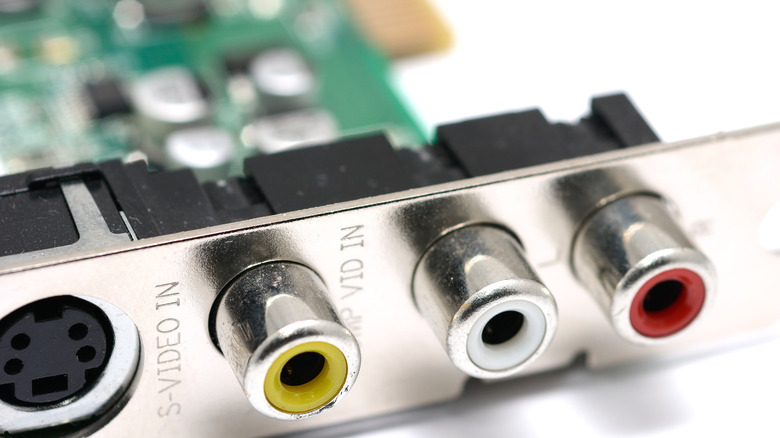
Before Netflix and YouTube, entertainment buffs used to turn computers into T.V.s with tuner cards and external USB boxes. You could purchase an internal PCI tuner card, making it possible to connect your computer to an antenna or cable line. USB boxes did the same trick for laptops. Pairing them with the right software meant you could enjoy live broadcasts in a window, go fullscreen for your favorite sport, or schedule T.V. recordings to your hard drive just as you would on a DVR. Among college students, tuner cards and USB boxes were a neat budget-friendly way of getting T.V. while saving space in mostly cramped rooms.
The tuners made T.V. viewing and recording flexible at a time when missing an episode of your favorite show was a big deal. It was also a practical and affordable way of clipping major sporting events for future reference. Today, T.V. tuners aren't common with their role having been taken up by streaming apps, cable boxes with recording capabilities, smart T.V.s/sticks and, in some cases, smartphones or tablets. However, over-the-air enthusiasts still use modern USB tuners to capture free local T.V. channels.
12. Infrared PC dongles for cable-free transfers
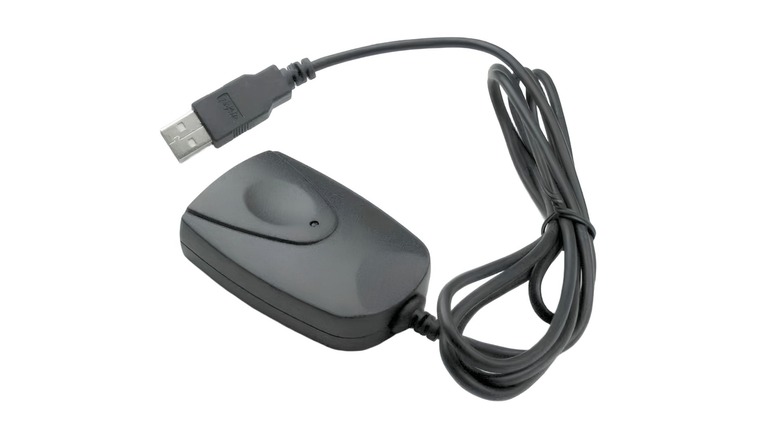
Before Bluetooth earbuds and WiFi file drops, infrared was the available wireless solution on computers. Infrared data ports and dongles fired invisible light pulses like a T.V. remote to send files between computers, laptops, printers and PDAs at speeds starting at 115 kbps up to the low Mbps range. Unlike its successors, infrared struggles even with the slightest of obstacles or misalignment — you had to line up devices perfectly and make sure they held still during the transfer process. And the distance had to be a few inches apart lest the transfer would stall.
In the '90s and early 2000s infrared dongles were a practical solution if you wanted cable free transfers since USB ports were scarce and WiFi was still rare in most homes and public spaces. WiFi and Bluetooth eventually took over offering better ranges and higher speeds even with both devices in separate rooms. Infrared quietly became obsolete, with users these days enjoying the convenience of Bluetooth WiFi Direct, AirDrop, and cloud services in sending even gigabytes of data in a matter of minutes.
Static Media owns and operates BGR and SlashGear.