

Can You Play GameCube Games On The Nintendo Wii?
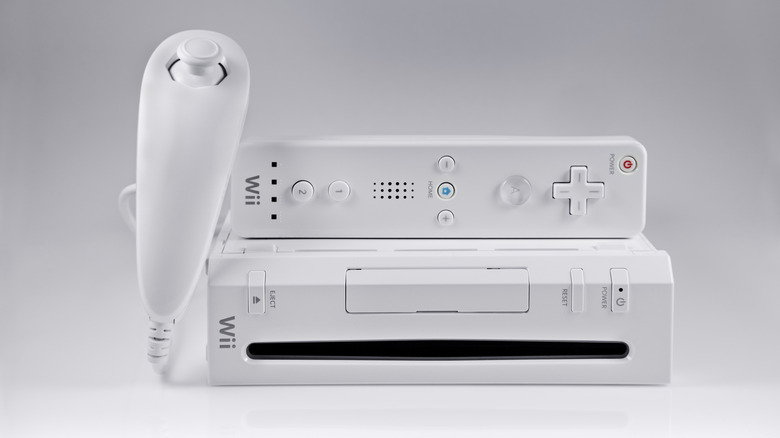
Back in 2006, more than a decade before the launch of the Switch, Nintendo released the Wii. The innovative and hugely popular successor to the GameCube revolutionized gaming, introducing intuitive motion controls through its Wiimote and marking a shift from Nintendo toward a more accessible gaming experience that would pave the way for the Switch family of consoles.
What's more, early versions of the Wii featured backwards compatibility with GameCube software and accessories, allowing Wii owners to continue to play their GameCube titles on the (at the time) new console. While Switch owners can now play classic Wii and GameCube titles, those who prefer a more retro experience, and still own a Wii, can still play GameCube games on it today — just one of the many clever uses for your old Wii and a firm reason the Wii is still worth buying in 2026.
However, GameCube compatibility isn't available with all Wii models. Below, we've broken down how you can tell if a Wii can play GameCube games and, if so, how to do it.
How to tell if your Wii can play GameCube games
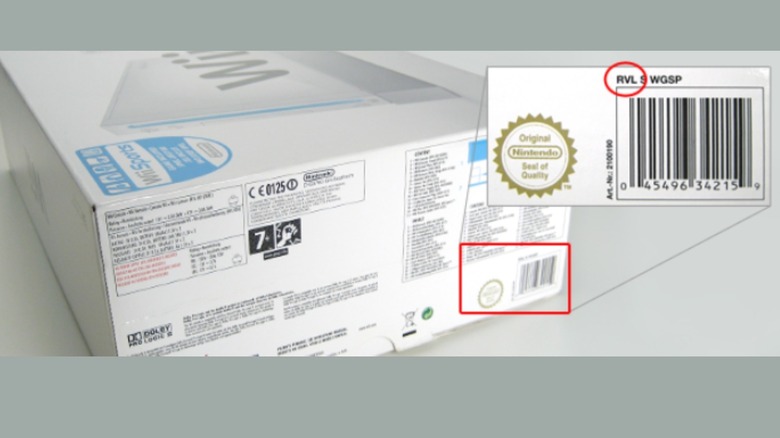
First, you need to check if your Wii console is compatible with Nintendo GameCube software and accessories. You can establish whether your console is compatible by checking your Wii's model number. The Wii's model number can be found on the box, next to the barcode, or on the bottom of the console. Make sure not to confuse this with the serial number, which is found under the barcode. The model number is found either above the black box outline around the serial number on the box or next to the "Model No." text on the bottom of the Wii.
Wiis with the model number 'RVL-001' (released in 2006) have systems which support GameCube software and feature GameCube ports, so should work with most GameCube software and accessories. However, those with the model number 'RVL-101' (released in 2011) or 'RVL-201' (Wii Minis) do not have these ports and their systems are not compatible with GameCube discs or accessories, nor do they support Wii titles or accessories that require GameCube controller ports.
In addition, if your Wii model number begins with an 'RVK,' then it's not compatible and you cannot play GameCube games on it. Non-compatible consoles are also identifiable by the lack of Wii console stand in the box and openable doors (containing GameCube ports) on the top. So, if you're buying a Wii to play GameCube titles, make sure to check the model number first.
How to play GameCube games on your Wii
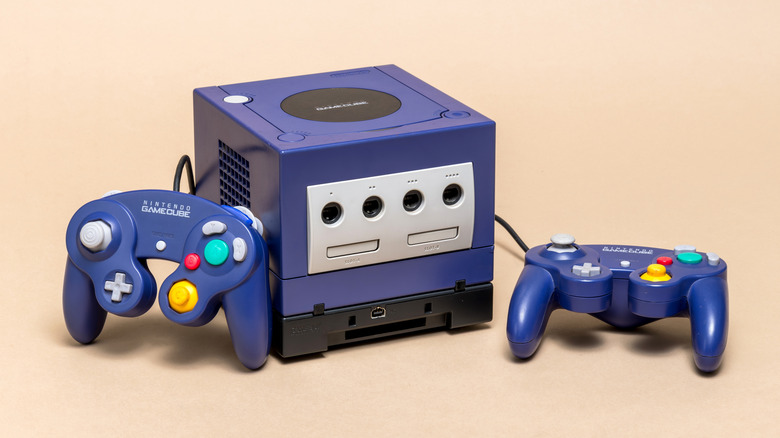
If you have a GameCube-compatible Wii, you'll need a few things before you can start playing GameCube games on it:
-
A GameCube controller/s
-
A GameCube memory card
-
Physical GameCube games
-
A compatible Wii
-
A Wiimote
To play GameCube games on your Wii, you first need to access its GameCube ports. On the top of the console, near the power button, is a door that can be lifted to reveal four GameCube controller ports. Next to it is another door that opens to reveal two GameCube memory card slots. Plug in your GameCube controller/s into the port/s and insert your GameCube memory card into one of the slots. While a memory card isn't essential for playing GameCube titles on the Wii, they're essential for saving your progress, as the Wii has no native save storage for GameCube games.
Next, select the GameCube game you want to play and insert the disc into the Wii's disc drive. Just remember, the disc should be inserted with its top (the part the image on it) facing away from the buttons on the console's face. Turn your Wii console on and then press the 'Home' button (the house icon) on your Wiimote. If the disc is working, a GameCube tile should appear in your Disc Channel menu. Select the tile, followed by 'Start' on the following screen. You can now pick up your GameCube controller and begin playing the game you inserted.