

5 Apple Watch Features Cyclists Will Use Everyday
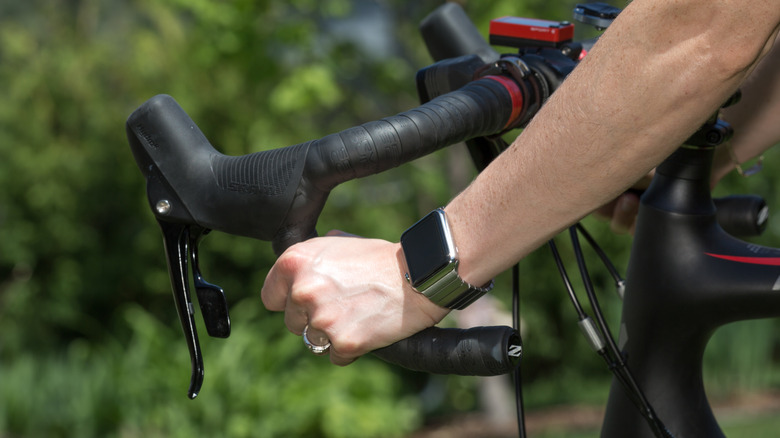
The Apple Watch is a powerful tool for runners, for those who want to keep their notifications at a glance at every moment, and also for cyclists. As the year passes, it seems Apple has two priorities when it comes to people who love to exercise: runners and cyclists. This is why the company has several features that newcomers and longtime cyclists can really enjoy once they get an Apple Watch for the first time or upgrade to a new model, such as getting mirrored information with iPhone Live Activity, turn-by-turn navigation, and native bluetooth sensor connectivity.
While there are many more features cyclists can enjoy, it doesn't mean they should use them every day. For example, some of the most important functions available for iPhone and Apple Watch users are fall detection and emergency SOS. With those features, Apple uses the iPhone or Apple Watch gyroscopes and accelerometers to recognize the impact of a bike crash. If a hard fall is detected and you remain motionless for 60 seconds, the watch will automatically sound an alarm, send a message to a saved contact, and call the local emergency services by sharing your exact GPS location.
Even though these are more of nice-to-have features than we actually want to use them, there are some others that will greatly make a difference during a daily commute, a long bike ride, or a weekend with friends. Here's what you need to know.
iPhone Live Activity
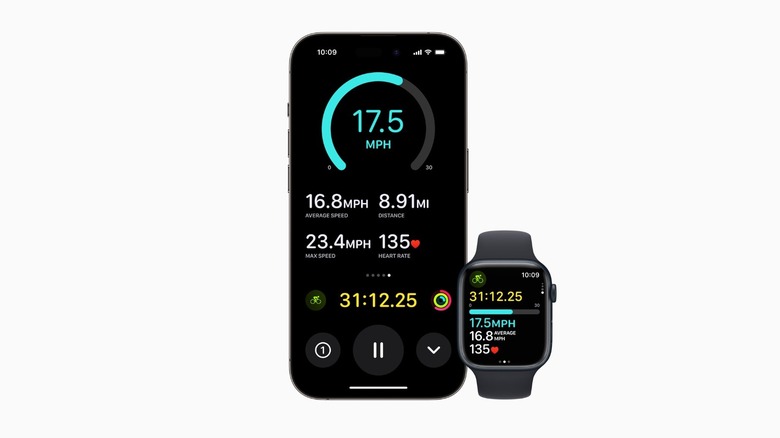
With iOS 17 and watchOS 10, Apple expanded the Live Activity feature by letting cyclists take a deeper look at their cycling metrics from the iPhone. This way, if you start a workout on your Apple Watch and place your iPhone on the bike, you could see the metrics of your workout. This transforms the iPhone into a dedicated, high-resolution bike computer. For everyday cyclists, this became their go-to feature for detailed information on their ride. Cyclists can get their current and average speed, elapsed duration, heart rate, distance covered, and elevation gain.
Thanks to the Apple Watch sensors, Apple can accurately track this data and display it on the iPhone. With newer models, such as the iPhone 17 Pro, vapor chamber cooling ensures that even when your phone is under direct sunlight, the display won't dim, so you can keep checking the information, as this vapor chamber keeps cooling the iPhone's chip.
Whenever I'm cycling, I find it very convenient to get the iPhone in front of me. Even though Apple has greatly improved viewing the Apple Watch from an angle with a brighter display, it can still be tricky to get all the data at a glance, while the iPhone gets the job done perfectly.
Native Bluetooth Sensor Connectivity
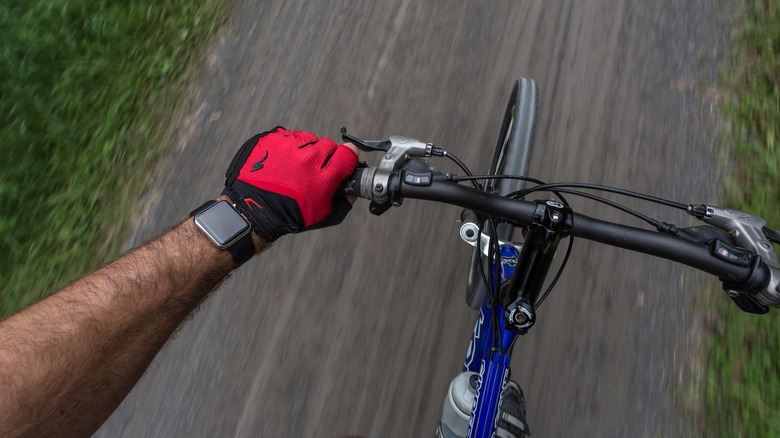
While the iPhone can already play a huge part as a bike computer, serious cyclists might still want dedicated devices to check power meters, cadence, and speed. With Bluetooth support, cyclists can connect standard third-party cycling hardware, and help the Apple Watch collect and record professional-grade cycling dynamics without third-party applications or complex settings for additional hardware.
Once cyclists set up these devices (which is as simple as making them discoverable and connecting to the Apple Watch Bluetooth), the watch can automatically recognize the sensors as they start an outdoor cycling session. Since GPS tracking can be off for speed and cadence, and Apple constantly tries to improve that by tweaking the algorithm of the Apple Watch, situations like cycling under dense tree canopies, inside tunnels, or amidst urban skyscrapers can still be challenging.
That said, by pulling data right from a rear-hub speed sensor or crankset cadence sensor, the metrics remain completely accurate. With that, cyclists who track their progress across third-party platforms like Strava or TrainingPeaks can ensure they have the raw data files with uninterrupted metrics required for deep post-ride performance analysis, or even use third-party AI chatbots to get a better understanding of how their workout went.
Estimated FTP and Power Zones

If you're a serious cyclist, then you should know you can pair a power meter to the Apple Watch, as watchOS unlocks advanced algorithms that calculate your Functional Threshold Power (FTP). This represents the highest average power output, measured in watts, that a cyclist can maintain for one hour without fatiguing. With that, the watch can evaluate your heart rate data alongside your power output across various riding intensities to estimate your current FTP automatically.
Besides that, Apple Watch users can get an understanding of the five power zones, as they can be displayed in real-time visual gauges on the Apple Watch and iPhone. This allows cyclists to regulate their pacing precisely, ensuring they're in a proper zone during long endurance blocks or going a bit faster/stronger during structured intervals.
By being able to estimate the FTP and understanding the different power zones, cyclists can get a better understanding of how their bodies react to a workout, and assess themselves to ensure a maximum performance during climbs or long sessions.
Turn-by-turn navigation
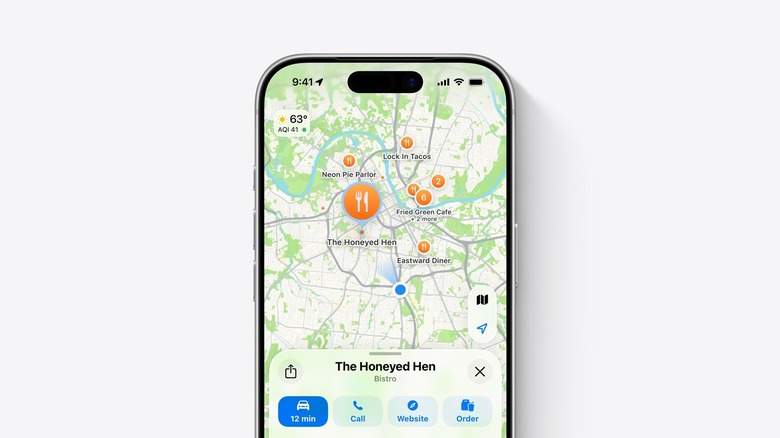
Although not available everywhere, Apple has cycling directions on Apple Maps in roughly 30 countries, including the U.S., Canada, the UK, France, Germany, Japan, Australia, and more. While those accurate cycling routes can be the best way to avoid getting steep hills and get access to dedicated bike lanes, paved paths, and cycling-friendly secondary streets, users can also take advantage of walking directions even on a bike. This way, the Apple Watch buzzes you, and gives you voice commands on where to turn, how long you should follow straight, and so on.
What makes turn-by-turn navigation with the Apple Watch great is that it relies on haptic feedback. With distinctive vibration patterns generated by the Taptic Engine, you always know that it's almost time to act. Besides that, if you prefer glancing at the display, the Always-On technology will ensure you can see the clear, high-contrast directional arrows, distance-to-turn countdowns, and real-time elevation profiles.
Another great option is downloading maps beforehand. With offline maps, this can also be very handy to cycle through the city, whether through dedicated bike lanes or using walking navigation. Cyclists need to open the Maps app on the iPhone and tap their profile. There, they can select Offline Maps, add a new one, and select the area they want to download. After cropping the precise area, users can tap Download, and then toggle to Sync on Apple Watch to have this smooth experience, even when you don't have access to a 5G connection.
Heart Rate Zones and Training Load

While the Apple Watch always measured heart rate frequency, it was with watchOS 9 that it started to integrate automatic and manual cardiovascular zoning. This way, the software started using age and resting heart rate data to calculate the five distinct intensity zones.
With watchOS 11, Apple finally added the missing piece that not only cyclists, but fitness enthusiasts in general were missing: Training Load. With this functionality, Apple created an algorithmic model that calculates the relationship between acute stress and chronic tolerance. This way, instead of just tracking single efforts, watchOS started to track a rolling 28-day baseline of your workout.
Training Load takes into account your heart rate zones, age, weight, and GPS elevation by comparing the last seven days of training intensity against the past 28 days. Thus, users can get a better understanding of whether they're over-training, if they can push a bit harder, or if they're where they should be. While Apple continues to improve these features, third-party apps like Gentler Streak and The Outsiders give more insight into your workouts, including information based on how well you slept, your specific goals, and more.