

Your Bose QuietComfort Headphone Buttons Do More Than Pause Music
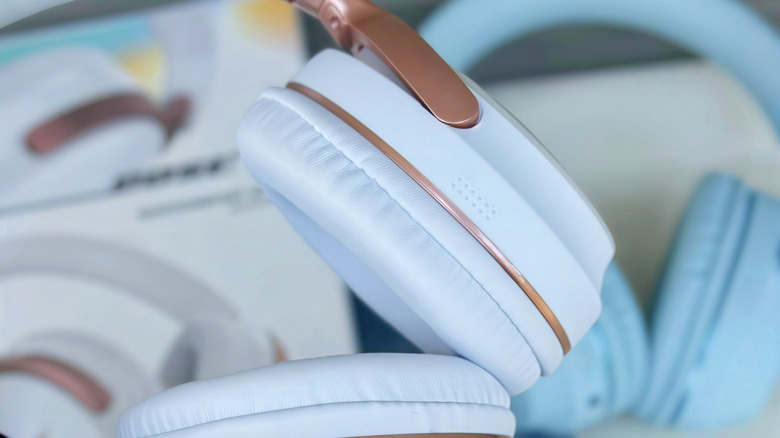
One of the most popular headphone lineups on the market is the Bose QuietComfort (QC) family. These over-ear cans are renowned for their comfortable fit, impressive sound quality, and strong noise canceling. They're also easy to control thanks to the physical buttons on the left and right ear cups. Traditionally, basic playback controls — like play/pause and track skipping — have been mapped to these keys, but that's only scratching the surface of what Bose's headphone buttons can do.
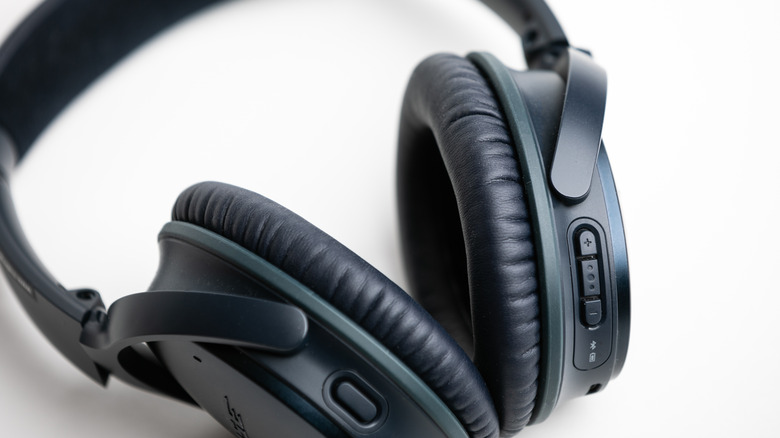
Both generations of the Bose QC Ultra feature two buttons (power and multifunction) and a raised haptic slider. Playback controls are managed by single, double, and triple presses of the multifunction key, but you can also press and hold the button to cycle between ANC presets. You can also assign a Shortcut command to the multifunction key in the Bose Music app. The older Bose QC Headphones (2023) don't include a volume slider; instead, there are volume up and down buttons on the right ear cup, along with a button for playback controls.
The oldest QC models also have an Action button on the left ear cup. Pressing it once cycles through ANC modes, and long-pressing summons your host device's voice assistant. The Bose QC35 II (2018) and Bose QC35 (2016) have three-button layouts, too, but neither generation lets you cycle ANC modes on the headphones; you can only do so through the Bose Music app.
The Bose app isn't required software, but it's the only way to customize your cans
The Bose Music app isn't required, and you can easily connect your Bose QC cans to a phone, laptop, or streaming device using the ear cup buttons to complete initial pairing. That said, the app is totally free, and even if you rarely use it, it's the only way to push firmware updates to your Bose headphones. If you don't like unused apps eating up storage space, you can also install it temporarily to check for new firmware, and delete it after you've updated your headphones.
We mentioned the ability to program a Shortcut command via Bose Music, and available actions include cycling through ANC modes, Immersive Audio controls, the voice assistant, or switching to a previously paired device (all Bose QC models we've discussed in this article support Bluetooth Multipoint). You'll need the Bose Music app to access these customizations, which can be accessed either from the Shortcut tab on the main screen or by going to Settings > Product Control > Shortcut.
Bose headphones continue to evolve, and we wouldn't be surprised if the latest Bose QC Ultra cans receive updates that enhance or expand various features and settings. And trust us: you'd be surprised what manufacturers can achieve in just one or two firmware patches.