

4 Overrated Laptop Screen Features You Shouldn't Pay For
There are many different factors to consider when buying a new laptop. The display, for example, may come with special features on refresh rate, resolution, brightness, support for different color spaces, and more. A better display with all the bells and whistles ensures you get better image quality and text sharpness, which directly improves your visual experience. However, while shopping for a new laptop, certain display features are overkill for the average buyer. If your work isn't like graphic design and doesn't demand the best possible screen, certain features are simply not worth paying extra for.
If your work involves browsing different websites, replying to emails, attending virtual meetings, and working on documents, you shouldn't bother upgrading the screen to a more feature-packed one or paying extra for a laptop model that offers a premium display. To help you avoid wasting money on details you wouldn't take advantage of, we've listed four overrated screen features you can skip when buying your next model.
120 Hz (or higher) refresh rate
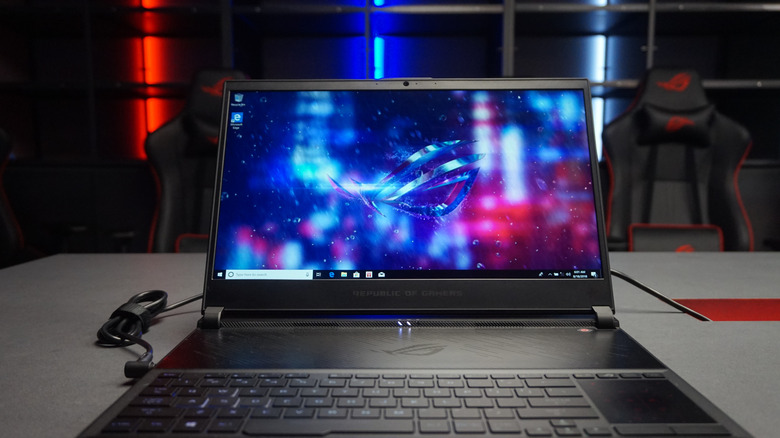
Major laptop manufacturers have turned high refresh rate displays (anything over 60 Hz) into one of the biggest selling points of modern laptops. You'll see brands selling models with 120 Hz, 144 Hz, and even higher numbers, and it's easy to see why. Some of the benefits laptop screens with high refresh rates offer include smoother motion when playing video games or scrolling through pages, reduced motion blur, and better responsiveness. If you're shopping for a laptop for basic use, you might be convinced by marketing that you need a 120 Hz screen.
While it's true that you might enjoy these perks, they're not necessary for the average laptop buyer. In fact, if your daily laptop use involves regular, mundane tasks like emails and meetings, you're less likely to enjoy the benefits of a high refresh rate laptop screen. For other daily use like browsing the web and watching videos, you'll do fine with a screen that tops out at the standard 60 Hz — there's no need to pay more for better refresh rates.
OLED display technology
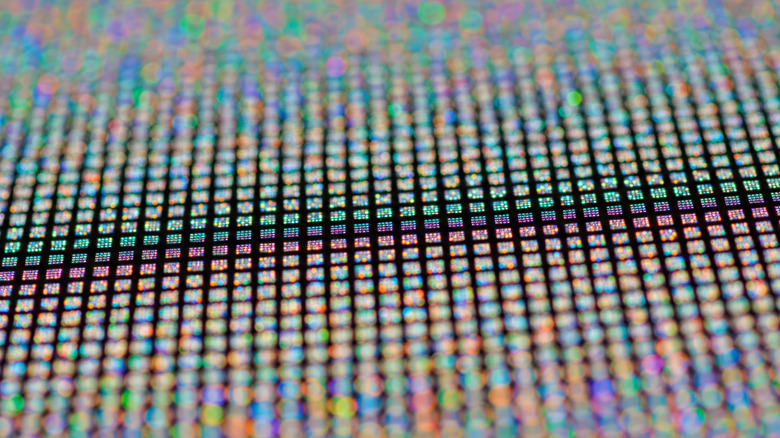
OLED is yet another laptop screen feature that is sold at a premium by manufacturers. OLED delivers deeper blacks than LCD because, instead of using a backlight, it uses self-emitting pixels that can turn on and off individually. It also delivers more vibrant colors and higher contrast and is generally known to offer superior picture quality to LCD — that's why OLED TVs are usually expensive. There's no denying that OLED panels look fantastic.
However, for the average laptop user, the benefits an OLED display adds over an LCD panel are simply a luxury, not a necessity. The major areas where OLED laptop panels are welcome are gaming and entertainment. But if you're doing basic tasks on the device, a good IPS LCD panel can serve you just as well, and you won't feel like you're missing out on anything. So, if you're such a person, there's no need to overpay for an OLED display upgrade.
4K resolution
Another overrated laptop screen feature you should not pay a premium for is 4K resolution. When it comes to displays, the rule of thumb is that the higher the resolution, the better the picture quality, because it reproduces sharper, more detailed images. As you'd expect, the higher the resolution of a screen, the more expensive it is. HP sells its OmniBook Ultra 14 OLED laptop with a 1,920-by-1,200-pixel resolution in the base configuration, but you can upgrade to a display with 2,880-by-1,800-pixel resolution, paying an extra $70.
For normal laptop use, 4K resolution is overkill. The higher picture quality is noticeable in videos and images with lots of details. It has little impact on websites, documents, whiteboards, and productivity tools, so you can safely stick with a 1080p display if these are things you'll see most of the time. If you want sharp images anyway, you can get a laptop like the M5 Max MacBook Pro we've reviewed, which impressed us with its detailed, sharp display at 3,024-by-1,964-pixel resolution that sits between 1080p and 4K.
You'd only benefit from a laptop screen with 4K resolution if you're in a creative job such as video editing or graphic design. Even for gaming, a laptop with 4K resolution is a hard sell because you need a really powerful CPU and GPU to play games in that resolution and at decent frame rates. For everyday use, a quality display with 1080p or 2.5K resolution is more than enough.
Touchscreen input

Touchscreen support in laptops is one of those features you might think you absolutely need when you don't. The ability to tap, swipe, or pinch on your laptop sure feels convenient at first, but not everyone benefits from having a touchscreen display. Unless your workflow values touch input from a stylus, it's probably a feature you won't use enough to justify paying extra for. And for many, that's the case.
Multiple users on Reddit admit ignoring the touchscreen functionality of their laptop or only using it a handful of times, so if you aren't someone whose line of work depends on it, you might be overestimating just how much you need it, and you should probably skip it. There's no need for touchscreen laptops except for a few professionals like digital artists, and if your work doesn't fall into that category, then don't pay extra for such a screen.