

Why Does The Blue Dot On Google Maps Keep Changing Sizes?
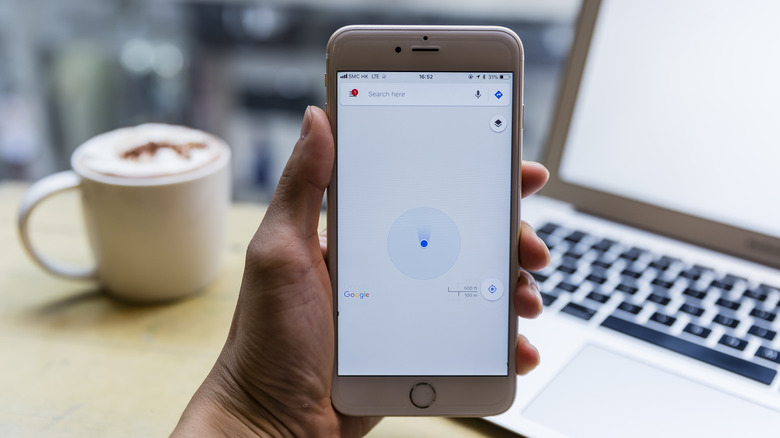
Whether you're navigating a bustling city on a vacation or simply trying to find a new coffee shop in your hometown, getting help from a navigation app like Google Maps has become second nature for most of us. And that makes sense, as Google Maps offers many great features for making trips better. But if you've ever stared at Google Maps while waiting for your route to load, you might have noticed a curious visual quirk: the location marker not always sitting perfectly still. Instead, the blue dot that represents your current physical location frequently pulsates, growing into a wide, semi-transparent circle before shrinking quickly back down to a smaller, more precise point. But why does it do that, and what does it mean?
This expanding and contracting dot can feel a bit like a software glitch or perhaps an indication that you don't have one of the best big smartphones. Really, though, this fluctuating dot is a deliberate tool built right into the app's UI. It's simply Google Maps telling you how confident it is about your exact coordinates. See, your smartphone uses a combination of GPS satellites, cell towers, and nearby Wi-Fi networks to triangulate where you're standing. When all of those signals are perfectly aligned and unobstructed, the app can know your location with pinpoint certainty. However, when those signals face interference of some sort, the app has to guess. And that shaded blue area radiating from the center? It's not an error: it represents the triangulation's margin of error.
Why accuracy fluctuates and how to shrink the circle
Understanding what Google Maps is trying to communicate here actually makes navigating easier. A massive, wide circle means your phone is essentially saying, "You are somewhere inside this general zone, but we aren't precisely sure where." On the flip side, a tight, small circle means you've got high accuracy, confirming your exact spot on the sidewalk.
So, what causes the app's blue dot to suddenly balloon in size? The most common culprit is some sort of blockage. If you step indoors, head underground into a subway station, or find yourself surrounded by a bunch of skyscrapers, it's easy for your device to lose its direct line of sight to GPS satellites and anything else that could help triangulate your location. That, in turn, causes your blue dot in Maps to grow.
Fortunately, you're not completely hung out to dry when this happens. If your dot's radius stays large, you can force your device to recalibrate. First, make sure your Wi-Fi is toggled on, since Google Maps uses background pings from nearby routers to improve spatial awareness. Finally, you can physically calibrate your phone's internal compass. All you need to do for this is move your smartphone in a figure-eight shape through the air. Within seconds, you should see that vague, wide circle snap back into a reliable, pinpoint dot. And once that's fixed, you can use Google Search's AI mode to help you make dinner reservations.