

Here's What The Steam Machine's 'Red Line Of Death' Actually Means
The Steam Machine is Valve's latest foray into PC gaming consoles, slated to release on July 29, 2026. However, some people have gotten their hands on early copies and learned the device isn't as stable as we had hoped. But just because it exhibits issues similar to those we've seen in other consoles doesn't mean they are exactly the same.
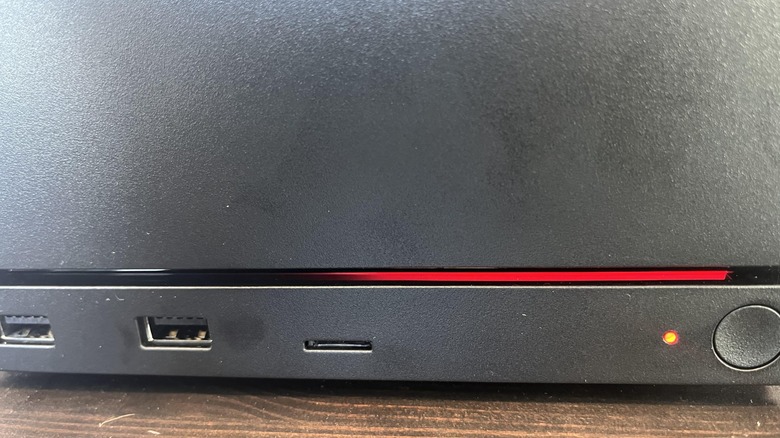
Recently, a user by the name of me_hill posted on the r/steammachine subreddit that they received an early copy of the Steam Machine and got to play it for about 20 minutes — five minutes of which were devoted to "No Man's Sky" — before installing an update that bricked the console. The Steam Machine stopped working in its entirety, all except for a thin red line near the bottom meant to indicate the console had encountered a fatal error. This trait earned the the nickname "Red Line of Death," due to its similarity to the Xbox 360's Red Ring of Death.
Like its namesake, the Red Line of Death is a visual error code designed to help users diagnose problems. In fact, the Steam Machine support website has an entire page dedicated to the various colors and their meanings. In me_hill's case, the line they encountered (the left half was black, the right half was "breathing" red) indicated that the Steam Machine experienced a "GPU failure." While you normally encounter early warning signs your GPU is about to fail, sometimes they just give up the digital ghost without warning, which is what the Steam Machine was telling me_hill what happened.
Reports of the Steam Machine's death were greatly exaggerated
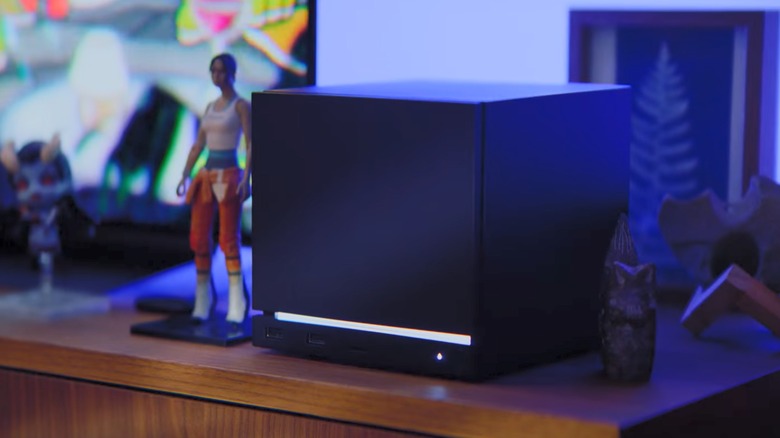
When a GPU fails, your next course of action will vary depending on the card itself. If you can remove the component, you buy a new one — assuming you can afford one. If not, you send the entire device in for repairs. Since the Steam Machine's GPU is soldered into the motherboard, me_hill needed to send his console to Valve support HQ. Or so they thought.
In an "anticlimactic" (their words, not ours) update, me_hill followed up their initial post by saying they got their Steam Machine up and running again after trying the oldest trick in the computer repair handbook: Turning it off and on again. Sort of. Initially, me_hill tried leaving the Steam Machine unplugged for several hours, but that didn't work, so they kept it unplugged overnight and plugged it back in again in the hopes they could work some magic on the device's BIOS. But when me_hill plugged the Steam Machine back in, it "booted up immediately without issue."
You might wonder how such a miraculous recovery is possible. Turns out me_hill was working under the wrong assumption the entire time, though we can hardly blame them. According to Digital Foundry, the Steam Machine's light bar codes are currently reversed, so the pattern that should represent a bricked GPU actually indicates a memory training failure — an issue you can easily fix by leaving a device unplugged to clear the CMOS. Keep this in mind if your Steam Machine's light bar starts acting up after you receive it before Valve updates the support page.