

You Should Be Taking Advantage Of Your Samsung Galaxy Devices In The Morning - Here's How
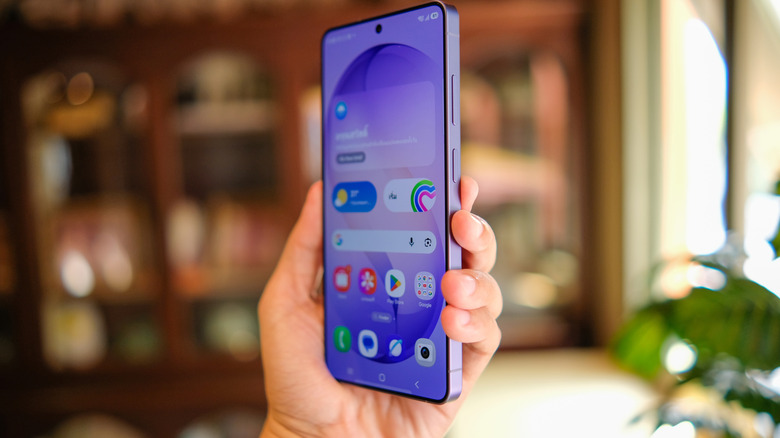
Over the years, Samsung has added useful features to One UI on Galaxy phones and tablets that upgrade how you might use them. Custom modes and routines are a marquee feature. Routines are an "if this then that" automation system you can use to achieve various outcomes. For example, you can have your Galaxy Phone automatically go silent and disable all incoming notifications when you arrive at work, with the trigger being your workplace address. You could have another routine reverse it all when arriving home. But where things really get interesting is when integrating these routines into your daily life, like in the mornings to kickstart your day.
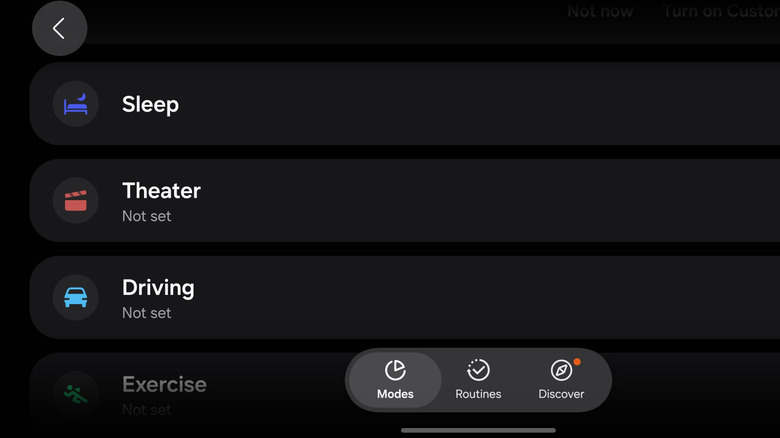
Setting up a custom routine is easy. You need to have Samsung's Customization Service enabled as a forewarning. Open up Settings and go to Modes and Routines. You should already see suggested modes there, such as sleep, theater, driving, and more. You can also use the Discover tab to find suggested pre-programmed modes. You can customize those, if you want, but to create your own, tap Routines. When you're ready, tap the + icon in the top right. Add an "If" parameter to determine what activates the routine, and a "Then" parameter to specify what to do, then tap Save. You'll be asked to enter a name for your custom routine next.
A perfect morning routine might unmute your device when the alarm is dismissed, increase the volume to a good listening level, and read back Samsung's daily Now Briefing or start a podcast. You could also play a meditation stream or access smart home devices to turn on bedroom lights, power on a coffee pot, play music or turn on a TV.
The routines can be as complex or as simple as you want
What makes Samsung's Modes and Routines so powerful is that you can customize them to do virtually anything you already do on your phone. It's all about automating some of the more repetitive or common tasks to speed up or ease your mornings or any other time. But they also don't have to be advanced or lengthy processes with a ton of extra steps. Some of the popular Samsung Galaxy Modes and Routines that users love are very simple, like auto-rotating the screen when you open a specific app, reducing battery heat when a power-hungry app is in use, like Android Auto or activating location-based triggers, like the example of silencing your phone when arriving at work.
Some examples of simple routines involve using Samsung TV Plus to power on your TV and tune to your local morning news channel when you wake up, using a smart plug to get your coffee brewing, or pinging smart blinds to open the shades and let in sunlight.
If you happen to be here and you don't have a Samsung Galaxy device, which warrants a few auxiliary questions we'll ignore for now, there are still ways you can automate your mornings with an Android phone. More specifically, there are free Android apps you can use to automate your routines. There are also ways to establish similar routines on an iPhone using apps.