

The 5 Biggest New Features One UI 8.5 Added To Galaxy Phones
After a long beta cycle, the first stable iteration of Samsung's One UI 8.5 is finally here on older Samsung phones, bringing many popular features present on the Galaxy S26 to previous-generation Samsung devices. The update started rolling out in Korea on May 6, 2026, but it should drop in other regions throughout May. One UI 8.5 introduces many new Galaxy AI features, improves upon old ones, and also allows for Quick Share between Android and Apple devices.
For now, the update brings these features to the Galaxy S25, the S25 Plus, the S25 Ultra, and the Galaxy S25 FE. Sources confirm that other Samsung phones will also be receiving the same features as part of One UI 8.5 later on. These phones include those from the S24 lineup, as well as the Galaxy Z Fold and Z Flip phones — specifically the Z Fold 6, Z Fold 7, Z Flip 6, and Z Flip 7.
1. Call screening
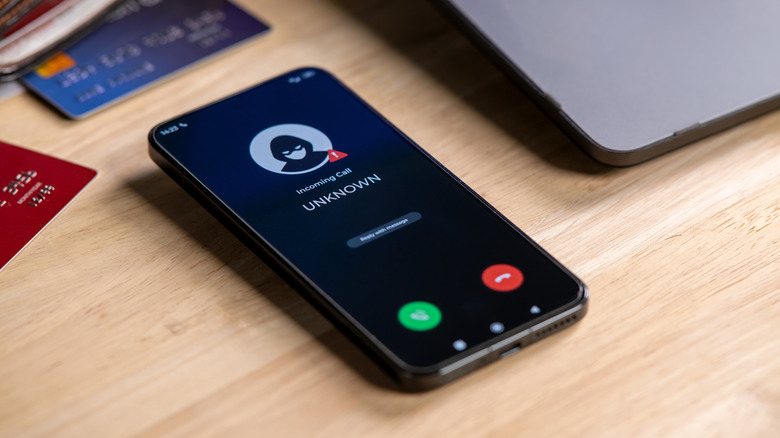
The Galaxy S26 series debuted with tons of new features. Some of the biggest changes had to do with Galaxy AI and how much it improved on the AI features from previous generations, alongside plenty of fully new AI features. One such feature that many Samsung users will appreciate is call screening, and with One UI 8.5, you can use it on your Galaxy S25 and older Samsung phones.
Call screening, as the name suggests, screens incoming calls to let you know exactly who is calling before you pick up. Whenever you get a call from a suspicious number — either something the AI flags as suspicious or all unknown numbers in general, depending on what you select — your Samsung phone can take the call for you.
It asks the caller who they are and what they need you for, and determines if they're legitimate. You can then decide whether to pick up the call. Furthermore, even if you don't respond, you can review a summary or a transcript of the call after it's done and decide what to do afterwards. This feature improves greatly on the Bixby text call feature, and now the AI can choose replies itself. You can even set it to take incoming calls from unknown callers automatically, where you'd have to manually select the option in previous renditions.
2. Upgraded Photo Assist
For many users, the S26's AI photo-editing tools were among the highlights of the new phone lineup. The Galaxy S25 already came with Photo Assist, but this was much more limited than what we now have with One UI 8.5
With the original Photo Assist, you could circle or select any object in a picture to remove it from the photo entirely, resize it, or move it around. You could also import objects from other pictures in your gallery to add them to a photo and turn your sketches into real-world objects. Additionally, if there were faces present in any picture, you could use Portrait Studio, which used generative AI to create stylized portraits.
With the new and improved Photo Assist in One UI 8.5, you have more control over what you want to do. It has all the features that its previous iteration had, but now also lets you type in prompts. With the previous version, you could try drawing a tree and hope that Galaxy AI would get the colors right to match your vision, but with the newer Galaxy AI features, you can add in text prompts to create the exact result that you had in mind.
3. Improved Audio Eraser

Background noise is annoying. Whether you're trying to watch a YouTube video or recording a video of yourself in a busy park, having unnecessary sounds in the background can be quite frustrating to deal with. Samsung came up with a solution for this: Audio Eraser.
This feature — which debuted on the S25 series – allowed users to use AI to isolate and remove any background noise for improved clarity on the audio of video recordings. This, however, only worked for videos in the gallery, where S25 owners could use the video editor to remove background noise after recording something.
Audio Eraser has been enhanced in One UI 8.5 as well as on the Galaxy S26 phones and now functions system-wide and in real-time. This means that, with One UI 8.5 now coming to older phones, users can block background noise through many built-in programs, as well as streaming platforms and social media apps. In practice, this can block loud background noise when you're watching a YouTube video, scrolling through Instagram Reels, or when you're using the sound recorder. The audio removal for recorded videos now also works while you're recording the footage, which means you don't have to remove it in post-processing.
4. Quick Share with Apple devices via AirDrop

The ability to share pictures and videos wirelessly has existed on smartphones for quite some time. While this process used to be much slower when it was done over older iterations of Bluetooth, both Android's Quick Share and Apple's AirDrop can transfer small files almost instantly using a combination of Bluetooth and a Wi-Fi connection.
The feature solved many problems — you don't have to consume data or use a cable just to transfer some pictures, for example — but for whatever reason, Quick Share and AirDrop weren't compatible with each other for the longest time, which meant you couldn't send files from your Android phone to an Apple device or vice versa. That changed late last year, with certain Android phones adding support for AirDrop. The Galaxy S26 phones released earlier this year also had this feature, with Quick Share supporting cross-platform file transfers between Android and Apple devices.
We already saw this feature added to older Samsung phones in the One UI 8.5 beta, though that version had some glaring problems. With One UI 8.5's official stable release, these should be fixed. Like in the beta version, the feature will be added to the Galaxy S25, S24, S23, and even as far back as the S22 series. If you're using any of these phones with One UI 8.5, you can use Quick Share to send or receive files from an iPhone, iPad, or Mac.
5. Now Nudge
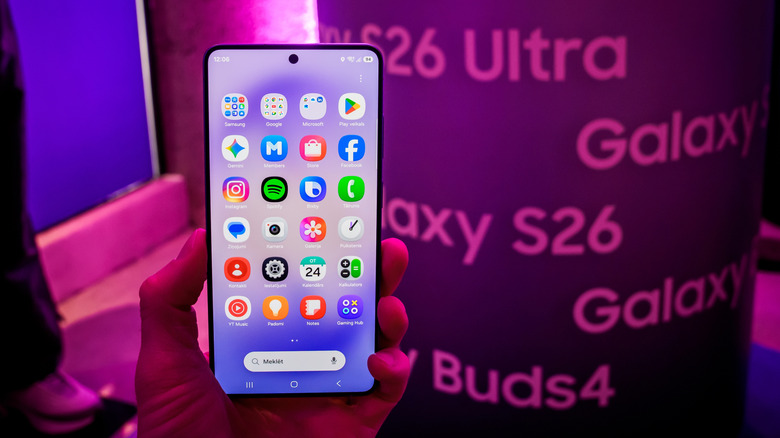
Among the many Galaxy AI features for Galaxy S26 phones, Now Nudge and other proactive AI suggestions are among the most helpful in daily life. With most AI features on older Samsung phones, you had to prompt the AI before it did anything. With the new Galaxy AI features in One UI 8.5, that's no longer the case, and your phone can now offer suggestions unprompted.
Now Nudge analyzes the context and offers suggestions on things to do based on the notifications and messages you receive or by looking at what you're trying to do. For example, if you receive a notification about an upcoming meeting, Now Nudge can "nudge" you to add it to your calendar or reschedule it if you already have an appointment at that time. Similarly, if you receive a text message asking you to send pictures from a certain date, Now Nudge can find those pictures for you, making it easier to send them.