

What Does HOV Mean On Google Maps?
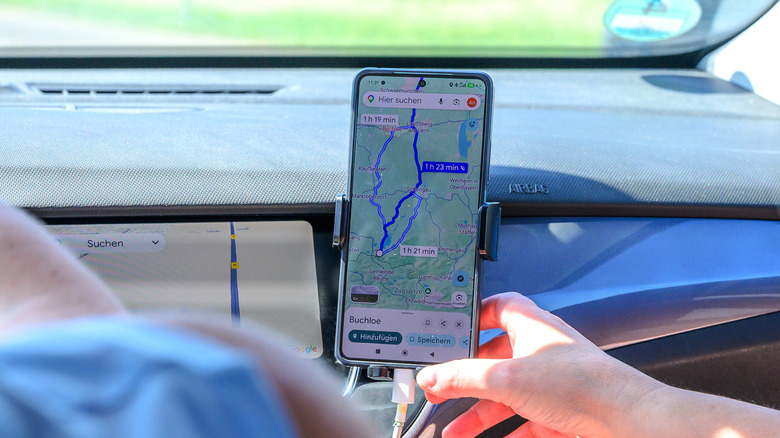
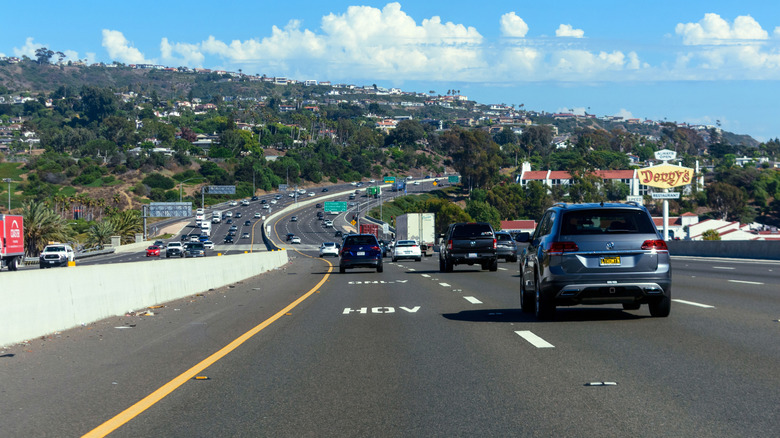
If you ever find yourself digging through Google map features you might be missing out on, there's a chance you might a "Prefer HOV" option in the app when setting up navigation in specific areas in the U.S. Short for high-occupancy vehicle, HOV navigation may get you to your destination faster according to Google data, assuming you qualify for the HOV designation. While laws may vary by city, state and even the time of day, the HOV lane, generally speaking, applies to vehicles traveling with two or more people, but in some areas, motorcycles also qualify for this lane.
High-occupancy vehicles get dedicated lanes on highways that allow them to travel at faster speeds and avoid getting stuck in traffic. If you do qualify for the HOV lanes in your area, you and your fellow passengers can arrive at your destination faster than by using a regular highway lane. You can use any navigation app to drive on HOV lanes, regardless of whether the app can support carpooling travel, but one benefit of selecting HOV in Google Maps is that Google has studied the impact of HOV driving on the estimated time of arrival (ETA), and can offer more accurate ETAs when selecting this travel mode. Google explained in a blog post in late June 2025 the technology behind HOV ETA predictions for rush hour traffic. The company said that the average speed in HOV lanes was 68.18 mph in Salt Lake Valley, Utah, compared to 58.60 mph in general lanes.
How to enable HOV navigation in Google Maps
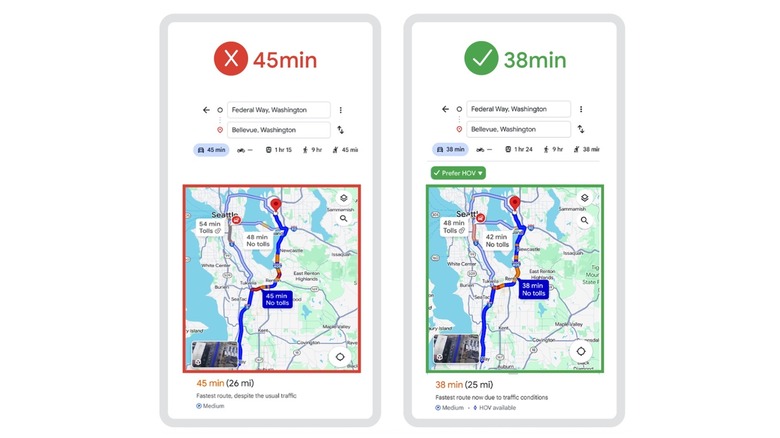
Google shared the example above, showing two distinct ETAs for the same route. On the left, Google Maps shows a regular travel time estimate for a route that doesn't involve HOV. On the right, the "Prefer HOV" option is selected, with Google Maps showing a shorter time estimate. The driver selecting the HOV option would get to their destination about seven minutes faster, according to the example.
To take advantage of the high-occupancy vehicle settings in Google Maps, you have to enable the feature when entering a new destination on Android, iPhone, and iPad. Enter the destination in Google Maps as you normally would, then tap Directions > More > Options to find the Prefer HOV setting and turn it on. Google says a flag will appear on the card when the feature is enabled. After turning on Prefer HOV, you can start your drive. As long as the feature is enabled, Google Maps will highlight routes that support HOV driving and offer you faster time estimates and improved ETAs. To return to the regular Google Maps navigation options, you'll have to turn off the Prefer HOV setting.
That said, Google Maps won't help you ensure that you qualify for HOV regulations in an area. You will have to make sure that you're driving the correct type of vehicle and have enough passengers in the car to be allowed to take the less-congested carpooling lanes.
Where is HOV available?
Google launched the HOV navigation feature in late 2023, without providing additional details about it at the time. "In the U.S., you'll soon see if there are HOV lanes along your route so you can make a more informed decision about how to get to your destination," Google said in a blog post that introduced Immersive View support for Google Maps routes, a more detailed map, improved EV charging station information, and AI features, like Google Lens support. The little information Google offered at the time indicated the feature's main restriction. The "Prefer HOV" setting is limited to the U.S. market, and coverage may vary.
As of this writing, Google's navigation support documents indicate that HOV navigation is available on Google Maps for Android, iPhone, and iPad, which means your driving experience will be supported regardless of mobile platform. However, you won't find the Prefer HOV setting on Google Maps on the web version, which you may want to use on a computer when planning trips from home. Also, it's unclear how many HOV-supported roads are covered by Google Maps. You'll have to look for HOV navigation support when planning specific routes. Drivers can also consider using Google's Waze app in areas that support HOV, as this navigation app also supports HOV routing.